

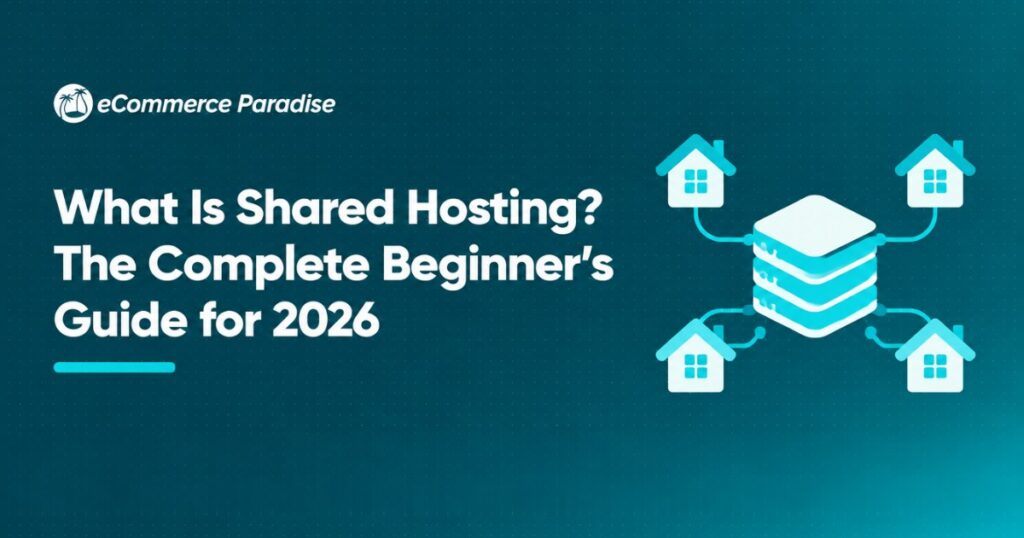
If you’re just getting started with building a website, shared hosting is probably the first type of hosting you’ll come across. It’s the most affordable option out there, and for good reason. Shared hosting is where your website lives on a server alongside other websites, and everyone shares the same resources like CPU, RAM, and storage. Think of it like renting an apartment in a building where you share utilities with your neighbors.
At E-Commerce Paradise, I’ve helped hundreds of people launch their first websites and online stores over the past 15+ years. Shared hosting is where most people start, and it’s a perfectly solid choice for new websites, blogs, and small business sites that aren’t getting massive traffic yet. But there are some really important things you need to understand before you sign up, because not all shared hosting is created equal.
In this guide, I’m going to break down exactly how shared hosting works, who it’s best for, the pros and cons you need to know about, and my top recommendations for the best shared hosting providers in 2026. Whether you’re launching your first blog, building a portfolio site, or starting an online business like high-ticket dropshipping, this guide has everything you need to make a smart hosting decision.
How Shared Hosting Actually Works
Shared hosting is the most basic and common type of web hosting available. Here’s how it works in simple terms. A hosting company owns a powerful physical server, and they divide that server’s resources among multiple websites. Your website is one of potentially hundreds of sites all running on that same machine.
The hosting provider manages everything on the server side. They handle the hardware, the operating system, security patches, and server software. All you need to do is upload your website files, set up your domain, and you’re live. That’s one of the biggest appeals of shared hosting: you don’t need any technical server knowledge to get started.
Each website on a shared server gets allocated a portion of the server’s resources. The exact amount varies by provider and plan, but you’re typically looking at a set amount of storage space, bandwidth, and processing power. The key thing to understand is that these resources are shared, meaning if another website on your server suddenly gets a huge traffic spike, it can temporarily affect your site’s performance too.
Most shared hosting providers use a technology called a control panel, usually cPanel or a proprietary alternative, that gives you a visual dashboard to manage your hosting account. From there you can install WordPress, set up email accounts, manage your files, create databases, and handle all the basic tasks without ever touching a command line.
Who Should Use Shared Hosting
Shared hosting is ideal for specific use cases, and understanding whether your project fits is the first step to making a smart decision. Here’s who benefits most from shared hosting.
New Bloggers and Content Creators
If you’re starting a blog or content site, shared hosting gives you everything you need at a price that won’t break the bank. Most new blogs get under 10,000 visitors per month, and shared hosting handles that traffic level without any issues. You can always upgrade later when your traffic grows.
Small Business Websites
Local businesses, freelancers, consultants, and service providers who need a professional online presence don’t need powerful hosting. A shared plan is perfect for a 5-10 page business website with a contact form and some basic information about your services.
Portfolio Sites
Photographers, designers, developers, and other creatives building portfolio sites to showcase their work will find shared hosting more than sufficient. These sites typically have moderate traffic and don’t require heavy server resources.
People Learning Web Development
If you’re learning to build websites and want a live environment to practice in, shared hosting is the cheapest way to get real hosting experience. You can experiment with WordPress, try different themes and plugins, and learn how hosting works without spending a fortune.
Side Projects and Testing
For side projects, hobby sites, or testing environments where uptime and speed aren’t mission critical, shared hosting gets the job done at minimal cost. I’ve used shared hosting for testing purposes plenty of times before migrating a site to something more robust.
Who Should NOT Use Shared Hosting
Shared hosting isn’t the right fit for everyone. If your website falls into any of these categories, you’ll want to look at VPS, cloud, or dedicated hosting instead. We actually have a great comparison guide on shared vs VPS hosting that breaks down the differences in detail.
High Traffic Websites
If your site consistently gets more than 50,000 monthly visitors, shared hosting is going to struggle. The shared resources won’t be enough to maintain fast load times and reliable uptime at that traffic level. You need at least a VPS at that point.
E-Commerce Stores Processing Orders
Online stores need reliability, speed, and security that shared hosting can’t guarantee. When a customer is entering their credit card information, you can’t afford for the site to slow down or go offline because someone else’s website on the same server is having a traffic spike. For serious e-commerce, especially high-ticket niches where individual orders are worth $1,000 or more, you want dedicated resources.
Resource Intensive Applications
If your website runs complex applications, heavy databases, or requires a lot of processing power, shared hosting won’t cut it. The resource limitations will cause slow load times and potentially crash your site during peak usage.
The Pros of Shared Hosting
Let me be real about what shared hosting does well, because there are some genuine advantages that make it the right choice for millions of websites.
Extremely Affordable
This is the biggest draw. Shared hosting plans typically start at $2-5 per month, which is the cheapest hosting you can get. Compare that to VPS hosting at $20-80 per month or dedicated servers at $100-300+ per month, and you can see why shared hosting is so popular with beginners. Providers like Bluehost regularly offer promotional pricing that makes it even cheaper for the first term.
Beginner Friendly
You don’t need to know anything about server management. The hosting company handles all the technical stuff, and most providers include one-click WordPress installation, email setup, and an intuitive control panel. If you can click a mouse, you can set up shared hosting.
Managed Server Maintenance
Security patches, software updates, hardware maintenance, and server monitoring are all handled by the hosting provider. You never need to worry about keeping the server running because that’s their job. This is a huge relief for non-technical website owners.
Includes Essential Features
Most shared hosting plans come bundled with features that would cost extra on other hosting types. You typically get free SSL certificates, email hosting, a website builder, and sometimes even a free domain name for the first year. HostGator and several other providers include all of these in their basic shared plans.
The Cons of Shared Hosting
Now let me be honest about the downsides, because ignoring these can lead to real problems down the road. Keep that in mind when you’re making your decision.
Limited Resources
The biggest downside is resource limitations. Since you’re sharing CPU, RAM, and bandwidth with other sites, you only get a fraction of the server’s total power. During peak times, this can mean slower page loads and reduced performance. For a blog that gets a few thousand visits a month, this is usually fine. For anything more demanding, it becomes a real pain in the butt.
The “Noisy Neighbor” Problem
This is the most frustrating aspect of shared hosting. If another website on your server suddenly goes viral or gets hit with a traffic spike, it can eat up server resources and slow down every other site on that server, including yours. Good hosting providers have safeguards against this, but it can still happen. According to Cloudflare’s performance research, server response time is one of the biggest factors in overall site speed, and shared hosting is where this is most variable.
Limited Customization
You don’t get root access to the server, which means you can’t install custom software, modify server configurations, or make low-level changes. For most beginners this doesn’t matter, but as your needs grow, these limitations can become frustrating.
Security Concerns
Sharing a server with other websites means that if one of those sites gets hacked or infected with malware, there’s a potential risk to your site too. Reputable hosting providers isolate accounts to minimize this risk, but it’s an inherent vulnerability of the shared hosting model.
Renewal Price Increases
This is something that catches a lot of people off guard. Most shared hosting providers offer a really low introductory price, sometimes as low as $1.99 per month, but when your initial term expires, the renewal price jumps significantly. I’ve seen renewal rates go from $2.99 to $12.99 per month. Always check the renewal price before signing up.
Best Shared Hosting Providers in 2026
I’ve tested dozens of hosting providers over my 15+ years building websites, and these are the ones I actually recommend for shared hosting. Each one has different strengths depending on what you need.
Bluehost
Bluehost is one of the most popular shared hosting providers in the world, and for good reason. They’re officially recommended by WordPress.org, which gives them instant credibility. Plans start at around $2.95 per month with promotional pricing, and you get a free domain name, free SSL certificate, and one-click WordPress installation. Their customer support is available 24/7, and the interface is really beginner friendly. If you’re brand new to hosting, Bluehost is a safe bet.
SiteGround
SiteGround is my recommendation if you want the best performance from shared hosting. They use custom-built server technology, SSD storage, and a built-in caching system that makes sites noticeably faster than most shared hosts. Their customer support is consistently rated among the best in the industry, with average response times under 2 minutes. Plans start around $3.99 per month.
Hostinger
If budget is your main concern, Hostinger offers the cheapest shared hosting you can find that’s still reliable. Plans start at around $1.99 per month, and they include a free website builder, SSL certificate, and email hosting. Performance is solid for the price, though it’s a step below SiteGround. For a first website on a tight budget, Hostinger delivers great value.
HostGator
HostGator has been around since 2002 and hosts millions of websites. Their shared hosting plans are well-rounded with unlimited storage and bandwidth on most plans, a free website builder, and a 45-day money-back guarantee that’s more generous than most competitors. Plans start around $3.75 per month, and they’re a solid choice for small business websites.
Namecheap
Namecheap is known primarily as a domain registrar, but their shared hosting is surprisingly good. What I really like about Namecheap is their transparent pricing. The renewal rates aren’t nearly as inflated as some competitors, so you know what you’re getting into long-term. Plans start at around $1.98 per month and include free SSL, a website builder, and up to 50 email accounts.
Key Features to Look for in Shared Hosting
Not all shared hosting plans are equal. When you’re comparing providers, these are the features that actually matter. This is the stuff I look at when evaluating hosting for my clients at E-Commerce Paradise.
Storage and Bandwidth
Most shared hosting plans offer either a set amount of storage (like 10GB or 50GB) or “unlimited” storage, which always comes with fair usage restrictions. For a typical website with under 100 pages, 10GB of storage is more than enough. Bandwidth limits determine how much data can be transferred between your server and visitors. For low to moderate traffic sites, most plans provide plenty.
Uptime Guarantee
Look for providers that guarantee at least 99.9% uptime. This means your site should be accessible at least 99.9% of the time, which translates to less than 9 hours of downtime per year. According to Pingdom’s research on downtime costs, even small amounts of downtime can cost businesses significant revenue, so this guarantee matters.
SSL Certificate
Every website needs an SSL certificate in 2026. It encrypts data between your site and visitors, and Google considers it a ranking factor. Most reputable shared hosts include a free SSL certificate with every plan. If a host charges extra for basic SSL, I’d look elsewhere. Check out our guide on how to set up an SSL certificate for step-by-step instructions.
Email Hosting
Having a professional email address that matches your domain (like info@yourdomain.com) adds credibility. Most shared hosting plans include email hosting, but the number of accounts and storage space varies. If you need robust email, consider pairing your hosting with Google Workspace for a more professional email experience.
One-Click Installs
The ability to install WordPress, WooCommerce, and other popular applications with a single click saves you a ton of time and hassle. Every decent shared host offers this through Softaculous or a similar auto-installer.
Customer Support
When something goes wrong with your hosting at 2 AM, you want to know someone is there to help. Look for 24/7 support via live chat, phone, and ticket system. Read reviews specifically about support quality, because this is where cheap hosts often cut corners.
Shared Hosting and WordPress
WordPress powers over 40% of all websites on the internet, and shared hosting is the most common way people host WordPress sites. The combination works well for beginners, but there are some things to keep in mind.
Most shared hosting providers offer specific WordPress hosting plans that come pre-optimized for WordPress. These plans typically include automatic WordPress updates, pre-installed plugins for security and caching, and WordPress-specific support staff. If you’re planning to use WordPress, which I recommend for most websites, opt for these WordPress-specific plans when available.
The key limitation is performance. WordPress can be resource hungry, especially when you start adding plugins and themes. On shared hosting, a WordPress site with 20+ active plugins is going to start showing performance issues. Keep your plugin count minimal, use a lightweight theme, and install a caching plugin to get the best performance from shared hosting. Check out our detailed guide on how to set up WordPress on hosting for the complete walkthrough.
Shared Hosting Pricing: What to Really Expect
Let me give you real numbers because the pricing in this industry can be really confusing. Here’s what shared hosting actually costs in 2026.
Promotional pricing, which is what you see advertised, typically ranges from $1.99 to $5.99 per month. This price is only valid for your first billing term, which could be 12, 24, or 36 months depending on the plan. The longer term you commit to, the lower the monthly rate.
Renewal pricing is the real cost. After your initial term, prices typically jump to $8.99 to $14.99 per month. This is the number that matters for long-term budgeting. Some providers like Namecheap have more reasonable renewal rates, which is why I mentioned them as a solid option earlier.
Additional costs can add up too. Domain privacy, premium SSL certificates, automated backups, and site migration services are common add-ons that increase your total cost. Factor these into your budget when comparing providers.
My advice is to sign up for a 36-month term at the promotional rate if you’re confident in your hosting choice. This locks in the lowest possible price for three years and gives you the most value. Just make sure you understand what the renewal rate will be before committing.
When to Upgrade from Shared Hosting
Shared hosting is a starting point, not a permanent home for growing websites. Here are the signs that it’s time to move up.
If your site consistently loads in more than 3 seconds, and you’ve already optimized your images, enabled caching, and minimized plugins, the server is likely the bottleneck. That’s when shared hosting becomes a limitation rather than a solution.
When your monthly traffic exceeds 50,000 visitors, shared hosting resources start getting stretched thin. Your site might handle the traffic, but performance will suffer, especially during peak hours.
If you’re launching an e-commerce store, especially in high-ticket niches where each sale could be worth hundreds or thousands of dollars, you need the reliability and speed that comes with VPS or cloud hosting. Lost sales from a slow or unreliable site far outweigh the cost difference.
If you need custom server configurations, specific PHP versions, or software that requires root access, shared hosting can’t provide that. You’ll need at least a VPS where you have more control over the server environment.
The upgrade path typically goes from shared hosting to VPS hosting, then to cloud or dedicated hosting as your needs grow. We have a comprehensive comparison in our shared vs cloud hosting guide if you want to explore your options.
How to Set Up Shared Hosting Step by Step
Getting started with shared hosting is straightforward. Here’s the basic process that I walk my clients through.
First, choose a provider from the recommendations above. Consider your budget, the features you need, and read current reviews. Don’t just go with the cheapest option because you’ll likely pay more at renewal.
Second, pick a plan. Most providers offer 3-4 shared hosting tiers. The basic plan is usually sufficient for a single website. If you plan to host multiple sites, look at the mid-tier plans that allow unlimited websites.
Third, register or transfer your domain. If you don’t already have a domain name, most hosts include a free domain for the first year. If you already own a domain, you’ll need to point your DNS to your new hosting provider.
Fourth, install your website platform. For most people, this means installing WordPress through the one-click installer in your hosting control panel. The process takes less than 5 minutes.
Fifth, set up your SSL certificate. Most shared hosts automatically provision a free Let’s Encrypt SSL certificate, but you may need to activate it in your control panel. Our guide on setting up SSL certificates walks you through every step.
Finally, configure your email, install essential plugins, and start building your site. If you need help with the entire hosting setup process, check out our detailed how to set up web hosting guide that covers everything from start to finish.
Shared Hosting Security Tips
Security on shared hosting requires some extra attention since you’re sharing a server with other sites. Here are the essentials you need to follow.
Always keep your CMS, plugins, and themes updated. Outdated software is the number one way websites get hacked, and this is even more critical on shared hosting where a vulnerability in one site could potentially affect others.
Use strong, unique passwords for your hosting account, WordPress admin, FTP, and database. A password manager makes this easy. According to CISA’s cybersecurity recommendations, strong passwords are the most basic and essential security measure for any online account.
Install a security plugin like Wordfence or Sucuri if you’re using WordPress. These plugins add firewalls, malware scanning, and login protection that shared hosting environments really need.
Set up automated backups. Most shared hosts offer this as an add-on, or you can use a WordPress plugin. Back up your site at least weekly so you can restore it quickly if something goes wrong. Our guide on how to back up your website covers the best methods and tools.
Enable two-factor authentication on your hosting account and WordPress admin. This prevents unauthorized access even if someone gets your password.
Shared Hosting for Business: Setting Up the Right Foundation
If you’re using shared hosting for a business website, make sure you’ve got your business foundations in order too. That means having your LLC properly formed, your EIN set up, and your business banking separated from personal finances. Check out our complete business formation checklist to make sure you haven’t missed anything.
For finding the right products and suppliers to sell on your website, whether you’re doing high-ticket dropshipping or another e-commerce model, having reliable hosting is just the first piece of the puzzle. You also need to find the best suppliers who can deliver quality products consistently.
If setting up your own website and hosting sounds like too much work, we offer a done-for-you turnkey service at E-Commerce Paradise where we handle everything from the hosting setup to the store design, product loading, and supplier outreach. It’s the fastest way to get a professional online store launched without the learning curve.
For those who want guidance along the way, our coaching program gives you direct access to personalized mentorship so you can make confident decisions about hosting, store setup, and every other aspect of building a successful online business.
Final Thoughts on Shared Hosting
Shared hosting is the perfect starting point for anyone building their first website. It’s affordable, easy to use, and handles low to moderate traffic without any issues. The key is choosing a reputable provider, understanding the limitations, and knowing when it’s time to upgrade as your site grows.
My top recommendation for most beginners is SiteGround for the best balance of performance and support, or Bluehost if you want the most beginner-friendly experience at a great price. Both are solid choices that will serve you well as you build and grow your website.
If you want to connect with other website owners and e-commerce entrepreneurs who can share their hosting experiences and recommendations, join our E-Commerce Paradise community where you’ll find people at every stage of building their online businesses. I wish you guys the best of luck with your hosting setup, and I’ll see you in the next one.

Trevor Fenner is an ecommerce entrepreneur and the founder of Ecommerce Paradise, a platform focused on helping entrepreneurs build and scale profitable high-ticket ecommerce and dropshipping businesses. With over a decade of hands-on experience, Trevor specializes in high-ticket dropshipping strategy, niche and product selection, supplier recruiting and onboarding, Google & Bing Shopping ads, ecommerce SEO, and systems-driven automation and scaling. Through Ecommerce Paradise, he provides free education via in-depth guides like How to Start High-Ticket Dropshipping, advanced training through the High-Ticket Dropshipping Masterclass, and fully done-for-you turnkey ecommerce services for entrepreneurs who want a faster, more hands-off path to growth. Trevor is known for emphasizing sustainable, real-world ecommerce models over hype-driven tactics, helping store owners build scalable, sellable, and location-independent brands.


