

Green screen technology has revolutionized content creation for videographers, streamers, and photographers by enabling them to replace backgrounds with any digital image or video. Whether you’re producing YouTube videos, streaming on Twitch, or creating professional video content, a quality green screen background provides the foundation for clean, professional-looking composites. The right green screen allows editing software to easily separate you from the background, opening up unlimited creative possibilities.
Modern green screens come in several formats including collapsible pop-up panels, retractable pull-down screens, fabric backdrops, and paint-on solutions, each suited to different spaces and production needs. Pop-up screens offer portability for creators who work in multiple locations, while mounted or hanging fabric screens work well for permanent studio setups. The key advantage of using a dedicated green screen over improvised solutions is the specific shade of chroma key green that’s optimized for digital keying, along with even color distribution that makes post-production editing significantly easier.
When selecting a green screen background, pay attention to the material quality, size dimensions, and mounting system. The fabric should be wrinkle-resistant or easy to smooth out, since creases create shadows that complicate the keying process. Size matters because you need adequate coverage for your framing, with extra space around the edges to avoid unwanted spillover. The shade of green should be true chroma key green rather than a standard green color, and the material needs to be thick enough to prevent see-through issues while remaining portable if you need mobility. We researched and evaluated numerous green screen backgrounds to identify the ones that deliver professional results for content creators at every level.
Best Green Screen Backgrounds
Below is our full list of the best green screen backgrounds. We’ve tested and evaluated each option based on material quality, color accuracy, portability, and overall value to help you find the right backdrop for your video production needs.
JEBUTU Green Screen Backdrop Kit
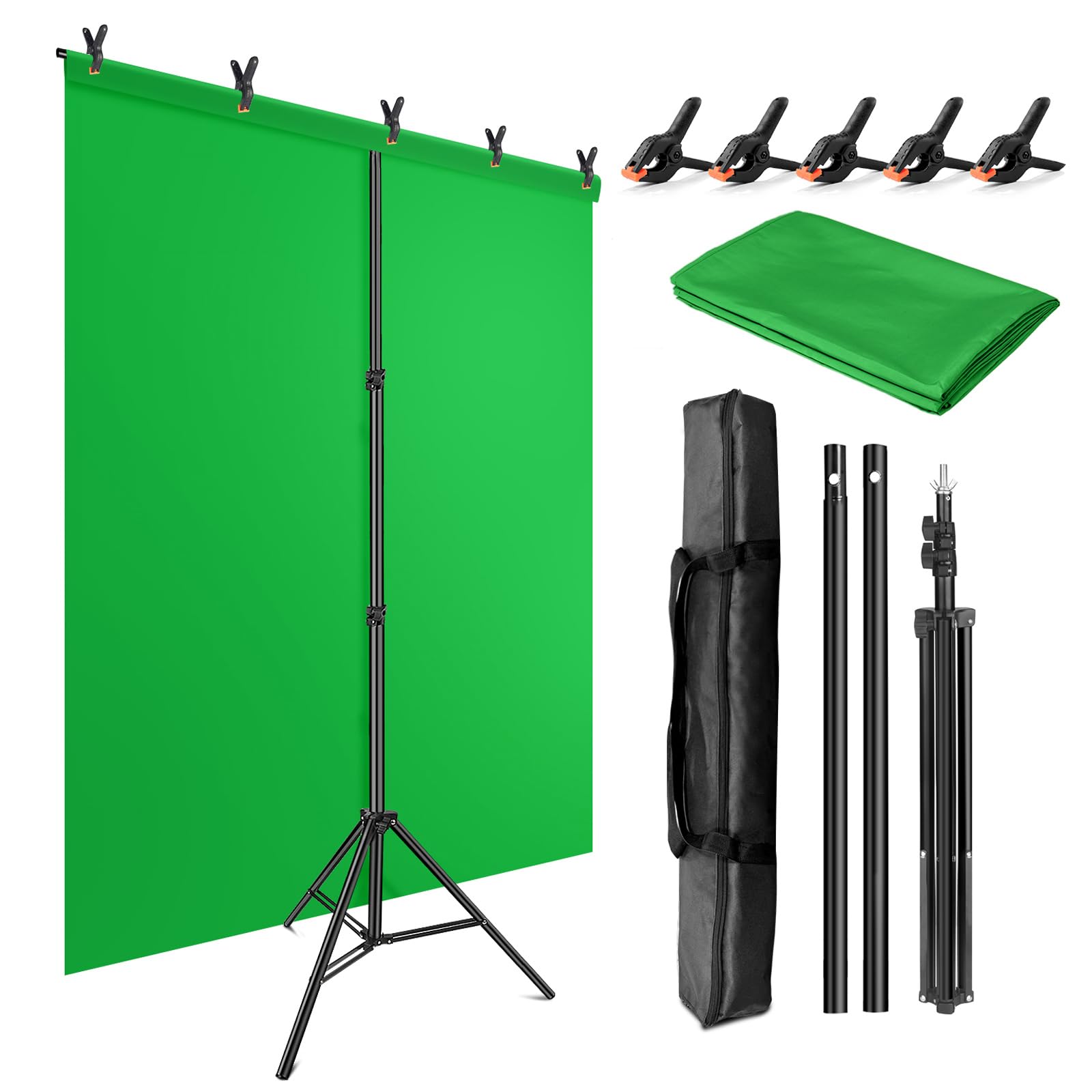
This portable green screen kit delivers solid performance for streaming and video calls at a budget-friendly price, though you’ll need to deal with wrinkles right out of the box.
Pros
- The T-shaped stand adjusts from 2.69 to 6.5 feet and feels surprisingly stable for the weight
- Everything packs into a compact carrying bag that doesn’t eat up storage space
- The polyester fabric holds up well to both machine and hand washing when it gets dirty
Cons
- Significant creasing from packaging requires steaming before first use
- Getting all the wrinkles completely smooth takes more effort than we’d like
- The cloth material will develop new wrinkles over time with repeated folding
We recently set up the JEBUTU kit for some video recording work, and the assembly process took less than five minutes. The aluminum stand extends smoothly without any catching or resistance. At full height, it remained steady even when we clipped the backdrop fabric across the horizontal bar.
The green screen fabric itself measures 5 by 6.5 feet, which gave us enough coverage for seated recordings and standing shots when positioned close to the backdrop. We tested it with standard chroma key software and found the color worked well for keying out backgrounds. The polyester material has a matte finish that doesn’t create hotspots under our studio lights.
Fresh from the package, the wrinkles were intense. We spent about 20 minutes with a garment steamer going over the entire surface before it looked acceptable on camera. Once we got it smooth, the fabric maintained that appearance through several uses. The five included clips kept the backdrop secured to the stand without sagging in the middle.
Storage between shoots proved convenient since the stand collapses down and slides into the provided bag alongside the folded backdrop. This portability makes it practical for anyone who needs to move their setup between locations or clear space when not filming. We’ve used it for product photography, virtual meeting backgrounds, and casual content creation with consistent results across different applications.
RAUBAY Collapsible Green Screen

The RAUBAY green screen offers exceptional value for content creators who need a spacious backdrop with minimal setup hassle.
Pros
- Setup takes literally seconds with the pull-up mechanism and stable tripod base
- The wrinkle-resistant fabric holds up remarkably well even after months of storage
- Generous dimensions accommodate two people comfortably without awkward positioning
Cons
- Weight reaches over 22 pounds, making frequent relocation more challenging than expected
- The hard case takes up considerable floor space even when collapsed
- Requires a decent amount of ceiling clearance to fully extend
We pulled this screen out of the box and had it operational in under a minute. The frame feels solid without any wobbling, which we appreciated during our first video shoot. The polyester fabric stretched taut across the frame without any visible creases.
The retractable design works smoothly after repeated use. We’ve collapsed and extended it dozens of times without noticing any degradation in the mechanism. Storage between sessions is straightforward since everything tucks back into the protective case.
Lighting this backdrop produces clean keying results in our editing software. The fabric color stays consistent across the entire surface, eliminating those annoying hotspots we’ve dealt with on cheaper alternatives. We found the width particularly useful when filming two-person interviews without needing multiple takes to reposition subjects.
The stand proved surprisingly stable during our tests. We were initially concerned about tipping, but the tripod legs provide adequate support even when fully extended. Moving it between rooms requires some effort due to the weight, though the built-in handle helps with transport.
HEMMOTOP Green Screen Backdrop

This backdrop delivers solid chromakey performance at a budget-friendly price point, making it a practical choice for streamers and content creators who need reliable background removal without major investment.
Pros
- The polyester material resists wrinkles better than cheaper alternatives and holds up well through multiple uses
- Rod pocket design makes mounting quick and straightforward on standard backdrop stands
- Machine washable construction means you can keep it clean without worrying about damage
Cons
- Requires steaming or ironing out of the package before first use due to shipping folds
- The 5×7 size works for solo shots but limits flexibility for wider setups
- Some light reflection occurs despite the non-reflective front, particularly with bright studio lighting
We tested this backdrop for several video recording sessions and found the chromakey effect worked reliably with standard editing software. The green tone is consistent across the fabric, which helps when removing backgrounds without fighting color variations or hot spots.
Setting up took less than five minutes once we had our backdrop stand ready. The rod pocket slides easily onto the crossbar and the fabric hangs straight without much adjustment needed. Weight is minimal, so we could move it between rooms without hassle.
After washing it once to remove some dust, the material came out of the machine without any damage or color fading. We hung it to dry and noticed it maintained its shape well. The edges stayed intact with no fraying, which speaks to the laser-cut finishing quality.
Lighting makes a real difference with this backdrop. We positioned two softbox lights at 45-degree angles and achieved clean keying results in post-production. Without proper lighting though, shadows became an issue and required more cleanup work during editing.
EMART Green Screen Backdrop Kit
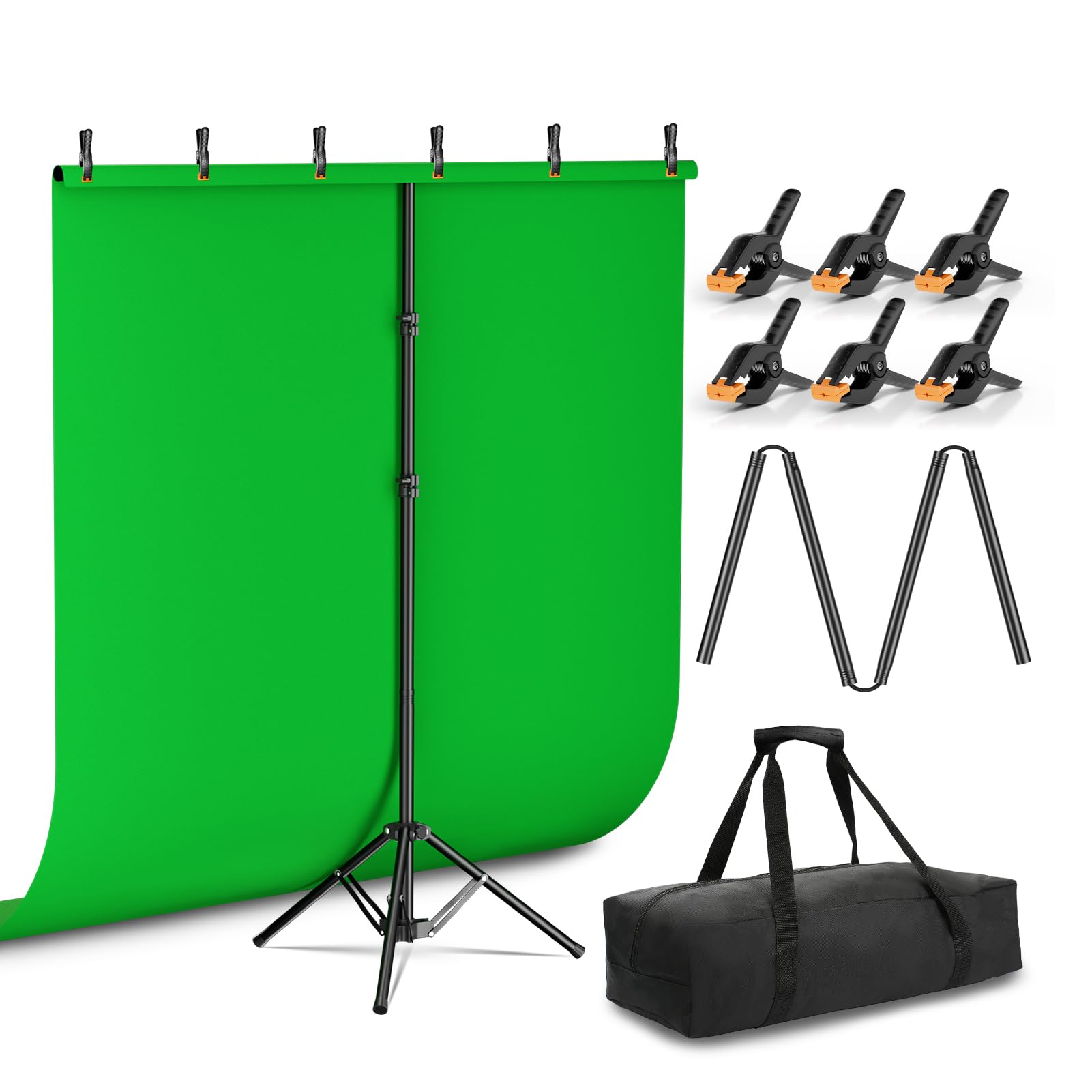
This kit delivers solid value for creators who need a portable green screen solution with flexible height adjustment for different shooting scenarios.
Pros
- Reverse folding stand design makes setup intuitive and storage remarkably compact compared to traditional stands
- Height adjustability from tabletop to full standing positions accommodates various content creation needs
- Machine washable fabric maintains its appearance through repeated use without developing persistent wrinkles
Cons
- The 5×7 foot size may feel limiting for more active or wide-angle shooting scenarios
- Stand stability depends on proper setup and may not handle vigorous movement well
- Crossbar assembly requires managing multiple sections connected by internal ropes
We found the stand configuration to be genuinely clever. The reverse folding mechanism isn’t just marketing talk—it actually packs down smaller than conventional T-stands while offering better stability once deployed.
Setting up the EMART Green Screen took us about five minutes on the first attempt. The telescopic pole removes easily when you want to use this on a desk or table, which we appreciated for tight spaces. The fabric stretched nicely across the 5-foot crossbar without showing creases right out of the bag.
The green color keys out cleanly in basic editing software. We tested it with natural room lighting and a simple ring light, and the chroma key effect worked without requiring professional-grade equipment. The included clamps held the backdrop securely without slipping during our recording sessions.
After washing the fabric following the care instructions, it came out looking fresh without shrinkage. Low-temperature ironing smoothed out the few wrinkles that appeared. The carry bag fits everything comfortably, making this genuinely portable for creators who work in multiple locations.
For static content like sit-down videos, interviews, or streaming, this performs reliably. The size works well for single-person shots framed from the waist up. We wouldn’t recommend it for full-body action shots or scenarios requiring significant movement, as the coverage area becomes limiting.
JINSUI Green Screen Backdrop 10×10 ft

This is a solid choice for streamers and content creators who need a large, affordable green screen that delivers consistent chroma keying without breaking the bank.
Pros
- High-density polyester fabric provides uniform color that works smoothly with chroma key software
- Rod pocket design makes mounting straightforward without requiring clips or additional hardware
- Machine washable and can be steamed to remove wrinkles from storage
Cons
- Material arrives with noticeable creases that require steaming or hanging time to eliminate
- Fabric feels lighter in weight compared to premium studio backdrops
- Stand not included, so you’ll need to purchase mounting equipment separately
We tested this backdrop for both streaming sessions and photography work, and the chroma keying performed admirably in OBS Studio. The color separation was clean, and we didn’t struggle with inconsistent green tones across the surface.
The 10×10 foot size gives plenty of coverage for full-body shots and creates room to move around during recordings. At 2.6 pounds, we found it easy to fold up and store between uses, though you’ll want to give yourself time to steam out the creases before your first shoot.
The edge locking prevents fraying, which we appreciated after several rounds of setup and takedown. We machine washed it once without any color fading or damage to the material. The non-reflective surface worked well under our studio lights, eliminating the hotspots that plague cheaper alternatives.
For the price point, this backdrop delivers what streamers and amateur photographers need. It won’t compete with professional studio equipment, but we got excellent results for Zoom calls, Twitch streams, and casual video projects.
Buying Guide
When selecting a green screen background, we need to consider several key factors that directly impact the quality of our final footage. The material, size, and portability determine whether a backdrop will meet our specific needs.
Material Quality
The fabric or material composition affects how well the screen absorbs light and eliminates wrinkles. We should look for materials that resist creasing and provide even color distribution across the entire surface.
Common material types:
- Muslin (breathable, portable)
- Polyester (wrinkle-resistant, durable)
- Cotton (smooth finish, requires more care)
- Foam or vinyl (solid, easy to clean)
Size Considerations
We must measure our filming space and subject coverage area before purchasing. A screen that’s too small creates framing limitations, while an oversized backdrop may be impractical for our workspace.
| Subject Type | Recommended Minimum Size |
|---|---|
| Headshots | 5′ x 7′ |
| Full body standing | 6′ x 9′ |
| Multiple subjects | 10′ x 12′ |
Portability Features
If we plan to transport our green screen, weight and storage mechanisms matter significantly. Collapsible frames, carrying cases, and lightweight materials make setup faster and more convenient.
Color Consistency
We should examine the chroma key color uniformity. Uneven coloring or visible seams create difficulties during post-production keying. Professional-grade screens maintain consistent color saturation throughout their surface.
Mounting Options
Different mounting systems suit different environments. Floor stands work well for temporary setups, while wall-mounted or ceiling-suspended systems provide permanent solutions for dedicated studios.
For most users, we recommend a wrinkle-resistant polyester screen with a collapsible frame system, offering the best balance of quality, convenience, and value.
Frequently Asked Questions
Successful chroma key work depends on understanding background quality standards, sourcing reliable materials, matching backgrounds to specific editing needs, optimizing studio conditions, troubleshooting technical problems, and selecting the right software tools.
What makes a high-quality chroma key background for clean keying in post-production?
A high-quality chroma key background maintains consistent color saturation across its entire surface without variations or hot spots. The material should be wrinkle-free and evenly lit to prevent shadows that create keying difficulties.
We look for backgrounds with pure green (RGB 0, 177, 64) or blue values that provide maximum separation from skin tones. The surface texture matters because matte finishes reduce light bounce and spill compared to glossy materials.
Color uniformity directly impacts how cleanly editing software can isolate and remove the background. Materials that fade or wear unevenly over time require replacement to maintain professional results.
Where can I download free HD or 4K chroma key backgrounds that are safe to use?
Pixabay and Pexels offer free chroma key backgrounds in HD and 4K resolutions under Creative Commons Zero licenses. These platforms require no attribution and allow commercial use without copyright concerns.
We recommend Videvo for free stock footage that includes solid green and blue screen backgrounds in various resolutions. YouTube’s Creator Studio also provides a limited selection of backgrounds through its Audio Library section.
Always verify the license terms before downloading. Some sites claim “free” content but restrict commercial use or require attribution in final projects.
Which background types work best for video editing, motion tracking, and composting?
Solid green screens work best for most video editing because they provide the strongest contrast with human subjects and clothing. Blue screens are preferable when subjects wear green or when working with blonde hair that can pick up green spill.
Motion tracking requires backgrounds with minimal texture and maximum color consistency. We use virtual backgrounds with tracking markers when complex camera movements need precise compositing.
Gray or white backgrounds suit specific compositing needs like realistic shadow integration. Virtual production LED walls offer the most flexibility but require significant investment compared to fabric or paper options.
What studio setup factors (lighting, distance, fabric vs. paper) most affect background results?
Three-point lighting with dedicated background lights creates the most even illumination and prevents shadows from contaminating the key. We position subjects 6-10 feet from the background to minimize color spill and allow separate lighting control.
Fabric backgrounds cost less initially but wrinkle easily and require regular steaming. Paper backgrounds stay wrinkle-free but tear with repeated use and need periodic replacement.
Light intensity should match across the entire background surface, measured with a light meter to ensure exposure differences stay within 0.5 stops. Softboxes or LED panels positioned at 45-degree angles provide the most uniform coverage.
How do I fix common issues like shadows, wrinkles, spill, and uneven color when keying?
Shadows require repositioning lights or moving the subject further from the background to create separation. We add fill lights on the opposite side of the key light to reduce shadow intensity.
Wrinkles need physical removal through steaming or ironing before shooting since post-production fixes rarely match the quality of proper preparation. Spill correction tools in editing software can remove green or blue color cast from subject edges.
Uneven color often indicates lighting problems that need adjustment at the source. We use color correction to balance minor variations but replace backgrounds that show significant fading or staining.
What tools or editors are most reliable for replacing the background in photos and videos?
Adobe Premiere Pro and After Effects provide professional-grade keying with the Ultra Key and Keylight effects that handle complex edge detail. DaVinci Resolve offers comparable keying tools in both free and paid versions.
We find Final Cut Pro’s keyer effective for Mac users who need fast processing and clean results. For photos, Adobe Photoshop’s Select and Mask feature combined with color range selection delivers precise background replacement.
Free alternatives like OBS Studio work for live streaming with basic chroma key needs. Mobile apps like KineMaster and LumaFusion handle background replacement on tablets and phones with varying quality levels.
For reliable results across different projects, we recommend the Elgato Green Screen which combines portability with professional color accuracy at a mid-range price point.

Trevor Fenner is an ecommerce entrepreneur and the founder of Ecommerce Paradise, a platform focused on helping entrepreneurs build and scale profitable high-ticket ecommerce and dropshipping businesses. With over a decade of hands-on experience, Trevor specializes in high-ticket dropshipping strategy, niche and product selection, supplier recruiting and onboarding, Google & Bing Shopping ads, ecommerce SEO, and systems-driven automation and scaling. Through Ecommerce Paradise, he provides free education via in-depth guides like How to Start High-Ticket Dropshipping, advanced training through the High-Ticket Dropshipping Masterclass, and fully done-for-you turnkey ecommerce services for entrepreneurs who want a faster, more hands-off path to growth. Trevor is known for emphasizing sustainable, real-world ecommerce models over hype-driven tactics, helping store owners build scalable, sellable, and location-independent brands.


