

I’ve been living the digital nomad lifestyle for years now, splitting time between Bali, Chiang Mai, Bangkok, and whatever beach town is calling me that season. Running Ecommerce Paradise from Southeast Asia means dealing with one unglamorous but genuinely important problem that nobody talks about enough: US mail. Replacement credit cards, IRS correspondence, LLC documents from Wyoming, client checks, supplier contracts. Physical mail doesn’t stop because you’re in a different time zone.
A virtual mailbox is one of the single most practical tools for anyone living or working abroad. It gives you a permanent US street address, scans every piece of mail that arrives, and lets you manage, forward, or shred it from anywhere with an internet connection. I’ve used several of these services over the years and tested others thoroughly. This guide covers the six best virtual mailbox services specifically for digital nomads and location-independent entrepreneurs, why each one works, and how to choose based on your actual lifestyle.
If you’re thinking about building an online business that funds this lifestyle, my guide to high-ticket dropshipping covers the model I use to run a business that works from anywhere. The virtual mailbox is infrastructure that makes that possible.
Why Every Digital Nomad Needs a Virtual Mailbox
The obvious answer is that you need somewhere to receive mail. But the deeper reason is that a reliable US address is infrastructure. Banks require a physical US address to maintain accounts. The IRS uses your address for correspondence you absolutely cannot miss. If you’ve formed a US LLC (which I recommend for every serious nomad entrepreneur, more on that below), your registered agent and business address both need to be real US locations. And if you’re running a Shopify store or any US-based business, suppliers, payment processors, and wholesale vendors all want a US address on file.
Using a family member’s address creates complications for them and creates compliance problems for you. Listing a friend’s apartment and then not being there when official correspondence arrives is a disaster waiting to happen. A virtual mailbox solves all of this cleanly: you get a real, stable US street address with professional management of everything that arrives there, accessible from wherever you happen to be sitting with your laptop.
The other thing that matters specifically to nomads is scan speed and mobile access. When you’re 12 or 13 hours ahead of the US and something time-sensitive arrives, you need to see it quickly and be able to act on it from your phone. Not all services are created equal on this dimension, and it’s one of the most important factors in my rankings below.
The 6 Best Virtual Mailbox Services for Digital Nomads
1. Traveling Mailbox: Best Overall for Nomads
Traveling Mailbox is the service I recommend to most nomads, and it’s the one that comes up most consistently in the communities I’m part of. The reason it earns the top spot isn’t any single feature. It’s the combination of cloud integration, package consolidation, and unlimited storage that addresses the specific friction points of a constantly-moving lifestyle.
The cloud integration is genuinely useful in a way that sounds like marketing but plays out in practice. Traveling Mailbox automatically syncs scanned mail to Google Drive, Dropbox, Evernote, or OneDrive depending on your preference. When you switch between devices constantly (laptop in the coworking space, phone at the cafe, tablet at the hotel), having your mail automatically appear in a cloud folder you already use means you never need to think about where your documents are. If your laptop gets stolen in Lisbon, your entire mail archive is still in your Drive. That’s peace of mind that matters.
Package consolidation is the other major nomad-specific win. The service holds physical packages at their facility and combines multiple arrivals into a single shipment when you’re ready to forward. As a rough estimate, five packages shipped separately to Bali might run $150 to $250. Consolidated into one box, the same shipment might run about $60 to $80 (also an estimate, since carrier rates change). If you’re receiving packages a few times a year, consolidation saves hundreds in international shipping costs. Traveling Mailbox builds this in as a standard feature rather than charging extra for it.
As of October 2026, plans run $15 (Basic), $25 (Extended), and $55 (Small Business) per month, and Basic covers 40 envelopes and 35 page scans a month. That is the right range for most nomads who aren’t running enterprise-level mail volume. The service offers more than 50 US addresses, and unused scans roll over on the Extended and Small Business plans rather than disappearing. Support runs seven days a week, which matters when your urgent mail question doesn’t care that it’s Saturday in the US.
Best for: High-movement nomads switching countries frequently, anyone running a location-independent business with regular mail volume, digital nomads who work across multiple devices.
Run Your US Mail From Anywhere With Cloud Sync Built In
50-plus US addresses, automatic Drive and Dropbox sync, package consolidation included, plans from $15 per month with scan rollover on higher plans.
2. SavvyNomad: Best for US Expats Who Need a Real Address
SavvyNomad is the service that makes the most sense if you’re not just traveling, but actually living abroad and still need to function inside the US system. Not the fun part of life abroad, obviously. The part where banks, the IRS, and various agencies insist you exist at a specific address like it’s still 1997.
What puts SavvyNomad in a different category is the focus on a real Florida residential-style address combined with domicile support. This isn’t just a place where your mail sits until you remember it exists. It’s designed for people who need to maintain legal, financial, and administrative ties to the US while being physically somewhere else. That includes things like tax notices, banking verification, driver’s license renewals, and other paperwork that tends to get dramatic if ignored.
The setup is built around simplicity. Mail arrives, you see it in your dashboard, and decide what to do with it. Open and scan, forward internationally, or ignore it like most people ignore their gym membership. The digital interface keeps everything in one place, which matters when your life is spread across time zones and devices.
Where SavvyNomad becomes especially useful is in how it handles real-life scenarios, not just envelopes. You’re dealing with official documents, checks, and sometimes packages that actually matter. Forwarding works globally, and consolidation helps reduce shipping costs when multiple items stack up. It’s the difference between paying for chaos and paying for a system.
The pricing starts at $60 per month, which covers a Florida residential address, residency filing support, and forwarding of essential mail like IRS notices and state documents. The $90 plan expands into full digital mail scanning, adds support for a family member and a business, and includes extras like registered agent services and access to CPA guidance. The $265 premium tier is for people who want maximum documentation support, including access to a higher-tier residential address, utility bill setup, and lease-related options.
This isn’t trying to be the cheapest mailbox on the internet. It’s built for people whose mail actually matters and occasionally has consequences.
Best for: US expats living abroad full-time, remote workers managing US finances, founders running US-based companies from overseas, and anyone who needs a legitimate US address rather than a mailbox that looks convincing until a bank asks questions.
3. PostScan Mail: Best Mobile Experience
PostScan Mail earns its spot on the strength of the best mobile app in this category. If you primarily work from your phone or manage mail in airports, on trains, or from coffee shops without consistently pulling out a laptop, PostScan Mail’s iOS and Android apps are meaningfully better than what the other services offer.
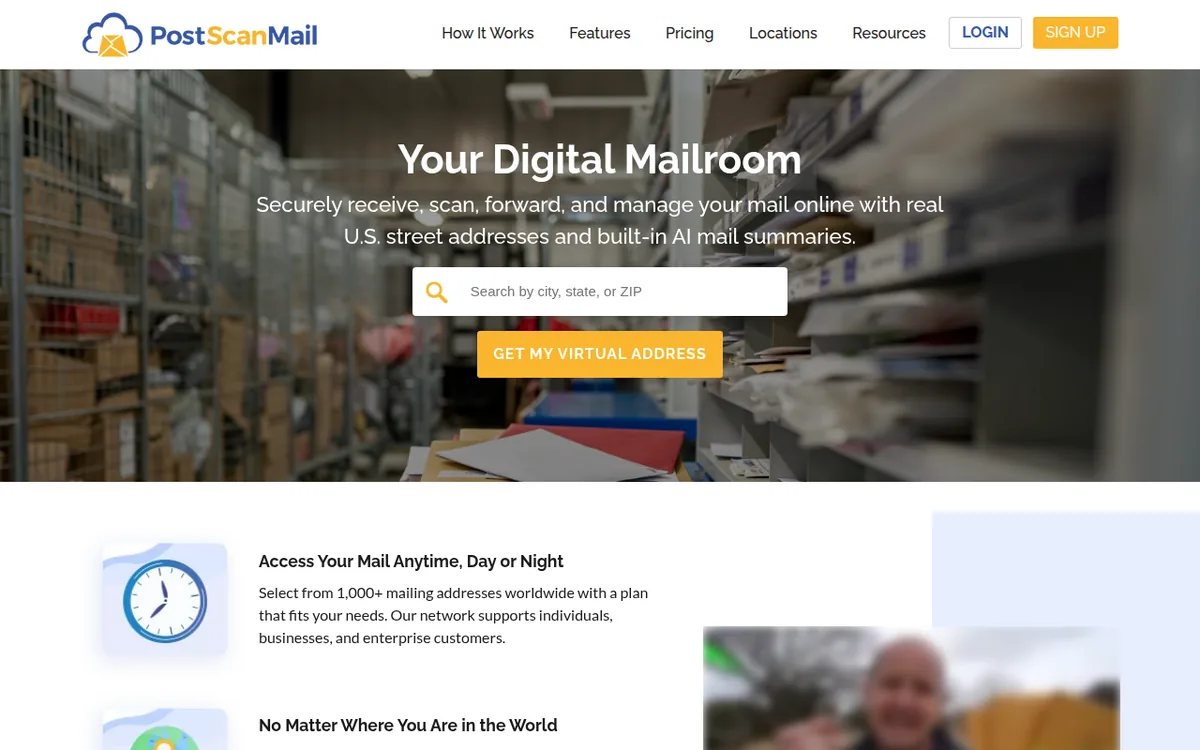
The app lets you view incoming mail, request scans of the envelope content, and request forwarding and shredding, all from your phone. One thing it does not do is check deposits: PostScan Mail’s support page says it does not offer check deposit services. That matters for freelancers, because if a US client sends you a paper check (it still happens, especially with older businesses), you will want a mailbox that handles deposits, like US Global Mail below.
Real-time notifications mean the app alerts you immediately when mail arrives, regardless of your time zone. If something arrives on a Tuesday morning in New York and you’re in Bali on Wednesday evening, you see it within minutes. PostScan Mail doesn’t publish a scan turnaround time on its site, so ask your location how quickly open and scan requests get handled.
Pricing starts at $10 per month as of October 2026 (it varies by location), making PostScan Mail one of the most affordable options on this list with a meaningful feature set. The network has more than 1,000 locations worldwide. The one area where PostScan Mail falls short of Traveling Mailbox is cloud integration: it doesn’t offer the automatic Drive and Dropbox sync that makes document management completely passive on Traveling Mailbox. But for mobile-first nomads, that tradeoff is usually worth it.
Best for: Nomads who primarily use a smartphone, light travelers who don’t carry a laptop consistently, anyone who wants a low entry price and a big address network.
Manage Your US Mail From Your Phone, Anywhere in the World
Best-in-class iOS and Android apps, real-time notifications, plans from $10 per month across 1,000-plus locations worldwide.
4. US Global Mail: Best for Free Check Deposits
US Global Mail advertises 4 to 6 hour scans and free check deposits on every plan. Plans start at $49 per month on monthly billing as of October 2026 and the price varies by address, so the entry price is higher than most of the others on this list. For nomads who care more about same-day mail access and free deposits than the lowest monthly price, US Global Mail delivers the core virtual mailbox functionality without much fuss.
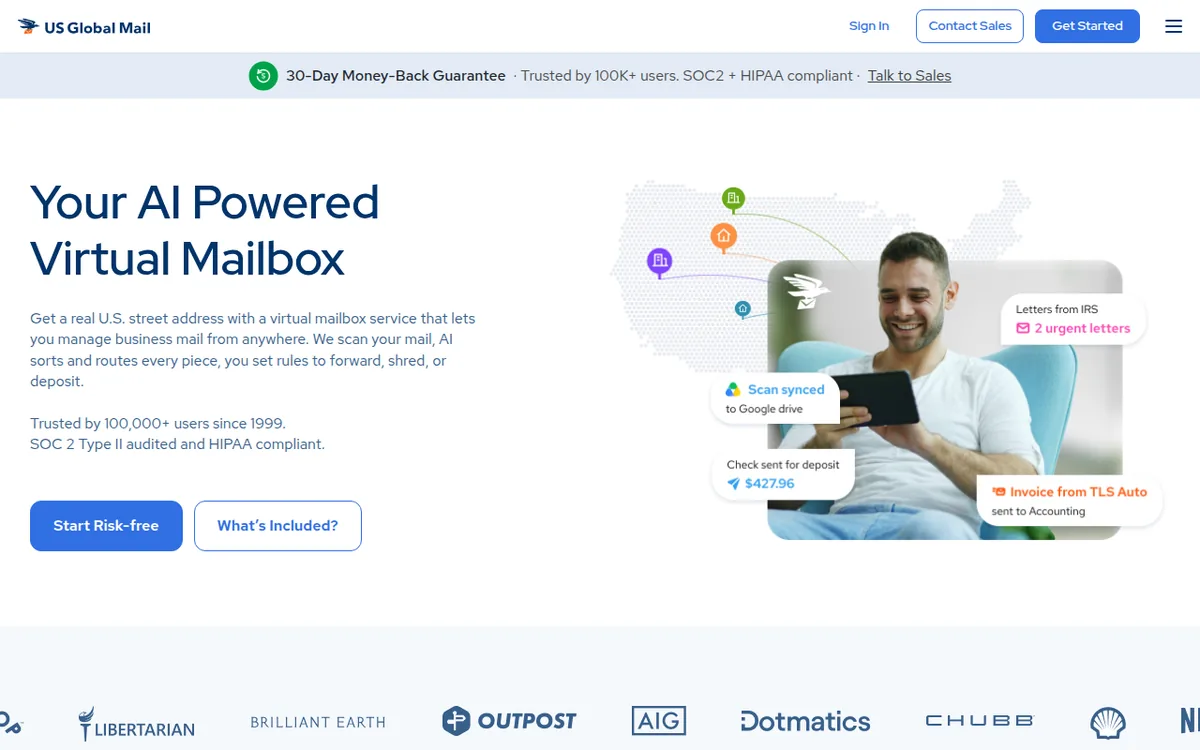
A 4 to 6 hour scanning window matters specifically for nomads in Asian time zones. If something arrives at a US facility at 9am Eastern on a Monday and you’re 13 hours ahead in Bali, a 4 to 6 hour scan means it is waiting in your dashboard when you wake up on Tuesday. A 24 to 48 hour scan means you might not see it until Wednesday. For time-sensitive mail from the IRS, a supplier, or a bank, that difference is real.
Unlimited exterior scans come standard: you see the outside of every piece of mail without it counting against your scan allocation. Free check deposits are included on every plan (mailing the check to your bank still costs shipping), which is particularly useful for freelancers and consultants receiving US payments. The service also offers discounted international forwarding rates, which helps manage the cost of the one expense that isn’t the monthly subscription: actually shipping physical items across the world.
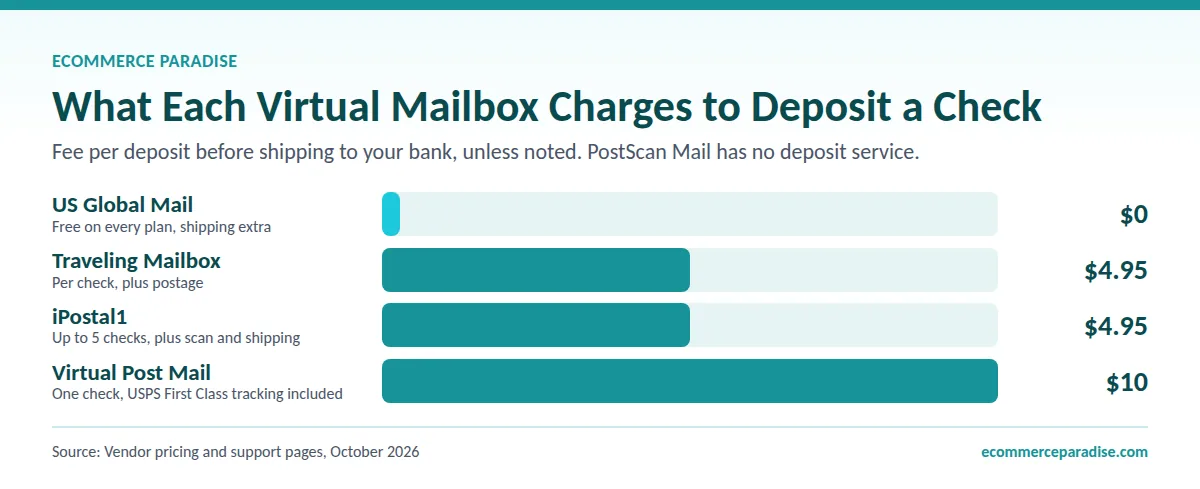
Where US Global Mail may fall short for a nomad is package handling: I could not find package consolidation listed on its site, and Traveling Mailbox includes it. Its integrations can send scans to Google Drive and other apps, though. If you forward packages often, Traveling Mailbox at $15 per month costs less and is built for that. But for a nomad who mostly scans mail digitally and wants free check deposits, US Global Mail is a strong fit.
Best for: Freelancers who receive US checks regularly, anyone in a significantly different time zone who needs fast scanning.
Free Check Deposits and 4 to 6 Hour Scans, From $49 a Month
4 to 6 hour scans, unlimited exterior scans, free check deposits, discounted international forwarding included. Price varies by address.
5. Virtual Post Mail: Best for Nomad Entrepreneurs With US Businesses
Virtual Post Mail is purpose-built for the intersection of travel and serious business operations, and it shows in the features that matter most to entrepreneurs rather than lifestyle nomads. The TruLease product (a physical address with a lease agreement and utility bill, sold separately from the mailbox plans) is the feature that makes Virtual Post Mail genuinely different from its competitors for one specific and important use case: banking compliance.
Many US banks are becoming stricter about verifying addresses, and some flag Commercial Mail Receiving Agency (CMRA) addresses in the USPS system, which is how most virtual mailbox services register. Banks sometimes reject these addresses when you’re updating your address on file or opening new accounts. Virtual Post Mail’s TruLease product provides a physical address, lease agreement, and utility bill meant to meet bank verification requirements that a standard mailbox address might not, and VPM itself says a virtual mailbox won’t work for banking, lease agreements, or utility bills. For a nomad entrepreneur who needs their US banking relationship to remain solid while abroad, this is one of the most important features any virtual mailbox service offers.
The service is also SOC-2 certified and HIPAA compliant, which matters for consultants and professionals with compliance obligations in their client work. A free registered agent service is included with every mailbox plan, but only in California, Delaware, Florida, Nevada, and Texas, so it won’t cover a Wyoming LLC. If your LLC is in one of those states, you can use Virtual Post Mail as both your virtual mailbox and your LLC’s registered agent, eliminating the need for a separate registered agent service.
As of October 2026, mailbox plans run $20 (Starter), $35 (Plus), $60 (Business), and $90 (Premium) per month, higher than the budget options on this list, but the value calculation changes when you factor in the registered agent service (Northwest charges $125 per year as a standalone after the first year) and the compliance features that protect your banking and professional relationships.
Best for: Nomad entrepreneurs running US LLCs, consultants with compliance requirements, anyone whose primary concern is maintaining US banking access while living abroad.
Keep Your US Banking Solid With Lease-Backed Address Documentation
Optional TruLease physical address for bank verification, free registered agent in five states, SOC-2 certified and HIPAA compliant, mailbox plans from $20 per month.
6. iPostal1: Best for Multi-Country Nomads
iPostal1 rounds out this list with the deepest geographic reach of any service in the category: 4,250-plus locations across the US, Canada, and other countries. If you genuinely need addresses in multiple countries (a US address for your Wyoming LLC, a UK address for European client correspondence, a Singapore address for Southeast Asian business registration), iPostal1 has the largest network on this list and manages it all from a single platform and dashboard.
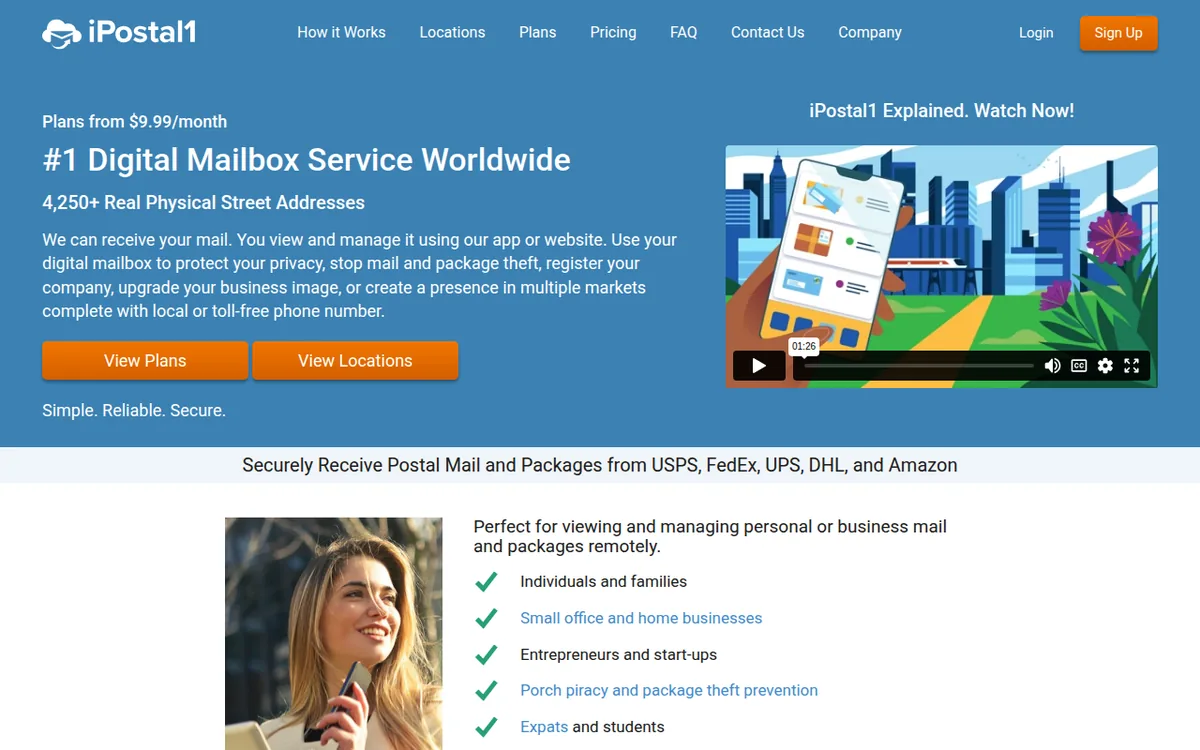
For most digital nomads, US-only coverage from Traveling Mailbox or PostScan Mail is sufficient. iPostal1 is specifically for the operator who has moved beyond a single-country business presence into genuinely multi-jurisdictional operations. The service starts at $9.99 per month for a single address (as of October 2026, and it varies by location) and scales as you add locations, with phone and fax available on the Virtual Office plan, which starts at $39.99 per month, for those who need them.
The mobile app is solid, all major carriers (USPS, FedEx, UPS, DHL, Amazon) are supported, and package consolidation is available. The tradeoff relative to Traveling Mailbox is that iPostal1‘s specific locations are franchised operations rather than in-house, so quality can vary somewhat by location. For the global reach it provides, most users find that acceptable.
Best for: Nomads with legitimate multi-country business presence, entrepreneurs needing addresses in multiple countries simultaneously, anyone planning to establish business registration in more than one jurisdiction.
Get Addresses in Multiple Countries From One Dashboard
4,250-plus locations across the US, Canada, and abroad, phone and fax on Virtual Office plans, plans from $9.99 per month per address.
Feature Comparison
Here’s how all six services stack up at a glance. The table below scrolls horizontally on mobile so you can see the full comparison without anything getting cut off, and each service name links to its sign-up page.
| Service | Best For | Cloud Sync | Mobile App | Scan Speed | Consolidation | Starts At |
|---|---|---|---|---|---|---|
| Traveling Mailbox | Overall pick | Drive, Dropbox, more | Good | A few hours | Yes | $15/mo |
| SavvyNomad | US expats living abroad | Dashboard scans | Web app | 24 hours | Yes | $60/mo |
| PostScan Mail | Mobile-first nomads | Cloud storage | Best in class | Not published | Yes | $10/mo |
| US Global Mail | Free check deposits, fast scans | Integrations (Google Drive, more) | Basic | 4 to 6 hours | Not listed | $49/mo |
| Virtual Post Mail | LLC owners and banking | API integrations | None | 24 hours | Yes | $20/mo |
| iPostal1 | Multi-country presence | None | Good | 24 to 48 hours | Yes | $9.99/mo |
One more service worth knowing about is Anytime Mailbox, the virtual mailbox I put in my beginner stack for US-based store owners. It is not one of my six nomad picks, but as of October 2026 its site lists mail scanning, mail and package forwarding, and online storage, so it is worth comparing. My Anytime Mailbox vs iPostal1 comparison shows how it stacks up.
The LLC Question: Why Nomad Entrepreneurs Need One
If you’re running any kind of real online business while traveling, the LLC conversation comes up quickly. A US LLC separates your personal assets from business liability, gives you a legitimate business entity that US suppliers and payment processors recognize, and enables you to open a US business bank account. None of that is possible without a registered US address.
Wyoming is the most popular formation state for nomad entrepreneurs because it has no state income tax, very low annual fees, strong privacy protections (member names aren’t required on public filings), and the state has been refining its LLC laws for decades. The Wyoming Secretary of State’s office makes the formation process straightforward. Forming a Wyoming LLC from Bali is entirely doable, and I’ve walked hundreds of students through this process.
For the actual formation, Northwest Registered Agent is my default recommendation because their Privacy by Default approach shields your personal information wherever possible, including by using their own address on public state filings instead of yours. That matters when you’re already trying to keep your personal address off the internet as a nomad. Pricing is $39 plus state fees as of October 2026, and the registered agent service is included for the first year ($125 a year after that). If you want an alternative with a $0 formation fee where you only pay the state filing fee (the Wyoming Secretary of State lists $100), Bizee is the budget pick. LegalZoom is the more recognizable brand if you want extra hand-holding through the process. My complete business formation checklist walks through every step from LLC filing through EIN, business banking, and beyond.
The connection between LLC formation and virtual mailboxes is direct: your LLC needs a registered agent address in the formation state, and you need a US address for business banking, supplier relationships, and ongoing correspondence. A virtual mailbox and a registered agent service work together to cover both needs without requiring you to have a physical US presence.
If you are not a US resident, doola is a formation service worth a look. As of October 2026, doola says it works with entrepreneurs around the world, and its Starter plan is $297 a year plus state fees, including LLC filing, an EIN, and registered agent service.
Other formation services I track include MyCompanyWorks and ZenBusiness.
Once the LLC exists, the next piece is the bank account. Mercury is the business bank I recommend in my beginner stack. Wise is a common companion for nomads who get paid in other currencies, and as of October 2026 its multi-currency account page says you can hold 40 currencies.
Form Your LLC With Your Personal Address Off Public Records
Northwest’s Privacy by Default shields your personal information wherever possible, including by using their address on public state filings, $39 plus state fees, registered agent included for the first year.
Bookkeeping for the Location-Independent Operator
Once you have an LLC and a real US address, the next thing that catches up with most nomad entrepreneurs is bookkeeping. You can ignore it for a while, but the IRS, your CPA, and your future self all eventually want clean books. Trying to reconcile a year of Stripe payouts, Shopify transactions, and supplier invoices from a hostel in Tbilisi is a special kind of pain.
For nomad operators running ecommerce stores or service businesses, FreshBooks is what I recommend first. The interface is simple, the mobile app actually works, and it handles invoicing, expense tracking, and basic reporting without the steep learning curve of a full accounting platform. If you’re more on the bookkeeping-purist side or your accountant prefers it, QuickBooks and Xero both work fine and integrate with most ecommerce stacks. The point isn’t which one you pick. The point is that you pick one and use it consistently from day one rather than trying to reconstruct two years of transactions in a panic before your tax deadline.
If you would rather have an ecommerce store’s books handled for you, Finaloop is the bookkeeping service in my beginner stack.
Staying Connected Abroad: Data and eSIM
A virtual mailbox requires an internet connection to be useful, and reliable data access is the other major infrastructure piece for location-independent work. The eSIM space has gotten genuinely good in the last couple of years, and the friction of finding a local SIM store every time you arrive in a new country is no longer something nomads have to deal with.
My current default for eSIM is Holafly because of unlimited data plans on most country options and clean, predictable pricing without per-gigabyte anxiety. Amigo eSIM is a solid alternative with prepaid data plans across 150-plus countries and works well for shorter trips where you don’t need unlimited. Either way, the workflow is the same: activate digitally before you land, connect when you arrive, never set foot in a SIM card kiosk again. For a nomad constantly crossing borders, that friction reduction adds up significantly over the course of a year of travel.
A VPN is the other connectivity tool I would not skip abroad, especially on cafe and hotel Wi-Fi. Surfshark is the first one I would look at, and NordVPN is a solid alternative.
Health Insurance Abroad
Mail and data are only part of the infrastructure, because most nomads also need health coverage that works outside the US. SafetyWing is the nomad-focused option I see mentioned most. As of October 2026, its Essential travel medical plan is listed at $62.72 every 4 weeks for ages 18 to 39, and it excludes pre-existing conditions, so read the terms before you buy.
Choosing Your State Address Wisely
Which US state you choose for your virtual mailbox address matters more than it seems. Your mailbox address can potentially create state tax residency if combined with other connections to that state, though a mailbox address alone generally isn’t sufficient to establish residency. That said, choosing a state with no income tax removes any ambiguity and keeps the situation clean.
Florida is the most popular choice among US-based nomads and expats because of its no-income-tax status, the large expat and nomad community that has made it a well-understood choice for banks and financial institutions, and the availability of good addresses in cities like Miami and Tampa. This is exactly why SavvyNomad built its service entirely around Florida residential addresses. Texas is a strong alternative, particularly for those with any connection to the state. Wyoming is worth considering if you’re also forming a Wyoming LLC, since using the same state for both your mailbox and business registration simplifies your administrative footprint. South Dakota and Nevada both work well too.
The states to avoid are those with aggressive tax residency rules: California in particular will pursue residency claims based on multiple factors, and maintaining a California address while also receiving California-source income creates real compliance complexity. New York has similarly complex residency rules. Starting with a clean, no-income-tax state from day one avoids all of this.
The USPS Form 1583 Process
Every legitimate virtual mailbox service in the United States requires you to complete USPS Form 1583 before they can accept mail on your behalf. This is a federal requirement, not a choice the service makes. The form requires two forms of ID (a passport, including a foreign one, counts as the photo ID, and the second ID confirms your address) and a signature that is witnessed by the provider or acknowledged before a notary.
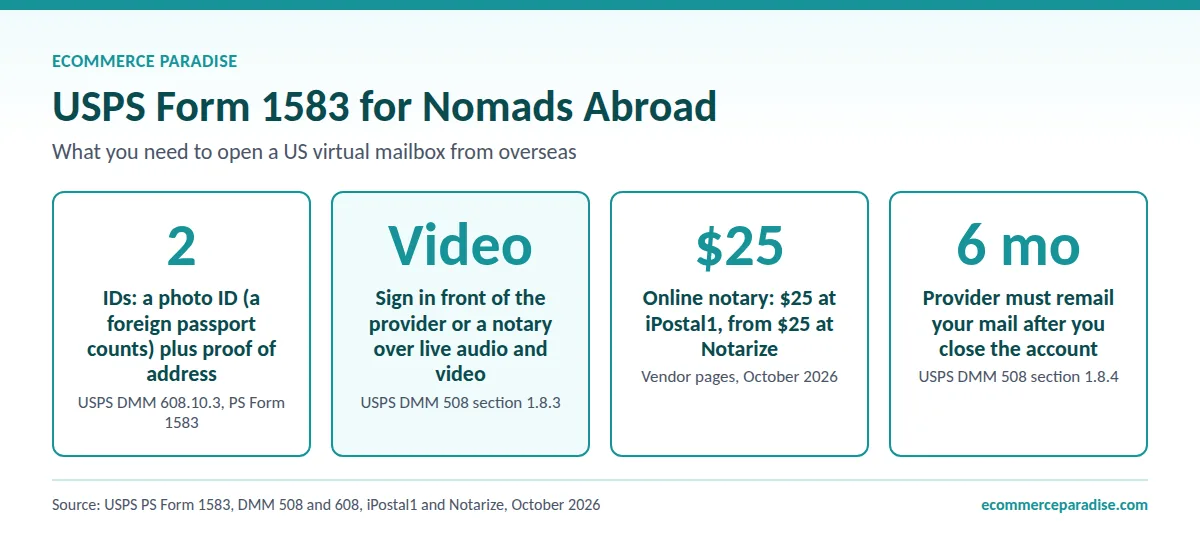
The good news is that USPS allows the signing to happen over a live audio and video session, so you can do it entirely remotely. Notarize.com handles this through a video call (it starts at $25 as of October 2026), iPostal1 lists its own online notary option for $25, and most virtual mailbox services now include instructions for completing Form 1583 remotely as part of their onboarding. How long approval takes after you submit depends on the provider. My strong recommendation is to get this set up before you leave the US if at all possible, not because it’s difficult to do from abroad, but because setting up your mail infrastructure before you’re mid-journey is just simpler.
Managing International Shipping Costs
The monthly subscription cost of a virtual mailbox is almost never the significant expense. The real cost is international forwarding when you need to physically receive items. The figures below are my rough estimates, not quotes from any provider, and actual rates depend on the carrier, destination, and weight. A standard letter forwarded internationally runs $5 to $15. A credit card sized package runs $15 to $30. A package in the 1 to 5 pound range runs $30 to $80. Heavier packages go up from there.
The strategies that actually reduce these costs are: scan everything first and only forward what you genuinely need physically (most mail is actionable digitally), use package consolidation services aggressively to combine multiple items into a single shipment, and time your forwarding batches to coincide with periods when you have a stable address for at least two to three months. Doing this thoughtfully can, by my rough estimate, reduce annual international shipping costs from several hundred dollars to under a hundred. The service cost itself is basically negligible by comparison.
Frequently Asked Questions
Can I use a virtual mailbox address for US banking while living abroad?
Yes, with caveats. Many banks accept virtual mailbox addresses, but an increasing number flag CMRA (Commercial Mail Receiving Agency) addresses and require additional verification. SavvyNomad’s Florida residential address is non-CMRA, which is one of the cleanest ways to avoid that issue. Virtual Post Mail’s TruLease product also targets this problem with a lease agreement and utility bill meant to meet stricter bank requirements. If maintaining US banking without friction is your priority, start with one of those two services.
How do credit card replacements work when I’m abroad?
Most US credit card issuers won’t mail replacement cards to international addresses for security reasons. The standard nomad approach is to have replacement cards shipped to your virtual mailbox address, then forward them to wherever you’re staying. If you time card expirations (most cards expire in cycles you can anticipate) and consolidate with other forwarding, the shipping cost is manageable. Some nomads also request card replacements to coincide with visits to the US or a reliable temporary base.
What’s the difference between SavvyNomad and a regular virtual mailbox?
Most virtual mailbox services give you a CMRA-coded commercial address. SavvyNomad gives you a non-CMRA Florida residential address designed specifically for US expats who need their address to hold up with banks, the IRS, the DMV, and other agencies that scrutinize where you actually live. The pricing is higher because the use case is different: SavvyNomad is built for people maintaining real legal and financial ties to the US from abroad, not just mail forwarding. If you’re a full-time expat, that distinction matters. If you’re a nomad who needs a basic mail scan service, Traveling Mailbox or PostScan Mail will be a better fit.
What happens to my mail if the internet is down or I’m in a remote area?
With cloud-syncing services like Traveling Mailbox, your scanned documents are already backed up to Google Drive or Dropbox before you go off the grid. When internet returns, your full mail archive is available. For services without cloud sync, you may need to download critical documents proactively before heading somewhere with unreliable connectivity.
How much can package consolidation actually save?
The savings are real and significant for frequent shippers. As a rough estimate (not a provider quote), five packages to Thailand shipped separately typically run $150 to $250. The same five packages consolidated into one shipment typically run $60 to $80. Do this quarterly and my estimated annual savings range from $300 to $700 depending on your package volume and destination. For anyone who regularly orders from US retailers that don’t ship internationally, this alone justifies the virtual mailbox cost several times over.
Can I shop US retailers that don’t ship internationally?
Yes, this is one of the most practical benefits of a virtual mailbox for nomads. Major US stores that ship domestically can ship to your virtual mailbox address. You then forward to your current location when ready, or hold items for consolidation. This opens up the entire US retail market regardless of where you’re physically located.
Do I need to tell my bank I’m living abroad?
Bank policies vary on this. Some require notification of extended international stays; others don’t. The safest approach is to keep a US virtual mailbox as your address on file (which is accurate: it is your US address) and consult your bank’s specific terms. A tax professional familiar with expat and nomad situations can advise on the full picture including residency implications. The IRS guidance on US citizens abroad is also worth reviewing.
Can I form a US LLC using a virtual mailbox address?
Yes, though there’s an important distinction between a virtual mailbox address and a registered agent address. Your LLC needs a registered agent in the formation state (typically a service like Northwest Registered Agent or Bizee) to receive legal documents and official state correspondence. Your virtual mailbox can serve as your business mailing address for general correspondence. These are two different services that work together, not interchangeable. My high-ticket niches list is a good starting point if you’re building the business that needs that LLC foundation.
How do I choose a state to avoid creating unintended tax residency?
Choose a state with no income tax: Florida, Texas, Nevada, Wyoming, South Dakota, Washington, or Alaska. A virtual mailbox address alone generally doesn’t establish state tax residency, but combining it with a driver’s license, physical stays, bank accounts, or other connections to that state could. Start with a clean, no-income-tax state and don’t build additional ties there if you want to keep your tax situation straightforward. A nomad tax specialist can advise on your specific situation.
The Right Setup for the Nomad Entrepreneur
For most digital nomads running online businesses, the foundation looks like this: a Wyoming LLC formed through Northwest Registered Agent for address privacy on public filings, a virtual mailbox through Traveling Mailbox for general correspondence with cloud integration and package consolidation, and Holafly for reliable data connectivity as you move between countries. If you’re a full-time US expat rather than a perpetual traveler, SavvyNomad replaces Traveling Mailbox in that stack because the residential Florida address holds up where a CMRA address can get questioned. These pieces together give you a complete infrastructure for working from anywhere without the friction of managing physical presence requirements.
The virtual mailbox is the one piece of this that most nomads delay setting up, usually because it feels administrative and unsexy compared to building the business itself. Setting it up takes a few hours including the Form 1583 process, and the peace of mind from knowing your US correspondence is handled professionally from a stable address is worth considerably more than the $10 to $90 per month the service costs.
If you’re building the ecommerce side of this equation, my guide to finding the best suppliers covers how to get authorized dealer agreements with US manufacturers as a foreign-based operator, and the done-for-you turnkey store service handles the full build if you’d rather start from an operational foundation. Either way, the virtual mailbox is infrastructure you set up once and then barely think about again. Get it done before you’re managing the headache of missing something critical from a beach in another hemisphere.
Around that foundation, I set up two more things for clients who work from abroad. A domain from Namecheap gives the business a home on the web. Professional email through Google Workspace means your supplier emails do not come from a personal address.
Once there is work to hand off, OnlineJobs.ph is where I point people to hire virtual assistants, which helps a lot when you are 13 hours ahead of your suppliers. If you are still working out the business behind all this infrastructure, my free guide to how high-ticket dropshipping works walks through the model from scratch.
Related Articles
If this guide was useful, here are a few more from the blog that go deeper on related pieces of the nomad entrepreneur stack:
- Business Formation: The Complete Legal and Financial Foundation Checklist for High-Ticket Dropshipping Success
- Northwest Registered Agent vs Harbor Compliance in 2026: My Honest Pick for Ecommerce LLC Formation
- Airhub eSIM Review 2026: Native Local Numbers and 190+ Country Coverage for Traveling Ecommerce Operators
- What Is High-Ticket Dropshipping: A Comprehensive Guide for Ecommerce Entrepreneurs
- How to Find the Best Suppliers for High-Ticket Dropshipping: The Complete Step-by-Step Guide
- High-Ticket Niches List

Trevor Fenner is an ecommerce entrepreneur and the founder of Ecommerce Paradise, a platform focused on helping entrepreneurs build and scale profitable high-ticket ecommerce and dropshipping businesses. With over a decade of hands-on experience, Trevor specializes in high-ticket dropshipping strategy, niche and product selection, supplier recruiting and onboarding, Google & Bing Shopping ads, ecommerce SEO, and systems-driven automation and scaling. Through Ecommerce Paradise, he provides free education via in-depth guides like How to Start High-Ticket Dropshipping, advanced training through the High-Ticket Dropshipping Masterclass, and fully done-for-you turnkey ecommerce services for entrepreneurs who want a faster, more hands-off path to growth. Trevor is known for emphasizing sustainable, real-world ecommerce models over hype-driven tactics, helping store owners build scalable, sellable, and location-independent brands.


