

Paid contribution: This article was supplied by X-VPN for a paid editorial placement.
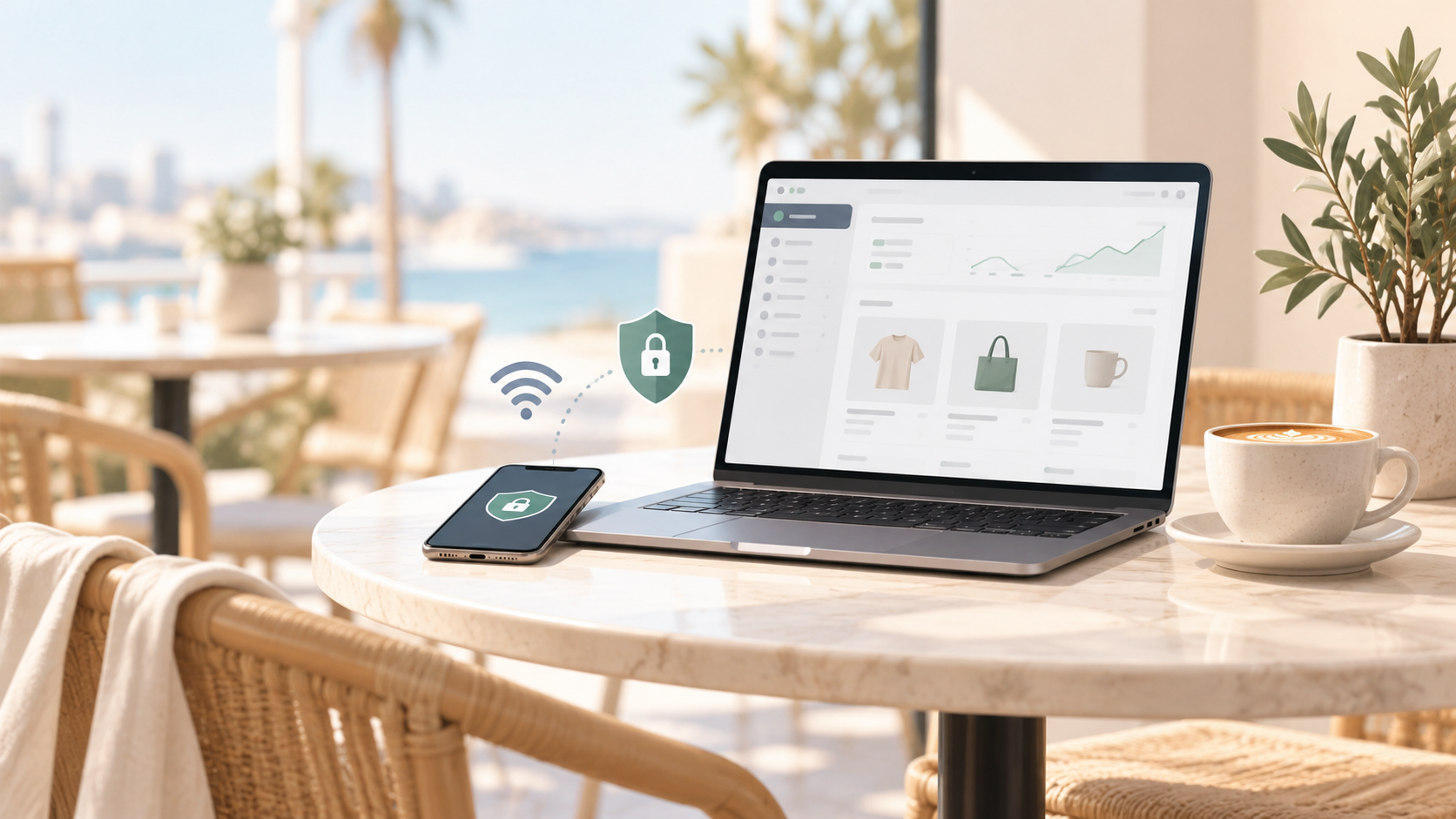
Running a Shopify store doesn’t mean you have to stay at your desk all day. Whether you’re checking orders at a café, updating product listings at an airport, or responding to customers from a hotel, public Wi-Fi makes it easy to keep your business moving.
But convenience comes with risks. Unfamiliar networks can expose you to fake hotspots, phishing attempts, and other security threats. When you’re accessing your Shopify admin dashboard, payment platforms, or customer information, those risks are worth taking seriously.
Using a VPN can add an extra layer of privacy by encrypting your connection to a VPN server. Combined with a few smart security habits, it can help you manage your Shopify store more safely from almost anywhere.
Why Public Wi-Fi Can Be Risky for Shopify Store Owners
One of the biggest advantages of running an ecommerce business is flexibility. You can fulfill orders from home, communicate with suppliers while traveling, or manage an entire dropshipping operation without maintaining a physical office.
But working from different locations also means connecting to networks you don’t control.
At home, you probably know who’s using your Wi-Fi and how your router is configured. At a hotel or coworking space, you may be sharing a network with dozens of strangers, with little visibility into its security.
That doesn’t mean every public Wi-Fi connection is dangerous. Most reputable websites, including Shopify, use HTTPS to encrypt information exchanged between your browser and their servers. However, encryption alone doesn’t eliminate every risk.
One concern is fake Wi-Fi hotspots.
Imagine arriving at a café and seeing two available networks: "CoffeeShop_Guest" and "CoffeeShop_Free." Both seem legitimate, but one could be a malicious hotspot designed to trick visitors into connecting.
An attacker controlling that network might attempt to redirect you to a fake login page or interfere with certain network requests. If you unknowingly enter your Shopify credentials on a phishing website, your business account could be compromised.
For store owners, that’s more than a minor inconvenience.
Your Shopify admin account may provide access to customer information, order histories, inventory settings, and other business records. Losing control of that account could disrupt operations or expose sensitive data.
There are also privacy considerations. Even when websites use HTTPS, network operators may still be able to observe certain connection details, such as the services your device communicates with.
Think about a typical afternoon managing your store. You check orders, review advertising performance, download a supplier invoice, and respond to customers. Each task involves different accounts and potentially sensitive business information.
You shouldn’t have to stop working from your favorite café. But understanding these risks makes it easier to protect your business without sacrificing flexibility.
How a VPN Helps Protect Your Ecommerce Activities
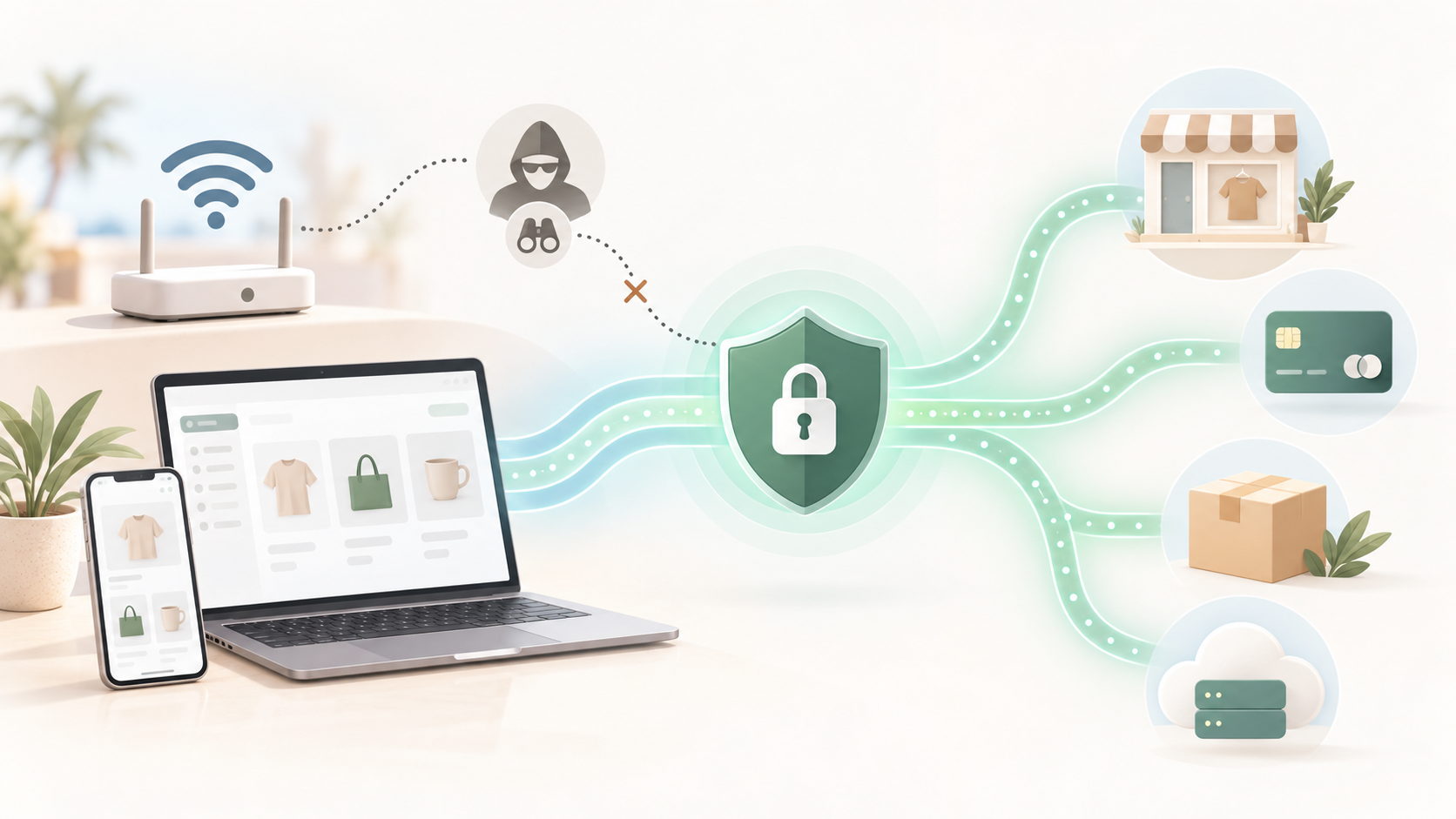
A virtual private network, or VPN, provides an additional layer of privacy when you’re connected to an unfamiliar network.
Here’s how it works.
Normally, your device connects to websites and online services through your internet connection. When you enable a VPN, your traffic first travels through an encrypted tunnel to a VPN server before continuing to its destination.
Someone monitoring the local Wi-Fi network can generally see that you’re connected to a VPN, but not the contents of the traffic traveling inside that tunnel.
For ecommerce entrepreneurs, this offers several practical advantages.
First, a VPN helps protect your connection on unfamiliar networks.
Suppose you’re waiting at an airport and need to update product listings or respond to an urgent supplier email. A VPN adds encryption between your device and its server, helping protect traffic from local network monitoring and certain forms of interference.
It’s an extra safeguard alongside the HTTPS encryption already used by Shopify and other reputable services.
Second, it provides greater network privacy.
Without a VPN, your internet provider or local network operator may be able to observe some information about your connections. A VPN reduces that visibility by routing traffic through its server.
However, it doesn’t make you anonymous. Websites can still recognize your account when you log in, and your VPN provider becomes another party you need to trust.
Third, it supports a flexible working routine.
Whether you’re using your laptop in a hotel or checking orders on your phone, a VPN can help maintain consistent connection privacy across different working environments.
Of course, a VPN has limitations.
It won’t stop phishing attacks, remove malware, or prevent someone from accessing your Shopify account with stolen credentials. It also cannot replace strong passwords, multi-factor authentication, or proper staff permissions.
Think of a VPN as one part of your ecommerce security strategy, not a solution to every online threat.
How to Set Up a VPN Before Accessing Your Shopify Store
Getting started with a VPN doesn’t require technical expertise. Most modern VPN apps are designed for everyday users, and the basic setup takes only a few steps.
The best approach is to configure everything before you connect to public Wi-Fi, rather than figuring it out when you urgently need to manage your store.
Choose a VPN That Fits Your Business Needs
Start with the devices you use most often.
If you manage your Shopify store primarily from a laptop, look for a VPN compatible with Windows or macOS. If you regularly check orders on your phone, make sure it also supports Android or iOS.
Privacy and security features matter just as much as compatibility.
Look for a provider with a clear privacy policy, reliable encryption, and a good reputation. A kill switch is another useful feature because it can restrict internet traffic if your VPN connection unexpectedly drops.
Connection quality is worth considering, too.
Shopify itself doesn’t require particularly high bandwidth, but uploading product photos, managing advertising campaigns, and joining supplier video calls can become frustrating if your connection is unstable.
Free VPNs may be suitable for basic privacy needs, especially for entrepreneurs watching their expenses. However, some impose data limits, offer fewer server locations, or have unclear privacy practices.
Rather than choosing the first free VPN you find, compare its limitations and security policies before installing it.
Download and Configure Your VPN
Once you’ve chosen a provider, download its application directly from the official website or a verified app store.
Avoid unfamiliar download portals and unofficial installation files. Some malicious applications imitate legitimate security tools to trick users into installing unwanted software.
For example, if you’d like to try X-VPN, you can download X-VPN from its official website, which offers applications for Windows, macOS, Android, and iOS.
After installing the app, review its settings before connecting.
If the VPN includes a kill switch, consider enabling it. You should also familiarize yourself with how the app indicates whether your connection is active.
Next, choose a VPN server.
A nearby server will often provide better responsiveness than one located across the world, making everyday tasks such as updating inventory or navigating the Shopify dashboard feel smoother.
There’s usually no reason to select a distant location just to manage your online store.
Also, keep in mind that frequently changing VPN locations may trigger additional security checks from Shopify, banks, or payment platforms. Consistent connection settings can help avoid unnecessary interruptions.
Verify Your Connection Before Signing In
Before opening your Shopify admin dashboard, make sure the VPN application shows an active connection.
You can also use a reputable IP-checking website to confirm that your apparent public IP address has changed to the VPN server’s address. This provides a useful basic check, although it doesn’t test for every possible connection leak.
Once connected, open Shopify using a saved bookmark or the official website address.
Be cautious if you encounter an unexpected login page, certificate warning, or suspicious redirect. A VPN doesn’t make fraudulent websites safe.
If the network behaves strangely, switching to your phone’s mobile hotspot may be a better option than continuing to troubleshoot on an unfamiliar connection.
With your VPN connected and your accounts accessible, you can get back to managing orders, communicating with customers, and keeping your business running.
Additional Security Tips for Managing Shopify on Public Wi-Fi
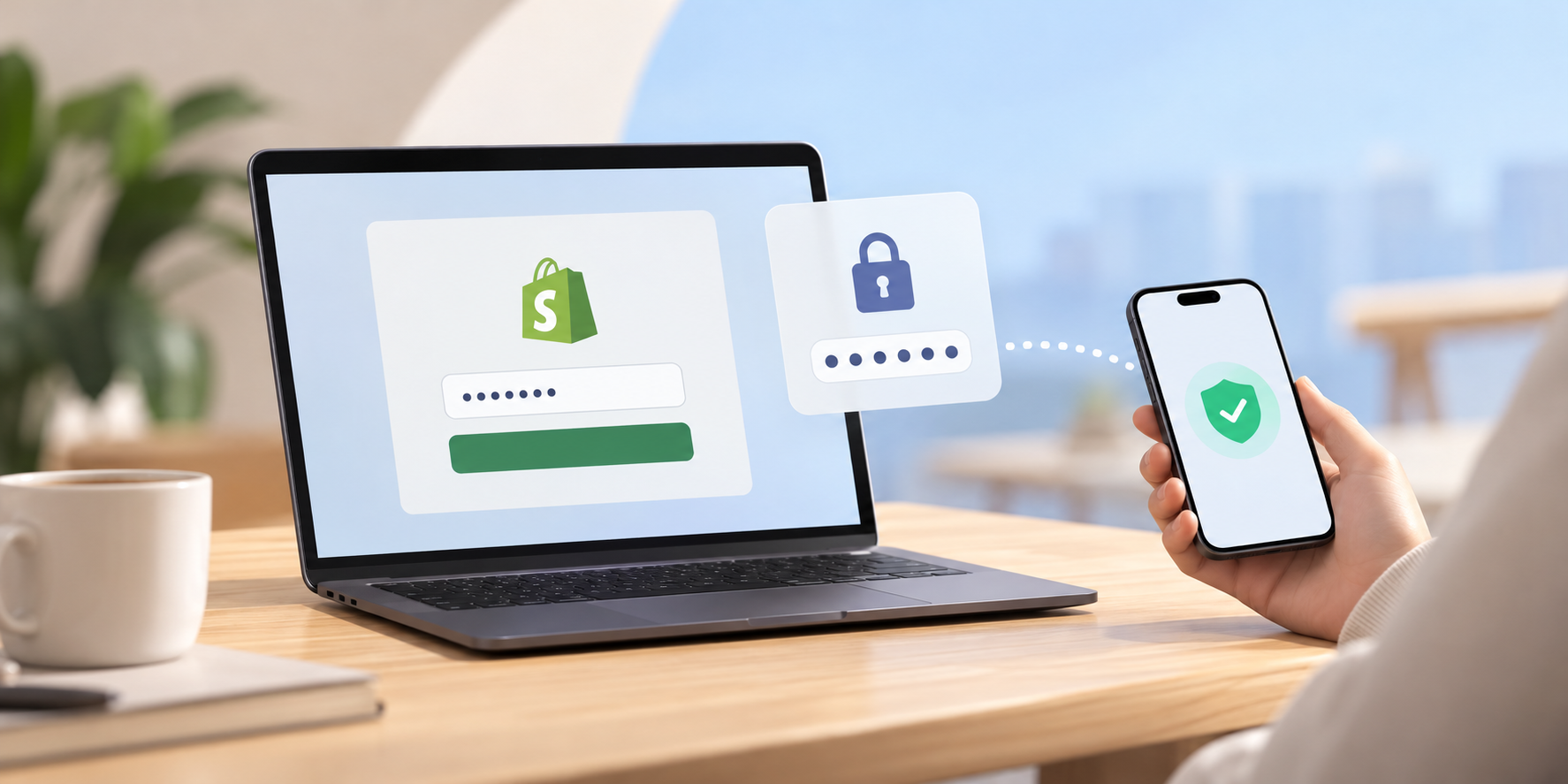
A VPN adds privacy to your internet connection, but keeping your Shopify business secure involves a few other habits that are just as important.
Fortunately, most are simple to incorporate into your regular workflow.
Strengthen Your Account Security
Your Shopify login is one of your most valuable business credentials. Protecting it should be a priority whether you’re working on public Wi-Fi or your home network.
Start by enabling multi-factor authentication (MFA).
Even if someone obtains your password, an additional verification requirement makes unauthorized access significantly harder. Shopify supports multiple authentication methods, including passkeys and two-step authentication.
Use strong, unique passwords for your business accounts and store them in a reputable password manager.
Don’t overlook your business email, payment platforms, advertising accounts, or domain registrar. A compromised email account, for example, could allow an attacker to attempt password resets for other services.
If you work with virtual assistants or freelancers, give each person their own account with appropriate permissions instead of sharing your main login credentials.
Watch Out for Phishing Attempts
Ecommerce entrepreneurs receive plenty of messages from customers, suppliers, payment providers, and shipping companies.
Unfortunately, that makes phishing messages easier to disguise as normal business communication.
An email might claim that your Shopify store has been suspended or that a payment requires immediate verification. It may even include familiar branding and a convincing login link.
Before entering your credentials, check the sender and website address carefully.
When in doubt, open the service directly rather than clicking the link in the message. For unexpected supplier payment changes, verify the request through a separate, trusted communication channel.
Remember that even the strongest VPN cannot protect you if you voluntarily enter your password on a fraudulent website.
Keep Your Devices and Business Data Protected
Your laptop and phone are effectively your portable ecommerce office.
Keep operating systems, browsers, and important applications updated to reduce exposure to known security vulnerabilities. Use screen locks and device encryption where available, especially when traveling.
Be selective about browser extensions, too. Some request extensive access to website data, which may be unnecessary for the tasks they perform.
Customer information deserves particular attention.
Downloading customer lists, financial reports, or supplier documents creates additional copies of sensitive business data outside Shopify. Avoid storing those files in unsecured locations or sharing them through unfamiliar services.
If you need to handle particularly sensitive information, consider waiting until you’re connected to a trusted network.
Develop a Simple Remote Work Routine
You don’t need a lengthy checklist every time you open your laptop. A few consistent habits can make a meaningful difference.
Before connecting to public Wi-Fi, confirm the network name with the venue and avoid automatically joining unfamiliar hotspots.
Once connected, enable your VPN if you’re using one, check that business websites are legitimate, and pay attention to unexpected login requests.
When you finish working, lock your device, close sensitive documents, and sign out of any accounts accessed on shared computers.
These precautions take little effort compared with recovering a compromised business account.
More importantly, they allow you to enjoy the flexibility of ecommerce entrepreneurship without constantly worrying about whether your working environment is secure.
Final Thoughts
Running a Shopify store from a café, hotel, or coworking space is one of the freedoms that makes ecommerce entrepreneurship appealing.
You can manage orders, communicate with suppliers, and support customers without being tied to a traditional office.
The key is making sure that convenience doesn’t come at the expense of security.
A trustworthy VPN can add connection privacy when you’re using unfamiliar Wi-Fi, but it works best alongside strong authentication, updated devices, and careful handling of business information.
You don’t need complicated security tools or advanced technical knowledge to get started. A few reliable precautions, used consistently, can go a long way.

Trevor Fenner is an ecommerce entrepreneur and world traveler from Seattle, Washington, and the founder of Ecommerce Paradise, a platform focused on helping entrepreneurs build and scale profitable high-ticket ecommerce and dropshipping businesses. With over a decade of hands-on experience, Trevor specializes in high-ticket dropshipping strategy, niche and product selection, supplier recruiting and onboarding, Google & Bing Shopping ads, ecommerce SEO, and systems-driven automation and scaling. Through Ecommerce Paradise, he provides free education via in-depth guides like How to Start High-Ticket Dropshipping, advanced training through the High-Ticket Dropshipping Masterclass, and fully done-for-you turnkey ecommerce services for entrepreneurs who want a faster, more hands-off path to growth. Trevor is known for emphasizing sustainable, real-world ecommerce models over hype-driven tactics, helping store owners build scalable, sellable, and location-independent brands.
He maintains homes in Seattle and Bali, spends most of the year overseas, and usually returns to Seattle for about a month each summer.


