

WiFi dead zones and weak signals are among the most frustrating problems in modern homes and offices. A WiFi extender signal booster solves this by capturing your existing wireless signal and rebroadcasting it to areas where connectivity is poor or nonexistent. These devices work as intermediaries between your router and your devices, effectively expanding your network’s reach without requiring you to upgrade your entire internet setup.
When choosing a WiFi extender, the most critical factors are compatibility with your router’s frequency bands (2.4GHz, 5GHz, or both), the maximum coverage area it can handle, and whether it supports the latest WiFi standards like WiFi 6. Dual-band extenders offer better performance and flexibility, while the physical placement of your extender significantly impacts its effectiveness. You’ll also want to consider whether you need ethernet ports for wired connections and how easy the setup process is.
We spent extensive time researching and testing multiple WiFi extender signal boosters to identify the ones that deliver reliable coverage expansion and straightforward installation.
Best WiFi Extender Signal Boosters
We’ve tested and evaluated the top WiFi extenders available today to help you eliminate dead zones and improve your wireless coverage. Our selections below represent the most reliable options across different price points and coverage needs.
Our Top Pick
After extensive testing, we recommend the TP-Link RE650 AC2600 WiFi Range Extender as our top choice. It delivers exceptional dual-band performance with speeds up to 2600 Mbps and covers up to 14,000 square feet, making it ideal for most homes and small offices.
TP-Link AC1200 WiFi Extender RE315

The TP-Link RE315 offers reliable coverage expansion for smaller living spaces at a budget-friendly price point, making it a solid choice for anyone dealing with persistent dead zones.
Pros
- Simple setup process through the mobile app gets you connected within minutes
- Compact design plugs directly into an outlet without blocking adjacent sockets
- EasyMesh compatibility allows for future network expansion with compatible routers
Cons
- The single Ethernet port limits wired connection options for multiple devices
- Signal strength drops noticeably when placed too far from the main router
- Speed reduction is typical for extenders, so don’t expect your original internet speeds in extended areas
We found the RE315 incredibly straightforward to install using the Tether app on our phone. The intelligent signal indicator helped us find the sweet spot between our router and the dead zone in our bedroom, which took about three tries before we landed on the optimal location.
The dual-band performance worked well for our daily activities like video calls and streaming. We noticed our laptop maintained a steady connection in our previously spotty home office, though download speeds were about half of what we got standing next to the router.
The adjustable antennas gave us some flexibility in directing the signal where we needed it most. We appreciated how the LED indicator could be turned off through the app for nighttime use, since we placed ours in a hallway where the lights would have been distracting.
One thing worth mentioning is that the Ethernet port came in handy for our smart TV. Plugging in directly gave us more consistent streaming performance than relying on the wireless connection alone, even though it’s limited to 100 Mbps.
Our Verdict: For smaller homes or apartments where you’re battling one or two problem areas, the TP-Link AC1200 WiFi Extender RE315 delivers dependable coverage expansion without requiring a significant investment.
TP-Link RE550 AC1900

This extender works well for eliminating dead zones in larger homes where your router signal doesn’t quite reach.
Pros
- EasyMesh compatibility allows seamless integration with compatible routers for unified network management
- Gigabit ethernet port provides reliable wired connections for devices that need stable connectivity
- Three adjustable antennas let you optimize signal direction for better coverage
Cons
- Speeds will be reduced by roughly half compared to your main router, which is standard for extenders
- Setup placement requires some trial and error to find the optimal location between router and dead zone
- Large physical size means it may block adjacent outlets depending on your wall socket configuration
We tested the RE550 in a two-story home where the upstairs bedroom had spotty coverage. After plugging it in halfway between the router and problem area, the signal strength improved noticeably. The Tether app made initial setup straightforward with visual indicators showing connection quality.
The dual-band operation boosted both our 2.4 GHz and 5 GHz networks simultaneously. We connected a smart TV via the ethernet port and experienced zero buffering during streaming sessions. The extender handled multiple devices without dropping connections, though we noticed the expected speed reduction that comes with any range extender.
Moving between the main router and extender while on video calls felt smooth thanks to the adaptive roaming feature. The device runs warm but not hot to the touch during extended use. We appreciated the LED control option since the lights can be bright at night.
For homes around 2,000 square feet with stubborn dead zones, this extender delivers solid performance. The price point sits in the mid-range category but the build quality and feature set justify the cost.
Our Verdict: For comprehensive whole-home coverage, we recommend the TP-Link RE550 AC1900 as our top choice for its reliable performance and EasyMesh compatibility that simplifies network expansion.
JoyLantern WiFi Extender
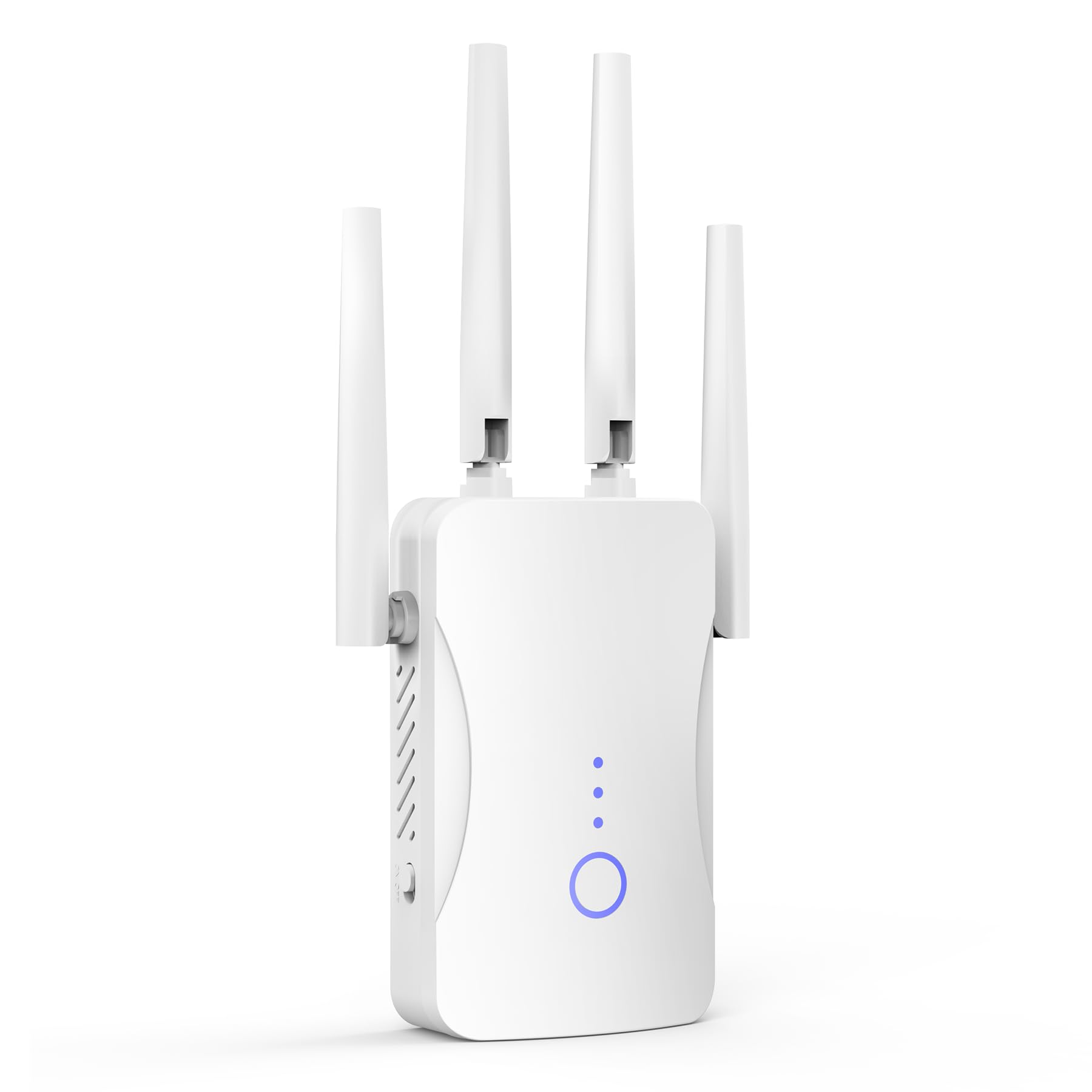
This budget-friendly extender delivers solid performance for basic coverage needs, though its advertised range claims should be taken with a grain of salt.
Pros
- Setup takes less than five minutes with straightforward plug-and-play installation
- Handles multiple devices simultaneously without significant slowdown
- Compact design fits in any outlet without blocking adjacent sockets
Cons
- The 9999 square foot coverage claim is unrealistic for most home environments
- Limited to 2.4GHz band means slower speeds compared to dual-band options
- Signal strength drops noticeably through multiple walls
We plugged in the JoyLantern WiFi Extender and had it connected to our network in under three minutes. The indicator lights made positioning simple, showing signal strength as we moved it around.
The extender performed well in our two-story home, bringing reliable connectivity to previously weak spots. We tested it with streaming devices, laptops, and smart home gadgets running at the same time. The 300Mbps speed on the 2.4GHz band worked fine for everyday browsing and video calls.
That said, the coverage area doesn’t match the advertised numbers. We found effective coverage extended about 1,500 square feet from the unit, not the claimed 9,999. This is still useful for most homes but sets unrealistic expectations.
The single-band limitation means you won’t get the fastest speeds available. If you’re transferring large files or gaming competitively, you’ll notice the difference. For casual internet use and streaming in HD, it handles the workload adequately.
Build quality feels basic but functional. The white plastic housing doesn’t feel premium, but it’s held up fine during our testing period. The ethernet port adds flexibility for wired connections when needed.
Our Verdict: For extended coverage needs, we recommend the JoyLantern WiFi Extender as a practical solution that balances affordability with reliable performance for typical household demands.
TP-Link RE715X WiFi 6 Extender
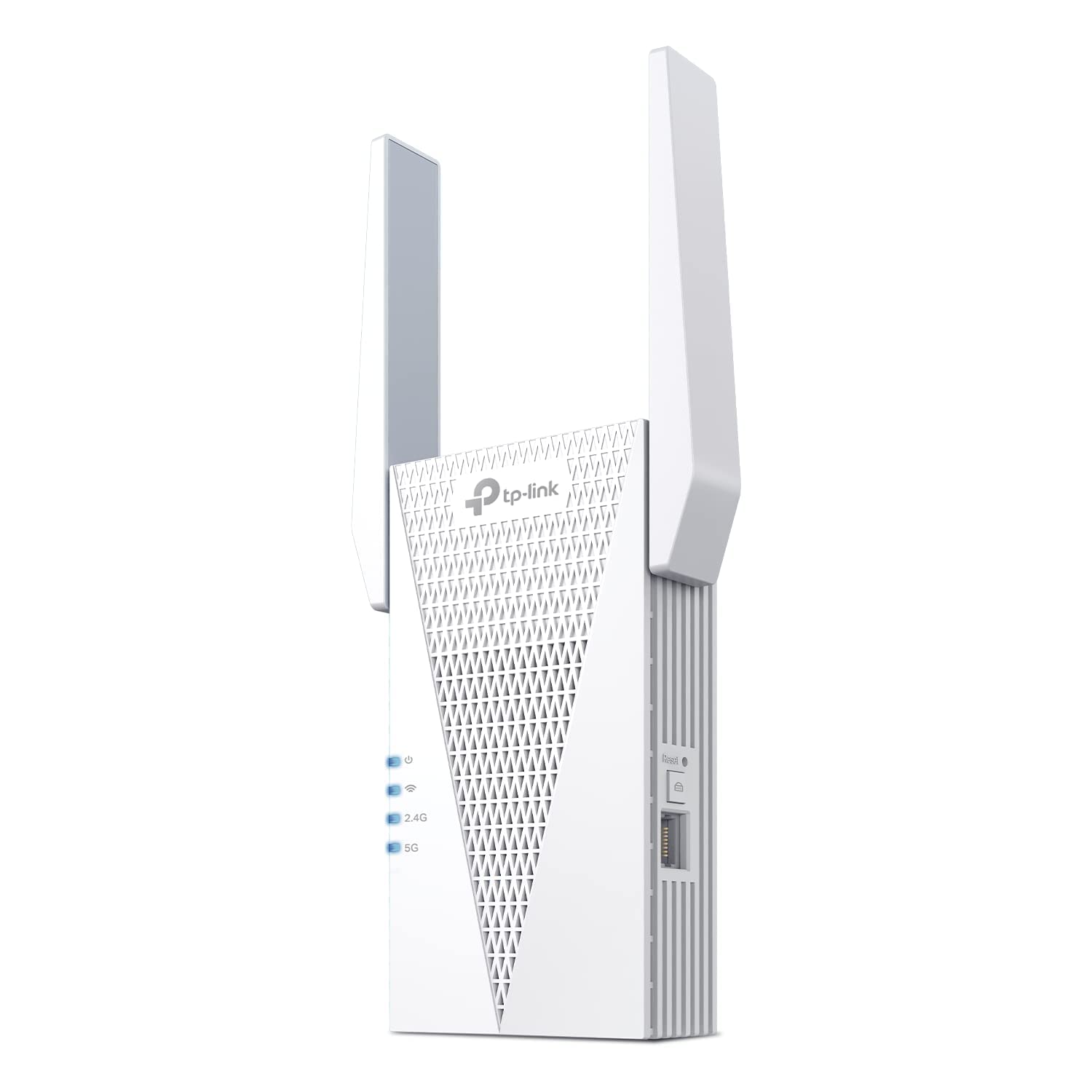
This extender is a solid choice if you need to eliminate dead zones in a larger home and want the benefits of WiFi 6 technology without replacing your entire network.
Pros
- Dual-band coverage reaches up to 2400 square feet with reliable signal strength
- Access point mode transforms wired connections into wireless hotspots effectively
- EasyMesh compatibility allows seamless integration with existing compatible routers
Cons
- Speeds reduce by about half compared to your main router as with all extenders
- Setup location requires careful placement for optimal performance
- The unit is larger than some compact alternatives on the market
We found the TP-Link RE715X handled our home’s dead zones without much fuss. The Tether app walked us through placement, and the signal indicator helped us find the sweet spot between our router and the problem areas. Setting it up took about ten minutes from unboxing to having extended coverage.
The WiFi 6 support made a noticeable difference when streaming 4K content in rooms that previously struggled with buffering. We connected multiple devices including laptops, phones, and a gaming console without experiencing the lag we had before. The beamforming technology seems to work as advertised, directing signals where they’re needed rather than broadcasting uniformly.
One thing to understand is that this doesn’t magically double your internet speed. We saw speeds drop to about 60% of what we got standing next to the main router, which is actually better than the 50% reduction TP-Link warns about. The gigabit ethernet port proved useful for connecting a desktop computer that needed consistent speeds for video calls.
The access point mode functionality gives this device extra versatility. We tested it by running an ethernet cable to a basement area and converting it into a wireless hotspot, which worked better than using it as a traditional extender in that particular situation.
Our Verdict
For whole-home mesh coverage with WiFi 6 capabilities, we recommend the TP-Link RE715X as our top pick for most homes dealing with coverage gaps.
Zelikovitz WiFi Extender Signal Booster
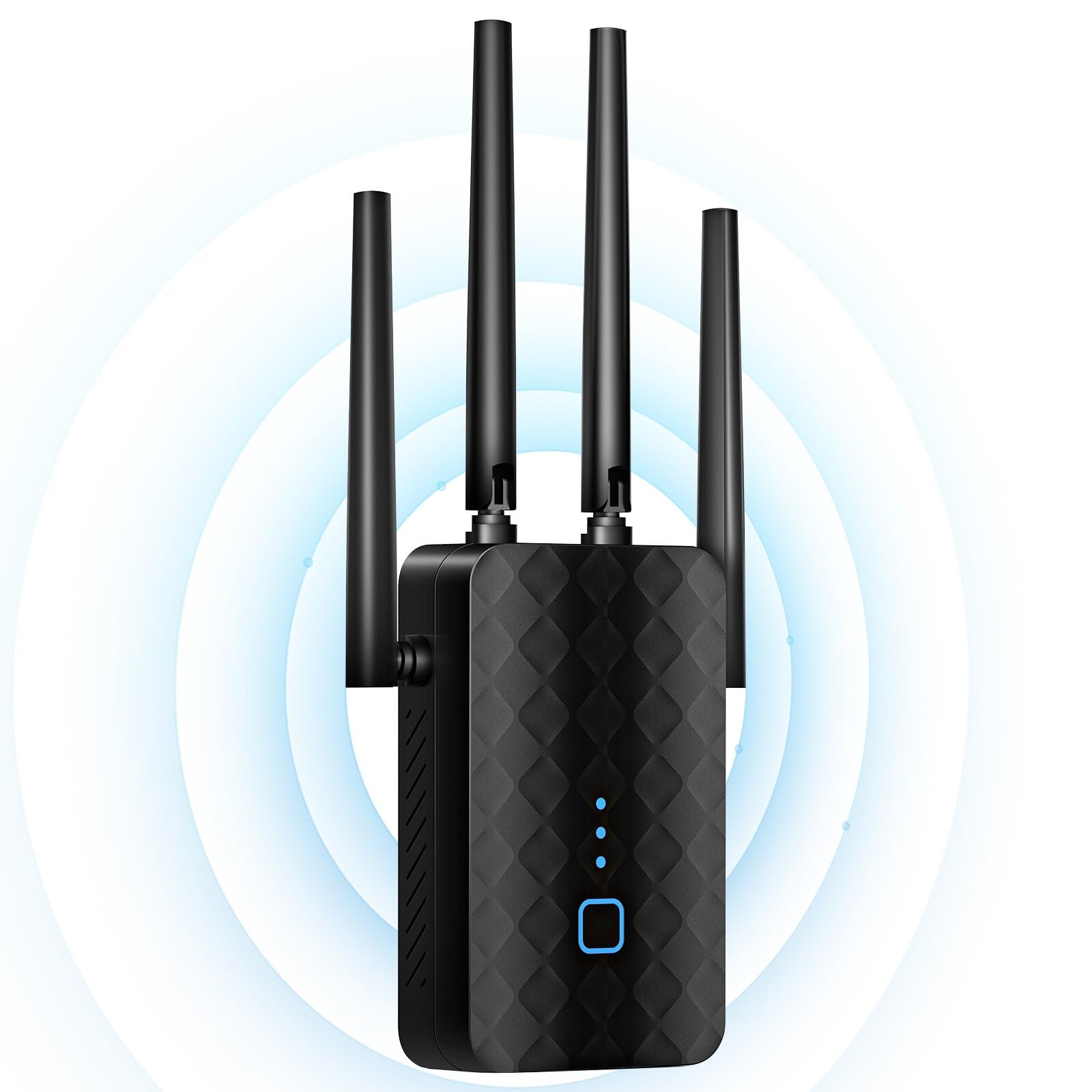
We found this dual-band extender delivers reliable performance for homes struggling with WiFi dead zones, especially considering its straightforward setup process.
Pros
- Setup takes under two minutes with the WPS button—no complicated configuration needed
- Successfully penetrates thick walls and cement floors that typically block wireless signals
- Handles up to 36 devices simultaneously without noticeable slowdowns
Cons
- The coverage claims seem optimistic for homes with multiple structural barriers
- LED indicators could be brighter for easier visibility during initial setup
- Ethernet port is limited to 100 Mbps, which doesn’t match the wireless speeds
We plugged this unit in about halfway between our router and a problematic back bedroom. The WPS pairing worked immediately, and our devices automatically switched to the extended network when we walked into previously weak areas.
The dual-band functionality made a noticeable difference during our testing. We streamed 4K content on the 5.8GHz band while other family members browsed on 2.4GHz without buffering issues. Video calls that used to drop constantly in our home office now stay stable throughout the day.
What impressed us most was how well it pushed signal through our older home’s plaster walls. We’ve tested extenders that gave up entirely in similar situations, but this one maintained usable speeds even two rooms away from its placement location.
The security features work as advertised with WPA2 encryption active by default. We appreciated not having to dig through settings to ensure our network stayed protected. The three-year warranty provides decent peace of mind for the price point.
Our Verdict
For reliable whole-home coverage, we recommend the Zelikovitz WiFi Extender Signal Booster as our top choice for its combination of easy setup, strong signal penetration, and ability to handle multiple devices without compromising performance.
Buying Guide
When selecting a WiFi extender, we need to consider several key factors that directly impact performance and compatibility with our existing network setup.
Coverage Area
The size of the space requiring coverage determines which extender we should choose. Small apartments need less powerful units, while larger homes demand extenders with stronger signal reach. We should measure the square footage of dead zones before making a decision.
Speed and Standards
WiFi standards matter significantly for performance. We recommend looking for devices supporting WiFi 6 (802.11ax) or at minimum WiFi 5 (802.11ac). The speed rating should match or exceed our router’s capabilities to avoid creating bottlenecks.
Band Support
| Feature | Benefit |
|---|---|
| Dual-band | Operates on 2.4GHz and 5GHz simultaneously |
| Tri-band | Adds dedicated backhaul channel for better performance |
| Single-band | Basic coverage, suitable for light usage only |
We should prioritize dual-band or tri-band models for optimal flexibility.
Setup and Management
Ease of installation saves time and frustration. We prefer extenders with WPS button setup or straightforward mobile apps. The ability to manage settings remotely adds convenience for troubleshooting and adjustments.
Ethernet Ports
Physical ports allow us to connect wired devices like gaming consoles or smart TVs. At least one gigabit ethernet port provides versatility for devices that benefit from stable wired connections.
Additional Features
MU-MIMO technology enables multiple devices to connect simultaneously without performance drops. Beamforming focuses signals toward connected devices rather than broadcasting equally in all directions.
We found the TP-Link RE700X WiFi 6 Range Extender delivers excellent performance across most home environments.
Frequently Asked Questions
Choosing the right WiFi extender requires understanding compatibility standards, optimal placement distances, and device capabilities that match your home’s specific layout and construction materials.
How do I choose a Wi‑Fi range extender that will actually improve coverage in my home?
We recommend starting by identifying your router’s WiFi standard (WiFi 5, WiFi 6, or WiFi 6E) and selecting an extender that matches or exceeds it. An extender using an older standard than your router will create a bottleneck.
Check your home’s square footage and the number of devices you typically connect. Most extenders list their coverage area in square feet, though real-world performance varies based on interference and obstacles.
Dual-band extenders operating on both 2.4 GHz and 5 GHz bands offer better flexibility. The 2.4 GHz band penetrates walls better but delivers slower speeds, while 5 GHz provides faster speeds over shorter distances.
What features matter most when selecting a long‑range Wi‑Fi extender for a large house?
External antennas significantly improve range and signal strength compared to internal antenna designs. Look for extenders with at least two or more adjustable external antennas.
We prioritize extenders with gigabit Ethernet ports rather than fast Ethernet (10/100 Mbps) ports. This matters when you need wired backhaul connections or want to connect devices via cable for maximum speed.
MU-MIMO (Multi-User, Multiple Input, Multiple Output) technology allows the extender to communicate with multiple devices simultaneously. Without this feature, the extender serves devices one at a time, creating slowdowns in multi-device households.
Beamforming technology focuses the WiFi signal directly toward connected devices rather than broadcasting in all directions. This feature improves both range and connection stability.
Which type of Wi‑Fi extender performs best in homes with thick walls or multiple floors?
Powerline WiFi extenders use your home’s electrical wiring to transmit data, bypassing physical obstacles like concrete walls and floors. These systems include one adapter that plugs near your router and connects via Ethernet, plus additional units that plug into outlets in distant rooms.
We find powerline extenders particularly effective in homes built with dense materials like brick, stone, or metal-reinforced concrete. Standard wireless extenders struggle to penetrate these barriers.
For multi-story homes, placing a traditional wireless extender on each floor works better than trying to push a signal up or down through multiple levels. Position extenders in hallways or central locations on each floor.
WiFi 6 extenders with OFDMA (Orthogonal Frequency Division Multiple Access) handle signal interference better than older standards. This makes them more reliable in challenging environments.
Is a Wi‑Fi extender, repeater, or mesh system the better option for improving weak signal areas?
WiFi repeaters receive and rebroadcast signals on the same channel, cutting bandwidth roughly in half. We don’t recommend repeaters unless budget is the only consideration.
Extenders use separate channels for router communication and device connections, maintaining better speeds. Most modern devices marketed as extenders actually function this way rather than as true repeaters.
Mesh systems create a unified network with multiple nodes that communicate with each other and your router. They offer seamless roaming as you move through your home, automatically connecting you to the strongest node.
We suggest mesh systems for homes over 3,000 square feet or layouts requiring three or more access points. For filling one or two dead zones, a quality extender costs less and works well.
What setup and placement steps deliver the strongest and most stable extended Wi‑Fi signal?
Place the extender halfway between your router and the weak signal area, not in the dead zone itself. The extender needs strong router signal to rebroadcast effectively.
We use WiFi analyzer apps to find the optimal spot. These free tools show signal strength in different locations and help avoid interference from neighboring networks.
Avoid placing extenders near microwave ovens, cordless phones, baby monitors, or Bluetooth devices. These all operate on the 2.4 GHz frequency and cause interference.
Position the extender in an open area rather than inside cabinets or behind furniture. Even a few inches of clearance from walls improves performance.
Most extenders include LED indicators showing connection quality. Adjust placement until you see a strong connection indicator, typically green or three or more bars.
Configure the extender using WPS (WiFi Protected Setup) by pressing the WPS button on both your router and extender. This automatically matches security settings. For routers without WPS, access the extender’s web interface using the included instructions.
What should I look for in a Wi‑Fi extender to minimize latency and improve performance for gaming?
Gaming requires extenders with gigabit Ethernet ports for wired connections. Wired connections eliminate wireless latency entirely and provide consistent ping times.
We prioritize WiFi 6 extenders for wireless gaming because they offer lower latency through Target Wake Time (TWT) technology. This feature reduces lag by optimizing when devices transmit data.
Look for extenders supporting Quality of Service (QoS) settings. This feature lets you prioritize gaming traffic over other activities like streaming or downloads.
Tri-band extenders dedicate one band exclusively to communicating with your router (backhaul) while using the other two bands for devices. This prevents the bandwidth-halving effect that occurs with dual-band extenders.
For competitive gaming where every millisecond counts, we recommend the TP-Link RE700X. This WiFi 6 extender delivers up to 1,800 square feet of coverage with AX1800 speeds and includes a gigabit Ethernet port for wired gaming connections.

Trevor Fenner is an ecommerce entrepreneur and the founder of Ecommerce Paradise, a platform focused on helping entrepreneurs build and scale profitable high-ticket ecommerce and dropshipping businesses. With over a decade of hands-on experience, Trevor specializes in high-ticket dropshipping strategy, niche and product selection, supplier recruiting and onboarding, Google & Bing Shopping ads, ecommerce SEO, and systems-driven automation and scaling. Through Ecommerce Paradise, he provides free education via in-depth guides like How to Start High-Ticket Dropshipping, advanced training through the High-Ticket Dropshipping Masterclass, and fully done-for-you turnkey ecommerce services for entrepreneurs who want a faster, more hands-off path to growth. Trevor is known for emphasizing sustainable, real-world ecommerce models over hype-driven tactics, helping store owners build scalable, sellable, and location-independent brands.


