


Now, as customers choose brands that offer fast, personalized shopping experiences, messaging apps are a must for online commerce. They help turn customer requirements into reality and ensure seamless experiences across platforms, including WhatsApp. Companies use it for various purposes: showcase products, answer questions, automate conversations, and let users complete purchases directly inside chat.
Using WhatsApp is extremely convenient because people already use the platform every day to connect with their family and friends. It’s an excellent opportunity for businesses to reach out to their potential customers directly. This allows for a more conversational, simpler, and faster buying experience compared to websites.
This article is designed to discuss the peculiarities of WhatsApp and how your business can benefit from it due to its rising popularity in eCommerce. You’ll learn how you can sell on WhatsApp, automate customer interactions, and improve sales using chat-based commerce. Let’s dive in.
At E-Commerce Paradise, I look at WhatsApp as a sales and support channel, not a replacement for a solid store. A customer should still be able to check product details, trust the business, and complete a secure purchase without getting stuck in a message thread.
For a high-ticket store, chat is especially useful when someone has a real buying question before spending $1,000, $2,000, or more. The high-ticket dropshipping model works better when buyers can quickly confirm fit, stock, lead time, freight details, or warranty coverage with a real person when needed.
What WhatsApp Commerce is and which businesses benefit most
Before diving deeper into WhatsApp marketing, you need to understand the basics, which refer to the definition of WhatsApp commerce and the benefits it carries for companies. Let’s start with the easiest.
WhatsApp Commerce means selling products and services directly through WhatsApp conversations. Businesses use it to showcase products, answer customer inquiries, send recommendations, solve problems, process orders, and provide support across the entire customer journey, all within a single chat thread.
There are many reasons why business owners prefer WhatsApp over other platforms nowadays. The major advantages of them include faster communication, higher engagement rates, and a more personalized shopping experience compared to traditional channels like email. Besides, companies take advantage of WhatsApp shopping automation, which significantly reduces the workload on teams, especially customer support agents. Automation allows them to handle customer inquiries, recommend products, and send updates on autopilot, leaving more time for complex issues. As a result, brands report higher customer experience and satisfaction.
Many industries can benefit from incorporating WhatsApp marketing into their daily operations. They include fashion and apparel brands, beauty and skincare companies, electronics retailers, restaurants and food delivery services, health and wellness businesses, local stores and service providers, etc. The main reason for these businesses to use WhatsApp is simple. Brands in these industries often rely on customer interaction and personalized recommendations, which WhatsApp delivers natively. For some of them, it even becomes the main sales channel.
The channel is not equally valuable for every store. It makes the most sense when buyers already ask questions before purchase, when product choice needs a little guidance, or when fast shipping updates reduce anxiety. If you are still deciding what to sell, start with product categories where a helpful conversation can genuinely move the sale, not categories that only create more support work. Our high-ticket niches list is a practical place to explore that kind of product research.
If you are also interested in using WhatsApp for business, you need to know how it works and which elements make it successful. Let’s start with the WhatsApp catalog. It’s one of the most important pieces of your WhatsApp business setup, and in the next section, we’ll show you how to set it up.
How to set up a WhatsApp catalog
WhatsApp catalog functions like a mini storefront inside the app. It lets users browse products without leaving the conversation. They can find out the details of your products and services as well as their price. So they don’t need to reach out to you for this information. Since setting up a catalog is one of the first steps toward building a successful WhatsApp commerce platform, let’s find out how to do it step by step.
- Create a WhatsApp Business Account. The first and easiest step to start with WhatsApp is to download the WhatsApp Business app or apply for the WhatsApp Business API. It’s a must if you need advanced automation, scalability, and worry-free communication with your target audience. Your profile should include the following elements: business name, logo, description, website, contact details, and business hours. Having a complete business profile demonstrates professionalism and encourages trust.
- Access the catalog feature. You can open the catalog section and begin adding products or services inside the WhatsApp Business app. Ensure that each product listing includes product image, product name, price, description, product code or SKU, and website link if necessary.
- Add high-quality images. Customers want to see what they’re buying before they order, which makes product photography one of the highest-leverage parts of your catalog. Stick to clear, professional shots with clean backgrounds, consistent branding, and multiple angles where possible. Accurate images build confidence and lift conversion; misleading ones invite returns and damage your reputation.
- Organize products clearly. Make sure that it’s easy to browse your product catalog. You should consider grouping products into categories so that shoppers can find the necessary products fast. For instance, if you have a clothing brand, it’s worth considering having sections such as “Men’s clothing,” “Women’s shoes,” “New arrivals,” “Underwear,” etc.
- Share products in chat. After uploading products, you can share these items directly in chats. This feature enables you to provide a seamless shopping experience. Customers can browse products, ask questions, receive recommendations, and place orders in a single place. This is very convenient and encourages more purchases from your brand.
For high-ticket products, the catalog should answer the obvious questions before a buyer types. Include the model number, actual price, core specifications, realistic lead time, and what is or is not included in freight. If a supplier changes availability or terms constantly, do not promise an answer inside chat that your business cannot verify. The due diligence in our supplier sourcing guide helps you get those details organized before the first customer asks.
A catalog is a helpful starting point, but it is not a substitute for your product pages. Think of it as the fastest path from a question to the right product, then make sure the buyer can finish on a secure checkout page with your policies clearly visible.
Now that you know how to add a product catalog for your WhatsApp Business account, it’s time to proceed to another important topic, which is automated product recommendations with a chatbot. Let’s explore this in more detail.
Automating Product Recommendations with a Chatbot
Chatbots are what make WhatsApp commerce scale. They recommend products, answer common questions, and guide shoppers through the buying journey on autopilot, so your agents can focus on the conversations that genuinely need a human touch.
While using WhatsApp shopping automation, you can ask customers about their preferences, budget, or product needs and instantly suggest relevant items from the catalog on autopilot. Let’s say you have a clothing brand, so you can recommend items based on size and style preferences. If you sell skincare, you can identify the user’s skin type before recommending products. That’s how you can provide relevant products and increase the chances of conversion. Personalized recommendations that match a customer’s preferences and needs significantly improve their experience with your brand and boost satisfaction.
For a high-ticket store, keep the first automation simple. You are not trying to make a bot sound clever. You are trying to qualify the conversation, answer the easy questions, and hand off the sale before the buyer loses momentum.
- Ask what product or use case the customer is considering.
- Confirm the budget range or product size that fits the need.
- Show only a few relevant options, not the entire catalog.
- Offer a clear human handoff for shipping, compatibility, warranty, or quote questions.
The best flow will save your team from repeating the same answers without trapping serious buyers in a loop. If a customer asks something specific, especially around a big purchase, give them a fast way to reach somebody who can own the answer. Our walkthrough on setting up WhatsApp automation for an ecommerce store shows how to approach that setup without overbuilding it.
Now that you know how nice it is to have your product recommendation on autopilot, it’s time to explore order confirmation and post-purchase follow-up using the platform.
Order Confirmation and Post-Purchase Follow-Up via WhatsApp
Communication with customers matters not just during the sale but afterward, too. If you want repeat buyers, you need to stay in touch once the order is placed, and a WhatsApp commerce platform makes that easy. As soon as a new order comes in, you can automatically send a confirmation message with order details, payment status, and estimated delivery time. It’s direct, visible, and effective because people use this messaging app every day.
When you incorporate WhatsApp shopping automation, you can provide your customers with shipping and tracking updates, delivery notifications, customer support messages, review and feedback requests. With these automated updates, your company will be able to sell on WhatsApp more effectively by encouraging customer trust and ensuring that your customers are informed throughout the buying journey. With post-purchase follow-ups, you have the opportunity to share personalized offers, recommend related products, and encourage repeat purchases, allowing you to establish stronger long-term customer relationships.
Do not treat WhatsApp like a list you can blast whenever sales are slow. The WhatsApp Business Messaging Policy requires opt-in before you contact people, approved templates for business-initiated conversations, and a clear path to human support. Keep that in mind before building any abandoned-cart or promotional sequence.
Operationally, the message should match what your store can actually deliver. If an order is on backorder, say that clearly. If freight needs an appointment, explain the next step. If the order data is scattered across a personal phone, a spreadsheet, and three apps, fix that before you scale the channel. A clean business foundation makes it much easier to keep customer records, policies, and responsibilities straight.
Doing this well comes down to picking the right platform. The three below cover most use cases for e-commerce brands, from solo operators to scaled teams.
3 Best WhatsApp Commerce Platforms
Companies involved in WhatsApp commerce usually need a special platform to rely on. There are dozens of them out there, but it’s important to stick to your goals when choosing one for your brand. In this section, we’ll uncover 3 best WhatsApp commerce platforms, which cover AI automation, customer segmentation, and conversational marketing features.
SendPulse
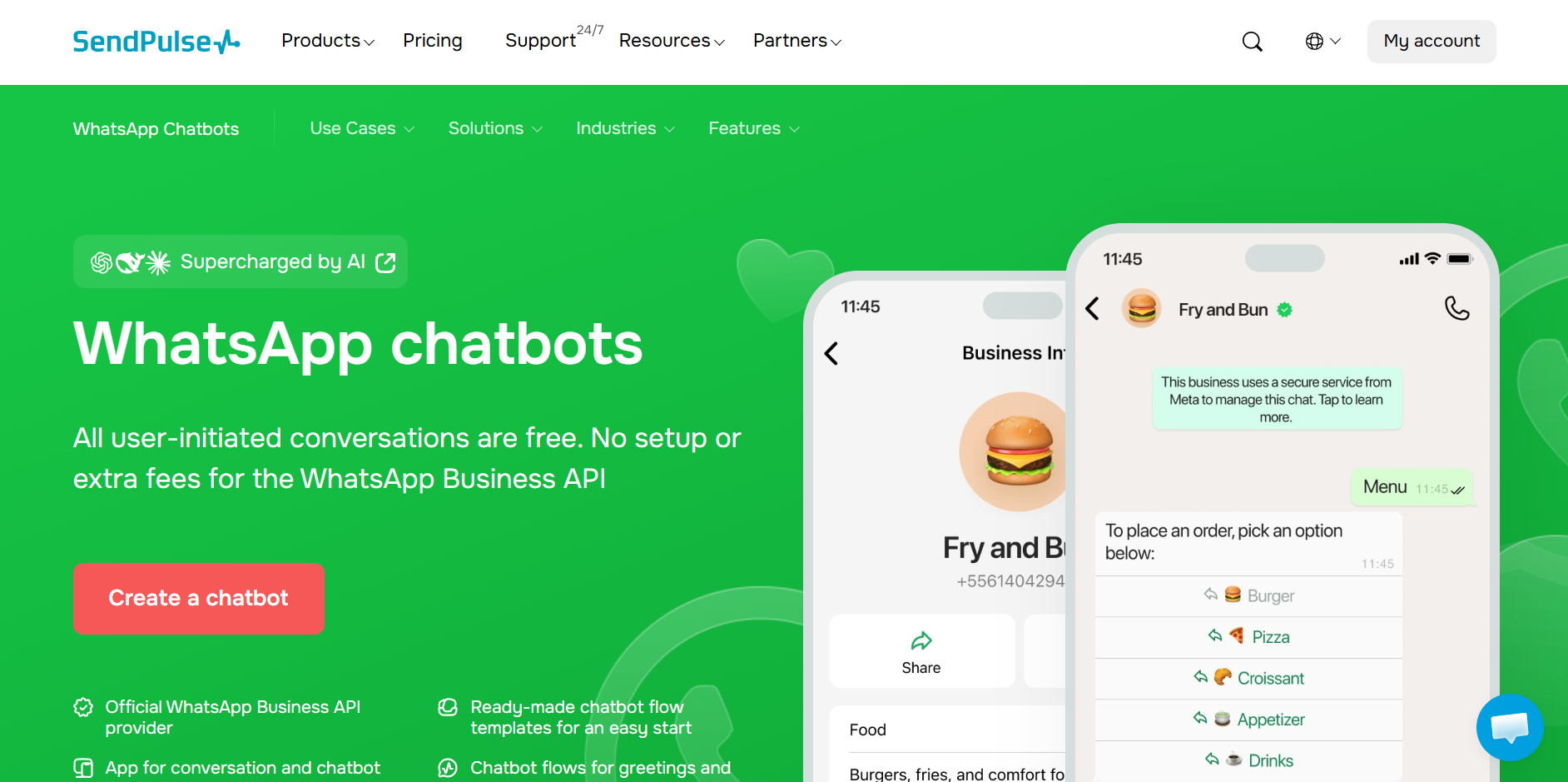
SendPulse is a recognizable name among those seeking to create advanced WhatsApp chatbots without previous experience. The service offers automation, CRM tools, and multichannel marketing in a single space, making it convenient to handle sales and customer support via WhatsApp. eCommerce brands will benefit from the platform because of its segmentation, trigger-based messaging, and WhatsApp in-chat forms that let customers submit order details or feedback without leaving the conversation. As a result, you can send relevant offers and updates based on customer behavior and purchase history. Besides, you can create AI-powered replies that are fast and relevant.
Key features:
- no-code chatbot builder;
- native in-chat WhatsApp forms;
- AI-powered automated replies;
- CRM integration;
- customer segmentation;
- trigger-based messaging;
- abandoned cart automation;
- product recommendation flows;
- multi-channel messaging support.
Pricing:
- free plan: 3 chatbots, 500 subscribers, 10,000 messages, 10 variables, 10 chatbot triggers, and unlimited flows;
- paid plan: start from $9.60/month for 500 subscribers, unlimited chatbots and live chats, advanced features, unlimited messages, triggers, flows, and variables, contacts tags, teamwork tools, and accepting payments.
ManyChat
ManyChat is well-known among businesses for its conversational marketing and automated customer engagement. The platform is suitable for companies focusing on automating lead generation, creating promotional campaigns, and ensuring customer support. With its help, you can build interactive messaging flows guiding customers through the shopping process. At the same time, conversations stay natural and personalized. ManyChat is a good choice for marketing-focused businesses relying on conversational sales funnels and audience engagement.
Key features:
- automated customer conversations;
- lead generation workflows;
- broadcast messaging;
- product recommendation automation;
- campaign and funnel automation;
- keyword-triggered replies;
- customer support automation;
- multi-platform messaging integration.
Pricing:
- free plan: no free plan available for WhatsApp;
- paid plans: start from $15/month for unlimited contacts, advanced audience segmentation, keyword triggers, and more automation rules, along with integration support for tools like Shopify and Google Sheets.
WATI
WATI is a software specifically for WhatsApp Business automation and customer communication management. This platform is useful for companies managing large volumes of customer chats and searching for support tools. WATI provides agents with a shared inbox while allowing them to put repetitive customer inquiries on autopilot. With the service at hand, you can send order updates, answer FAQs, benefit from customer segmentation, and create powerful marketing campaigns. This tool is a perfect match for business owners prioritizing WhatsApp communication and needing an integration with a CRM system.
Key features:
- shared team inbox;
- no-code chatbot builder;
- automated order updates;
- CRM integrations;
- customer tagging and segmentation;
- broadcast campaigns;
- chat routing for support teams;
- automated FAQ responses.
Pricing:
- free plan: a free trial available;
- paid plans: from $39/month for 1 channel, 3 users, 15,000 broadcasts, 1,000 free automation triggers.
The listed prices are useful starting points, not your final operating cost. Before you commit, model 90 days of real usage, including your contact volume, business-initiated messages, team seats, integrations, and any automation limits. This is where a cheap-looking option can become a pain in the butt once your store starts getting traction.
Tools aside, the best way to see what WhatsApp commerce can actually do is to look at brands already running it.
Real Example of Brands Using WhatsApp Commerce
There are many examples of businesses successfully using WhatsApp commerce. We’ll discuss some of them for you to grab inspiration. The first example is the fashion eCommerce brand Urbanic. The brand uses WhatsApp for communicating with customers, selling products, improving shopping experiences, recovering abandoned carts, and automating customer support. According to the case study, the company managed to gain an 18% increase in orders via WhatsApp and improve positive customer reviews by 32%.
Another powerful example of using WhatsApp for interaction with the target audience is Walmart, which uses WhatsApp to encourage repeat purchases. The brand had great success in Chile after incorporating WhatsApp. Now it brings around 20% of Walmart’s local eCommerce business in the country.
These examples show how WhatsApp commerce contributes to companies’ customer engagement by automating communication, recovering lost sales, and ensuring personalized shopping experiences. It shows that regardless of your company size and budget, you can effectively use WhatsApp and reach your goals faster.
Use case studies as direction, not a guarantee. A smaller store does not need Walmart’s stack to benefit. One well-built flow that handles delivery questions or sends a customer to the right product can be enough to prove the channel before you put more money and complexity behind it.
Final Thoughts
WhatsApp is a marketing tool that can reshape your business by improving how you communicate with customers. This messaging app allows you to make shopping fast, convenient, and pleasant. WhatsApp enables you to provide positive shopping experiences by letting you create product catalogs, send product recommendations, deliver product confirmations, and post-purchase follow-ups. This results in higher customer satisfaction and more sales.
To get the maximum results from WhatsApp commerce, you need to find the right WhatsApp commerce platform. It will help you put conversations on autopilot and noticeably improve the shopping experience. SendPulse, ManyChat, and WATI are the three most widely used options. ManyChat is a strong choice for marketing-focused automation and lead generation, while WATI suits businesses that need shared-inbox functionality and dedicated WhatsApp support management. Both, however, get more expensive as your business scales and you add features, users, or integrations.
Compared to the previous two platforms, SendPulse stands out as a cost-effective WhatsApp commerce platform suitable for companies of all sizes. The software provides WhatsApp automation, CRM, AI-powered chatbots, customer segmentation, trigger-based campaigns, and multichannel marketing in a single space. It’s also suitable for people with no prior experience creating and handling chatbots because it doesn’t require any knowledge of code.
The smart move is to start with one use case you can measure. Pick a repetitive pre-sale question, order-status update, or post-purchase follow-up. Build the flow, give customers a human exit, and track whether it saves time or creates more qualified conversations. Go deep before you go wide.
If WhatsApp starts producing more conversations than you can personally handle, our ecommerce management service can put trained support behind the operational side while you focus on scaling the store.

Trevor Fenner is an ecommerce entrepreneur and the founder of Ecommerce Paradise, a platform focused on helping entrepreneurs build and scale profitable high-ticket ecommerce and dropshipping businesses. With over a decade of hands-on experience, Trevor specializes in high-ticket dropshipping strategy, niche and product selection, supplier recruiting and onboarding, Google & Bing Shopping ads, ecommerce SEO, and systems-driven automation and scaling. Through Ecommerce Paradise, he provides free education via in-depth guides like How to Start High-Ticket Dropshipping, advanced training through the High-Ticket Dropshipping Masterclass, and fully done-for-you turnkey ecommerce services for entrepreneurs who want a faster, more hands-off path to growth. Trevor is known for emphasizing sustainable, real-world ecommerce models over hype-driven tactics, helping store owners build scalable, sellable, and location-independent brands.


