

Product pages with video convert better, particularly on considered purchases where the buyer is weighing a serious amount of money.
The problem is obvious if you are dropshipping. You have never touched the product, it sits in a supplier warehouse four states away, and hiring a videographer to shoot something you do not own is not a plan.
So small stores either skip video entirely or reupload whatever the manufacturer provided. There are better options, and most of them cost nothing but an afternoon.
| Job | Best starting route | What to measure |
|---|---|---|
| Product-page reassurance | Approved supplier footage or an accurate still-image animation | Enquiries, add-to-cart rate, and assisted sales |
| Paid-social testing | Short vertical clip from approved imagery | Thumb-stop rate and landing-page visits |
| Email follow-up | Simple product walkthrough or customer clip | Clicks and recovered-cart revenue |
| Category education | Talking-head explanation with product visuals | Time on page and qualified leads |
What Stores Actually Need Video For
Worth separating, because the four use cases have different requirements and only one needs anything like production quality.
- Product pages, where video reduces hesitation before an enquiry
- Shopping and social ads, where motion earns attention in a feed
- Email flows, where a clip lifts click rates on abandoned cart sequences
- Category and landing pages, where video sets context rather than selling one item
Only the first needs to show the product accurately. The rest need to stop a scroll, which is a different job with a lower bar.
For a high-ticket store, the product-page version carries the most risk and the most value. A buyer deciding between two similar products wants proof of finish, scale, operation, or installation. That is a different need from a fast montage built to earn a three-second view.
Start with one question: what uncertainty is keeping a buyer from requesting a quote or adding an item to cart? The answer might be footprint, noise, setup, fit, controls, or delivery. Build the clip around one answer instead of trying to cover a full spec sheet.
That focus matters even more when you are building a high-ticket dropshipping business, where a buyer often needs more proof before an expensive purchase.
Build a first-week test instead of a catalogue project
Choose three products with steady traffic and a clear pre-purchase question. Give each one a short clip, place it beside the price or enquiry action, and note the date. After two to four weeks, compare the result against the previous period while accounting for traffic source and promotions.
Do not treat a view count as the result. Watch product-page engagement, quote requests, add-to-cart rate, checkout starts, and the questions your sales inbox receives. Video earns its place when it shortens the decision or improves the quality of the lead.
Why Hiring Out Does Not Work at This Scale
A single product video from a freelancer runs into the hundreds, before you account for shipping a unit to them, if the supplier will release one.
Now multiply by a catalogue. At four hundred SKUs across six brands, per-product video from a videographer is not expensive, it is arithmetically impossible. The question is never which videographer, it is which route scales.
Professional shoots still make sense for the few products that fund a large share of your margin. A flagship outdoor kitchen, premium massage chair, or commercial machine may deserve real location footage, a script, and a polished edit. The mistake is applying that production standard to every low-traffic variation.
Use revenue and buying friction to decide the effort. Your top sellers need accurate proof. New launch products need quick testing. Long-tail products need clean supplier assets and a short explanation only when the page data shows a need.
That same discipline belongs in product selection. Our guide to high-ticket niches helps operators find categories where a stronger buying experience has room to matter.
The Four Routes
Most stores use some combination of these, and the right mix depends on your catalogue.
Ask the Supplier First
The cheapest route, and the one most store owners skip. Many manufacturers hold video assets they do not publish in the standard dealer pack, including installation footage, trade show material, and B-roll.
Ask your rep directly. The worst outcome is a no, and approved footage avoids every complication further down this list.
Make the request specific. Ask for dealer-approved product demos, installation footage, clean B-roll, vertical clips, and a written answer on editing. A brand rep is far more likely to help when they know where the footage will run and how the product will be represented.
Keep an asset sheet by manufacturer. Record file name, product family, permitted channels, expiry terms, whether trimming is allowed, and the person who approved it. That sheet saves your team from guessing six months later.
Supplier relationships are part of the operating system, not a back-office task. Use our supplier sourcing guide to build better conversations with the brands behind your catalogue.
Record What You Can
You do not need the product to record useful video.
- Screen recordings walking through specifications and comparisons
- Talking-head explainers answering the questions buyers ask on calls
- Unboxing or install footage from any customer willing to share it
Customer footage is undervalued. Buyers trust it more than polished material, and asking costs an email.
A useful screen recording works like a guided buying conversation. Show the comparison chart, point to the specification that changes the decision, and explain who should choose each option. Keep claims grounded in documentation you can support.
If a customer sends footage, get written permission for the intended use and store the consent with the clip. Ask for the original file where possible, not an already-compressed social upload. Permission, product accuracy, and disclosure matter more than polish.
When using endorsements or performance claims, review the FTC’s advertising guidance before publishing. A customer video should show a real experience without turning a personal result into a promise for every buyer.
Animate the Stills You Already Have
This is the route that changed recently, and the only one that scales across a catalogue.
Using an AI video generator such as ImagineArt, an existing product photograph becomes a short clip with controlled camera movement, so an image you already have approval for turns into motion without a shoot. Where every dealer works from the same photo pack, that is the practical differentiator.
- Works from a still you own rather than a description
- Control over camera movement and what stays fixed
- Vertical and square output for ads and social placements
- Clips run around ten seconds, which suits product page and ad use
The safest prompt is usually the least ambitious one. Ask for a slow push-in, controlled pan, or shallow turn around the supplied product photograph. Do not ask a model to invent moving parts, accessories, finishes, or use cases that are not shown in the approved source.
For product images that feed Google surfaces, check Google Merchant Center’s image requirements before repurposing assets across your catalogue. Your video should support the page, not create a conflict with the listing image or product facts.

For quick assembly work, Canva is a practical place to turn approved stills, short clips, captions, and a consistent end card into a repeatable format. Build one template for a product family, then swap only the approved visual and factual copy.

If your team needs a lightweight workflow for assembling variations, InVideo gives you another option for working from a clear shot list and approved assets. Keep the final review with the person responsible for product accuracy.
Mix Routes by Product Tier
Do not treat the catalogue uniformly. Your top twenty revenue products justify real effort. The long tail justifies whatever is fastest.
Use a simple tiering rule. Tier one covers top sellers, high-margin products, and pages with repeated buyer questions. Tier two covers products that perform during promotions or have clear visual value. Tier three gets the best approved supplier material until demand proves a larger investment worthwhile.
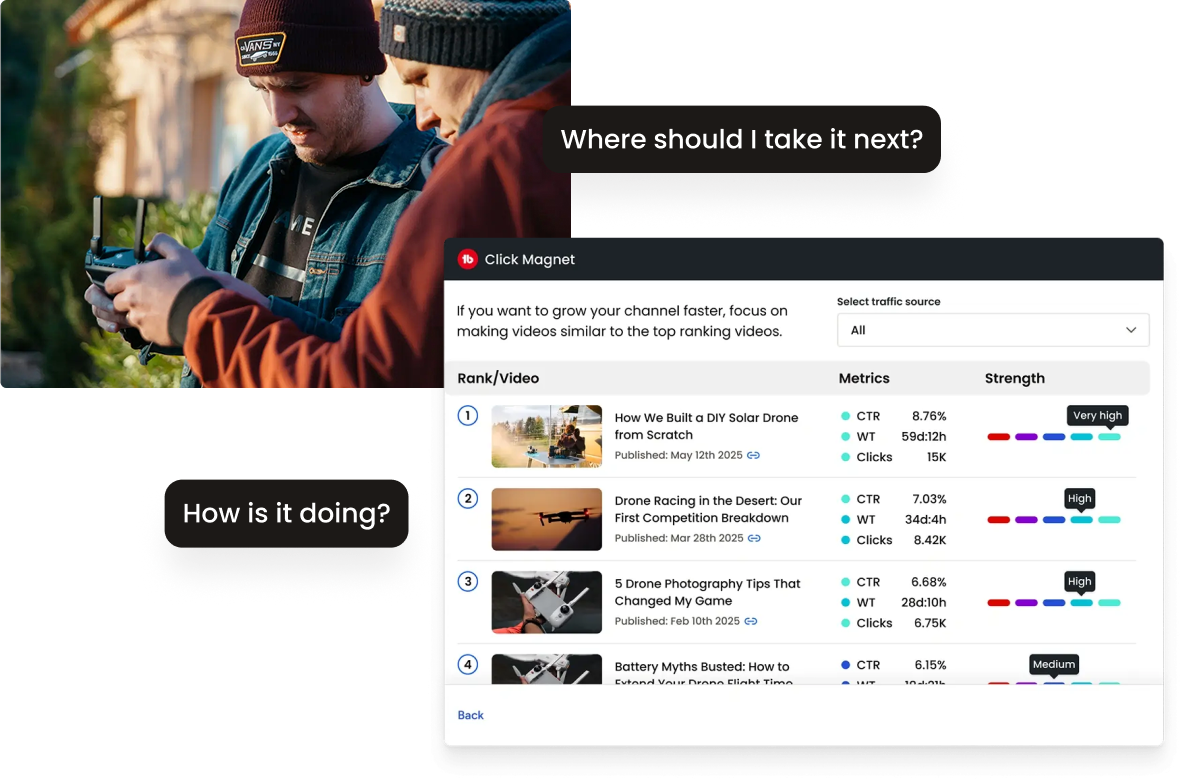
For campaigns that will also live on YouTube, TubeBuddy is useful for organizing titles, descriptions, and thumbnail tests around real search intent. Do not let channel optimization distract from the product-page job, which is helping a ready buyer make a sound decision.
Before You Generate Anything: Check Your Dealer Agreement
This matters more for high-ticket than general ecommerce, and it is the part nobody mentions.
Dealer agreements commonly restrict how brand assets and product representations may be used, and some MAP policies extend to marketing materials rather than pricing alone. Altering or animating a manufacturer’s imagery can sit outside what you agreed to.
- Read the brand asset clause in your dealer agreement before altering anything
- Ask your rep in writing whether animated versions of supplied imagery are acceptable
- Never generate imagery showing features or finishes the product lacks
- Keep generated and supplied assets labelled separately in your own files
A short email to your rep settles it permanently. Losing a dealership over a product video does not.
Copyright questions do not disappear because a clip is short or edited. The U.S. Copyright Office’s fair use overview is a useful starting point, but dealer permission remains the cleaner route for commercial product marketing.
Build this into the legal foundation of your store before volume arrives. The business formation checklist covers the wider decisions that protect a high-ticket operation as it grows.
What Good Looks Like on a Product Page
- Short, since buyers want confirmation rather than a film
- Accurate, showing the actual configuration you sell
- Above the fold or directly beside the price and enquiry button
- Lazy loaded, because a heavy embed costs you more than video gains
- Captioned, since most views happen with sound off
Keep the video near the decision point, but do not let it delay the page. Use a poster image, defer the player until interaction where possible, and check mobile performance on ordinary connections. A video that slows the path to a quote is doing the opposite of its job.
Captioning is not optional polish. Captions let buyers watch in an office, on a train, or with sound muted, while also making the explanation easier to scan. Write captions from the approved product facts instead of relying on automatic transcription alone.
For a store already running on Shopify, keep the product page focused on one primary action and measure whether the video improves that action. Your platform is the delivery layer, not a reason to add a heavy app stack.
A simple production brief for every clip
Write the SKU, intended page, buyer question, approved source asset, exact claim, duration, aspect ratio, required caption, and approver before anyone edits. This takes five minutes and stops a surprising number of errors.
Use the same brief for an AI-generated clip, supplier B-roll, customer footage, or a talking head. The production route changes. The accuracy standard does not.
Measure the right signal before scaling
Set a baseline before publishing. Record product-page sessions, scroll depth, add-to-cart rate, quote submissions, conversion rate, average order value, and the number of support questions connected to the product. One number without context tells you very little.
Then compare like with like. A sale week, paid campaign, supplier stockout, or pricing change can distort a small sample. Keep the test live long enough to collect ordinary traffic, and add a note whenever another change lands on the page.
For stores that sell through calls, review call notes too. If buyers stop asking about size, assembly, or operation after the clip is added, the video may be doing useful work even before the conversion report has enough volume to prove it.
Keep a small scorecard for each product tier. A clip that earns more qualified calls on a $4,000 product deserves a wider rollout. A clip that attracts low-intent clicks or causes questions about an inaccurate visual needs a correction, not more budget.
Clear evidence beats polished motion when a buyer is close to a serious purchase.
What Not to Do
- Do not reupload a competitor’s video, which is both infringing and traceable
- Do not imply features the product lacks, which is a returns problem waiting to happen
- Do not autoplay with sound on a product page
- Do not spend a week on one video before testing whether video moves anything
There is another common trap: using motion to cover weak merchandising. A short video cannot rescue unclear delivery terms, missing dimensions, vague warranty language, or a confusing quote process. Fix those basics before adding production work.
Our guide to AI product images and UGC videos for high-ticket dropshipping explains where AI visuals help and where a real product asset is still the better answer.
Conclusion
Producing video without a videographer is a routing problem rather than a budget problem. Ask the supplier first, since approved footage is free and risk-free. Record what you can yourself, because buyers trust unpolished material. Animate the stills you already have for everything else, since that is the only route scaling across a full catalogue. Check your dealer agreement before altering brand imagery, start with your top twenty revenue products, and measure whether enquiries move before rolling it out across four hundred SKUs.
The goal is not a cinematic catalogue. The goal is a more confident buyer, fewer repetitive questions, and a process your team can repeat without creating supplier risk. Start with a small test, document the approval path, and expand only when the numbers support the work.
For more practical operating guides, visit Ecommerce Paradise. If you want a second set of eyes on your store’s sales path, our ecommerce coaching is built around the decisions that affect real conversion and margin.
Frequently Asked Questions
Does video really matter on high-ticket product pages?
It helps most where the purchase is considered and the buyer is deciding whether to call. Short, accurate clips reduce hesitation. Long brand films rarely do.
Can you use manufacturer video on your own store?
Usually yes if you are an authorised dealer, since brand assets are supplied for that purpose. Check your agreement for restrictions on editing or reuse, which is where the limits normally sit.
How long should a product video be?
Thirty to sixty seconds on a product page, ten to fifteen for an ad. The goal is confirming a decision rather than telling a story, so shorter consistently wins.
Is an AI-generated product video safe to use?
Only where the underlying image and the motion treatment are approved. Use restrained camera motion, verify every visible feature, and keep a written approval trail from the supplier when brand assets are involved.
What should a small team do first?
Pick three high-traffic products, request supplier footage, write a concise production brief, and test an accurate clip beside the buyer action. Repeat the route that improves qualified enquiries or conversion without slowing the page.

Trevor Fenner is an ecommerce entrepreneur and world traveler from Seattle, Washington, and the founder of Ecommerce Paradise, a platform focused on helping entrepreneurs build and scale profitable high-ticket ecommerce and dropshipping businesses. With over a decade of hands-on experience, Trevor specializes in high-ticket dropshipping strategy, niche and product selection, supplier recruiting and onboarding, Google & Bing Shopping ads, ecommerce SEO, and systems-driven automation and scaling. Through Ecommerce Paradise, he provides free education via in-depth guides like How to Start High-Ticket Dropshipping, advanced training through the High-Ticket Dropshipping Masterclass, and fully done-for-you turnkey ecommerce services for entrepreneurs who want a faster, more hands-off path to growth. Trevor is known for emphasizing sustainable, real-world ecommerce models over hype-driven tactics, helping store owners build scalable, sellable, and location-independent brands.
He maintains homes in Seattle and Bali, spends most of the year overseas, and usually returns to Seattle for about a month each summer.


