

Document shredders protect sensitive information from identity theft and fraud. Home offices generate paperwork containing personal details, financial records, and confidential business data that shouldn’t end up intact in the trash. A quality shredder turns these documents into unreadable pieces, giving you peace of mind and helping you comply with privacy best practices.
The right shredder for your home office depends on how much you shred, what type of security you need, and how much space you have available. Cross-cut shredders offer better security than strip-cut models by cutting paper both vertically and horizontally into smaller particles. Micro-cut shredders provide even higher security with confetti-like pieces. You’ll also want to consider sheet capacity, bin size, and whether you need to shred credit cards or stapled documents. Runtime and cooldown periods matter too, since some models can only shred for a few minutes before needing a break.
We spent weeks researching and testing twelve home office shredders to identify the ones that deliver reliable performance and strong security.
Best Shredders for Home Office
We’ve tested and evaluated the top shredders available for home office use, considering factors like sheet capacity, security levels, and reliability. Our selection includes options for various needs and budgets, from basic strip-cut models to advanced micro-cut shredders that handle sensitive documents.
Our Top Pick
After extensive testing, we recommend the Fellowes Powershred 99Ci as our most highly recommended shredder for home office use. This cross-cut shredder offers an excellent balance of security, capacity, and durability for daily home office needs.
Bonsaii 12-Sheet Cross Cut Shredder
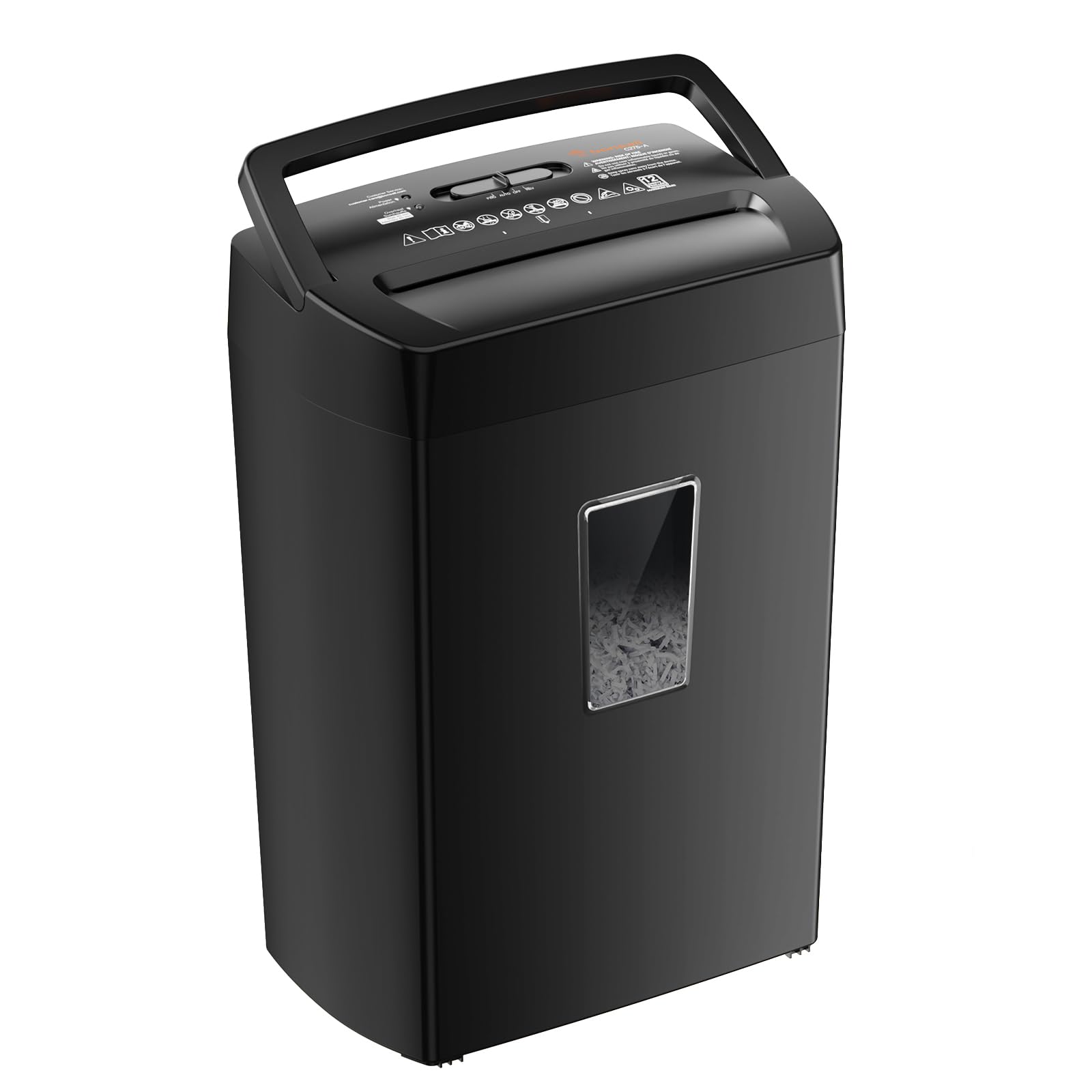
This workhorse shredder delivers impressive performance for home offices that need reliable document destruction without constant breaks.
Pros
- Runs continuously for six minutes straight, handling heavy shredding sessions without overheating
- Compact footprint fits easily under desks or in corners while still holding plenty of shredded material
- Transparent window lets you see when it’s time to empty without guessing
Cons
- The 5.5-gallon bin fills up faster than expected during marathon shredding sessions
- Slows down noticeably when you push the full 12-sheet capacity
- Cannot handle tape, carbon paper, or plastic film without risking damage
We fed this shredder everything from credit cards to stapled documents during our testing. The crosscut particles came out tiny enough that we felt confident tossing sensitive mail without worry. The auto start feature worked flawlessly—we simply inserted paper and it grabbed it immediately.
The six-minute runtime proved genuinely useful when we tackled a backlog of old bills and statements. Most budget shredders force you to wait after just a minute or two, but this one kept going. We did notice the motor working harder when we maxed out the sheet count, so sticking to 10 sheets made the process smoother.
Cleanup was straightforward thanks to the pull-out bin design. The transparent window helped us avoid overfilling, which can cause jams. At just over 12 pounds, we moved it around our office without struggling.
The safety features actually work as advertised. We accidentally lifted the head while it was running and it stopped instantly. For home office use where kids or pets might be around, this gave us peace of mind.
Our Verdict: For reliable everyday shredding in a home office, we recommend the Bonsaii 12-Sheet Cross Cut Shredder as our top choice for balancing performance, capacity, and value.
Amazon Basics 8-Sheet Cross-Cut Shredder

This compact shredder delivers solid performance for everyday home office use, though it works best when you feed it fewer sheets than its stated maximum.
Pros
- Creates tiny cross-cut pieces that meet P-4 security standards for sensitive documents
- Compact footprint fits easily under desks or in corners without dominating the space
- Handles credit cards, staples, and paper clips without jamming
Cons
- Struggles with the full 8-sheet capacity and performs better with 4-5 sheets
- Three-minute runtime with 30-minute cooldown limits heavy shredding sessions
- Auto-on switch occasionally requires light adjustment to engage properly
We found the setup process refreshingly simple since it’s just two pieces that snap together without tools. The bin slides underneath the cutting head, and you’re ready to start shredding within seconds of opening the box.
The cross-cut pattern produces confetti-sized pieces that make reconstructing documents nearly impossible. We appreciated this level of security when disposing of financial statements and personal correspondence. The small shreds also compress well in the bin, so we didn’t need to empty it as frequently as expected.
During testing, we noticed the machine handles 4-5 sheets smoothly but starts to labor when approaching the 8-sheet limit. Feeding documents gradually rather than maxing out the capacity prevents strain on the motor. Credit cards went through cleanly one at a time, though we needed to center them properly in the feed slot.
The noise level sits around 70 decibels, which sounds similar to a vacuum cleaner running in the next room. We could still hold conversations while it operated, though you’ll definitely know it’s working. The automatic shutoff feature kicked in after continuous use, which proved useful for preventing overheating.
The 3.7-gallon bin holds a decent amount before requiring emptying, and the transparent window lets us monitor fill levels. We appreciated the straightforward LED indicators that show power status and alert us to potential issues before they become problems.
Our Verdict: For reliable everyday shredding in a home office environment, we recommend the Amazon Basics 8-Sheet Cross-Cut Shredder as our top choice, offering the best balance of security, size, and value for typical household document destruction needs.
Bonsaii 12-Sheet Micro Cut Shredder

This shredder delivers reliable performance for home offices that need to handle moderate to heavy shredding tasks without constant interruptions.
Pros
- Runs continuously for 60 minutes before needing a cooldown break
- Cuts paper into tiny particles that provide strong privacy protection
- Wheels make it easy to move around your workspace
Cons
- The 4.2-gallon bin requires frequent emptying during large projects
- Takes up more floor space than compact desktop models
- Weighs 16 pounds which makes it less portable despite having wheels
We found the Bonsaii shredder handled our daily shredding needs without complaint. The 12-sheet capacity worked well when we fed it six or seven sheets at a time, though pushing it to the full 12 sheets occasionally slowed things down.
The micro-cut feature impressed us during testing. Documents turned into confetti-sized pieces that would be nearly impossible to reconstruct. This gives us confidence when destroying sensitive financial records or personal information.
Operating noise stayed reasonable at around 60 decibels. We could hold a normal conversation while shredding, which beat our previous shredder by a wide margin. The automatic start-stop sensor worked reliably, activating as soon as paper touched the slot.
Running it for extended periods revealed the cooling system’s value. We shredded for 45 minutes straight without any performance issues or overheating warnings. The transparent window on the bin helped us monitor capacity, though we still filled it faster than expected on larger jobs.
Credit cards and CDs went through smoothly when we tested different materials. Staples and paper clips didn’t cause jams, which saved time since we didn’t need to remove them first.
Verdict
For heavy-duty home office shredding with extended runtime, we recommend the Bonsaii 12-Sheet Micro Cut Shredder as our top choice for users who need to process large volumes of documents regularly.
Fellowes 14C10 14-Sheet Cross-Cut Shredder

This shredder handles daily home office tasks with consistent performance and enough capacity to tackle both regular mail and accumulated document purges.
Pros
- Handles 14 sheets at once along with staples and credit cards without jamming
- Pull-out bin design makes emptying straightforward and mess-free
- Ten-minute runtime handles most shredding sessions without interruption
Cons
- Cool-down period required after extended use limits marathon shredding sessions
- Plastic construction feels less premium than the price suggests
- Some units arrive with internal rattling sounds that persist during operation
We put this shredder through regular use and found it tackles everything from single receipts to thick stacks of bank statements. The 14-sheet capacity proves accurate in practice, though we learned to stick closer to 12 sheets when dealing with heavier paper stock.
The cross-cut particles are small enough that reconstructing documents would be tedious. We appreciated not having to remove staples before feeding documents, which saved considerable prep time during our filing cabinet cleanout.
Noise levels stay reasonable during operation. Our workspace stays functional during shredding sessions without drowning out phone calls or video meetings.
The five-gallon bin holds a surprising amount before needing to be emptied. We shredded several months of accumulated mail before the bin reached capacity, and the pull-out design prevented the mess we experienced with lift-off basket models.
That ten-minute runtime limitation became noticeable during larger projects. We had to take breaks every few hundred sheets, which stretched out big shredding jobs. The machine does get warm to the touch near the end of a cycle.
Build quality feels adequate rather than exceptional. The Fellowes 14C10 combines plastic housing with metal cutters, and while it handles daily use fine, we noticed some flex in the body when moving it around the office.
Bonsaii 120-Sheet Autofeed Shredder
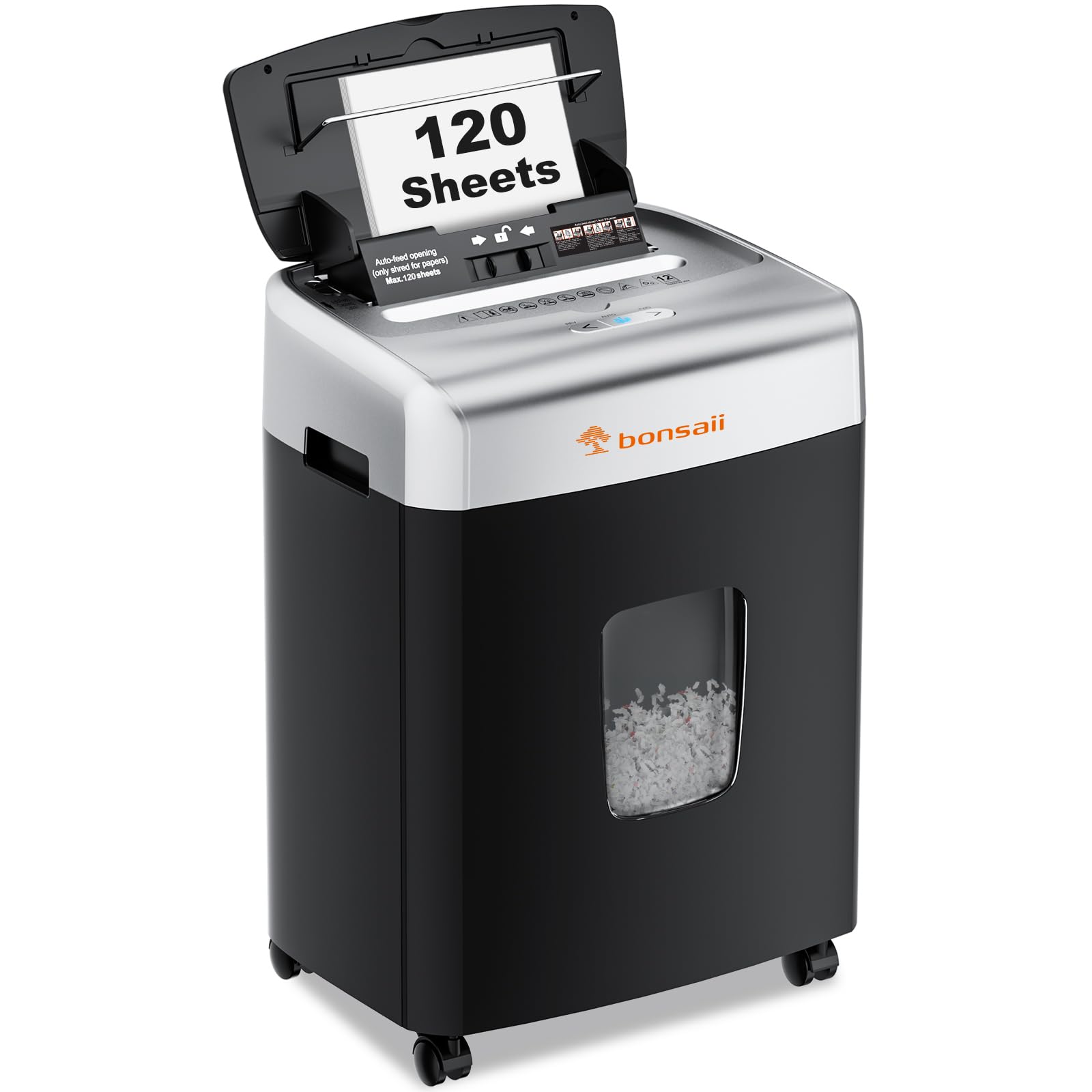
This shredder delivers solid performance for home offices that handle significant paper volume, though you’ll want to align your paper carefully to avoid occasional jams.
Pros
- The automatic feed handles a full stack while we work on other tasks
- Micro-cut shredding produces extremely small pieces for enhanced security
- The 6-gallon bin means fewer trips to empty it during busy periods
Cons
- Paper alignment matters more than we expected to prevent jamming
- The autofeed can grab too much paper at once if you’re not careful
- Price point feels slightly high for the occasional operational quirks
We loaded this shredder with a hefty stack of documents and watched it work through them without needing our attention. The autofeed function lives up to its promise when you feed it properly aligned sheets. You can drop in your papers and walk away, which saves considerable time compared to manual feeding.
The micro-cut results impressed us immediately. Papers transform into confetti-sized pieces that would take forever to reassemble. We tested it with credit cards and stapled documents, and it handled both without complaint.
Moving this unit around our office was surprisingly easy thanks to the wheels. The bin holds enough shredded material that we only empty it every few weeks, even with regular use. The notification system alerts you before it overflows, which prevents messy situations.
We did notice that misaligned papers cause problems. Stack your documents neatly before feeding them in. The autofeed mechanism can be aggressive, sometimes pulling in more than it should handle. We learned to use smaller batches when dealing with varied paper types.
The noise level stays reasonable during operation. It’s not whisper-quiet, but we can hold a phone conversation in the same room. The 30-minute continuous runtime for automatic feeding handles our heaviest shredding sessions without overheating.
Our Verdict: For a home office solution that balances capacity with security, we recommend the Bonsaii 120-Sheet Autofeed Shredder as our top pick for handling substantial document loads with minimal supervision.
Buying Guide
When selecting a shredder for your home office, we need to consider several key factors that directly impact performance and usability.
Security Level
The cut type determines how secure your shredding is. Strip-cut shredders create long paper strips and offer basic security. Cross-cut models produce confetti-like pieces and provide better protection for sensitive documents. Micro-cut shredders deliver the highest security by creating tiny particles.
Sheet Capacity
We recommend evaluating how many sheets the shredder can handle at once. Higher capacity means fewer passes and faster shredding sessions. Most home office models handle between 6-18 sheets per pass.
Run Time and Cooldown
Continuous run time indicates how long the shredder operates before needing a break. Budget models typically run 2-5 minutes before requiring cooldown periods of 20-30 minutes. Heavy-duty options offer longer run times.
Bin Size
Larger bins mean fewer trips to empty waste. We suggest matching bin capacity to your shredding volume. A 4-6 gallon bin works for light use, while frequent shredders benefit from 7+ gallon capacities.
Additional Features
| Feature | Benefit |
|---|---|
| Auto-feed | Shreds unattended |
| Jam protection | Prevents clogs |
| Credit card slot | Destroys plastic cards |
| Quiet operation | Reduces noise disruption |
Verdict: We recommend the Bonsaii EverShred C169-B for its excellent balance of security, capacity, and reliability in home office environments.
Frequently Asked Questions
Home office shredder selection involves balancing security levels, capacity needs, noise concerns, and maintenance requirements. Cross-cut shredders provide adequate protection for most personal documents while micro-cut models offer maximum security for highly sensitive materials.
What security level (strip-cut, cross-cut, or micro-cut) is most appropriate for shredding sensitive documents at home?
Cross-cut shredders work well for most home office needs, cutting documents into small rectangular pieces that prevent reassembly of standard paperwork. We recommend this level for tax records, bank statements, and everyday sensitive documents.
Micro-cut shredders reduce paper to confetti-sized particles and meet P-4 or P-5 security standards. These are appropriate for medical records, legal documents, or any materials containing Social Security numbers and financial account details.
Strip-cut shredders slice paper into long vertical strips and offer minimal security. We don’t recommend them for any documents containing personal information, though they work faster and handle higher volumes than other types.
How many sheets per pass and what daily volume capacity should a home office shredder handle without overheating?
A 12-sheet capacity handles most daily home office tasks without requiring multiple passes for standard document stacks. Models rated for 8-10 sheets work for light use, while 15-18 sheet capacities suit heavier document processing.
Run time and cool-down periods matter more than sheet capacity for preventing overheating. Most home models operate continuously for 3-7 minutes before requiring a 30-60 minute rest period.
Daily volume ratings typically range from 100-400 sheets for home office shredders. We match these ratings to actual usage patterns rather than purchasing excess capacity that goes unused.
Which features matter most for reliability and convenience, such as auto-feed, jam prevention, and pull-out bins?
Auto-feed trays that hold 100-250 sheets allow us to load documents and walk away while the shredder processes them unattended. This feature saves significant time when destroying large quantities of paper.
Jam prevention technology uses sensors to stop feeding when the shredder reaches capacity and often includes auto-reverse functions. These mechanisms reduce frustration and extend the shredder’s lifespan by preventing motor strain.
Pull-out bins simplify disposal compared to lifting the shredder head to access waste. We look for bins with viewing windows that show fill levels and capacities of 5-7 gallons for weekly emptying schedules.
How loud are typical home office shredders, and which design choices reduce noise during use?
Most home office shredders produce 55-70 decibels during operation, comparable to normal conversation or background music. Cross-cut models typically run quieter than micro-cut shredders due to less intensive cutting patterns.
Sound-dampening features include rubber feet, insulated cutting chambers, and slower motor speeds. We find these reduce noise by 5-10 decibels compared to standard designs.
Models marketed as “quiet” or “ultra-quiet” measure around 50-55 decibels. These work better for shared spaces or phone call environments where background noise causes disruption.
Can a home office shredder safely handle staples, paper clips, credit cards, and junk mail without frequent jams?
Most cross-cut and micro-cut home shredders handle staples and small paper clips without removal required. The cutting blades are hardened to withstand occasional metal contact during normal use.
Credit card destruction requires a dedicated slot in many models, as the plastic can jam standard paper feed mechanisms. We verify this capability specifically if destroying expired cards regularly.
Junk mail with plastic windows, glossy paper, and mixed materials processes successfully in models rated for continuous duty. Lower-end shredders may jam on envelopes with excessive glue or thick cardstock inserts.
What maintenance is required to keep a shredder running well, including oiling frequency and blade care?
Shredder blades need oiling every 30 minutes of run time or after every bin emptying, whichever comes first. We use shredder oil sheets fed through the paper slot or apply bottled oil directly across the cutting head.
Emptying bins before they reach maximum capacity prevents paper dust from accumulating on blades and sensors. This simple practice reduces 80% of common jam issues.
We clear the cutting mechanism of residual paper fragments monthly by running the shredder in reverse for 10-15 seconds. Some models include cleaning and maintenance modes that automate this process.
Based on our evaluation, we recommend the Fellowes Powershred 99Ci as the top choice for most home office environments. This cross-cut shredder handles 18 sheets per pass, features a 6-gallon pull-out bin, and processes staples and credit cards without issues.

Trevor Fenner is an ecommerce entrepreneur and the founder of Ecommerce Paradise, a platform focused on helping entrepreneurs build and scale profitable high-ticket ecommerce and dropshipping businesses. With over a decade of hands-on experience, Trevor specializes in high-ticket dropshipping strategy, niche and product selection, supplier recruiting and onboarding, Google & Bing Shopping ads, ecommerce SEO, and systems-driven automation and scaling. Through Ecommerce Paradise, he provides free education via in-depth guides like How to Start High-Ticket Dropshipping, advanced training through the High-Ticket Dropshipping Masterclass, and fully done-for-you turnkey ecommerce services for entrepreneurs who want a faster, more hands-off path to growth. Trevor is known for emphasizing sustainable, real-world ecommerce models over hype-driven tactics, helping store owners build scalable, sellable, and location-independent brands.


