

When it comes to the business environment, safety, speed, and convenience matter a lot. Unfortunately, companies may struggle to achieve this by relying on traditional methods. In fact, they are now under growing pressure to minimize physical touchpoints without compromising convenience.
This is where QR code technology comes into play. It was primarily used to store links and basic data. However, with the passage of time, QR code technology has evolved a lot by bridging the gap between the physical and digital worlds.
It allows businesses to ensure contactless daily operations for better workflow and user experience in several ways. In this blog post, we will be discussing some of the key ones in detail.
For an ecommerce business, a QR code is not a strategy by itself. It is a simple bridge between a physical moment and the next useful digital step. That might be a product guide, a check-in form, a menu, a warranty registration, or a request for feedback.
At E-Commerce Paradise, I am always looking at the operational pieces that make an online business easier to run. If a customer can solve a small problem with one quick scan instead of calling support or waiting for an email, that is a win for the customer and the team.
This matters even more when you are building a higher-value store with multiple suppliers and a lean team. The high-ticket dropshipping guide shows why the backend matters just as much as the storefront once orders get bigger.
What is QR Code Technology and How to Use It?
QR codes are a type of two-dimensional barcode that come in a square shape and are used to store data. The data can be anything like text, links, contact details, and much more.
When it comes to using this technology, the process is very simple and straightforward. If your smartphone is running on the following operating systems, then it means it supports QR scanning.
- Android 9 or newer
- iOS 11 or newer
Users simply have to open the camera and scan the QR code to decode its information. For smartphones that do not support camera-based scanning, dedicated mobile apps such as QR Code & Barcode Scanner can also be used to get the job done.
From the customer’s side, the experience should feel almost boring. They open the camera, see the destination, tap it, and land on a page that works on a phone. Apple’s current QR-code scanning guidance follows that same basic flow.
The important part is what happens after the scan. A code that opens a slow page, a broken form, or a generic home page creates friction instead of removing it. Give every code one clear job and send people to the exact page or form that completes that job.
For product packaging and printed materials, consider using a stable destination that you control rather than hard-coding a temporary campaign URL. The GS1 Digital Link standard is one example of how product identifiers can connect a physical item to digital product information and services.
Before you print anything, test the code on several phones, with both a strong connection and ordinary mobile data. Check the destination, page speed, form confirmation, and what a customer sees if they are not logged in. That small test saves a lot of annoying support tickets later.
Think about measurement before you launch. Give the code a distinct destination or campaign parameter so you can see whether people scanned it, completed the form, watched the setup video, or contacted support. Without that feedback loop, you are guessing whether the printed code is doing any useful work.
It is also smart to keep the design simple. A high-contrast code with enough empty space around it is easier to scan than one squeezed into a busy flyer or placed over a patterned photo. Add a short line explaining what the customer gets after the scan, because people are more likely to use a code when the next step is clear.
Ways QR Code Technology Helps Ensure Contactless Business Operations
Below are some of the key ways through which QR codes assist companies in ensuring contactless operations.
Instant Check-Ins and Registrations

For businesses, one of the most hectic and time-consuming tasks is check-ins and registrations for their customers and staff. Traditionally, they used to rely on paperwork and manual data entry.
Gladly, QR code technology has made this process faster and more efficient. Now they just have to place QR codes in different places, such as reception desks, entrances, etc. This allows visitors to simply scan the code and access the check-in or registration forms instantly.
In no time, they can fill in the required details, not only saving their time but also making it easier for businesses to handle a large flow of visitors effectively. This facility makes QR code technology an ideal option for hotels, restaurants, shopping malls, and any business that has routine public dealings.
A good check-in code should open a short mobile form, not a desktop form squeezed onto a phone. Ask only for the information you actually need at that moment. If the person is standing at a front desk, a five-minute questionnaire is a pain in the butt for everyone involved.
Set up a simple ownership process before launching it. Someone should be responsible for the form, the notification inbox, and the follow-up step. Otherwise, you can collect a pile of submissions without a clear plan for using them.
For ecommerce operators, this can work at a showroom, pop-up, trade show, or delivery handoff. A code can take a buyer to product information, a delivery-confirmation form, or a support request without passing around a clipboard or asking staff to type the same details twice.
Keep a non-QR option available as well. A printed short URL or staff-assisted check-in helps customers whose camera, data connection, or comfort level makes scanning inconvenient.
Another thing to plan for is the fallback process. What happens if the internet is down, the form stops loading, or the customer does not want to use a phone? Staff should know the answer before the busy part of the day, not when somebody is already frustrated at the counter.
For event registration or retail check-ins, use a staff-facing view that shows submissions in real time. That keeps employees from asking the visitor to scan again because the form response ended up in an inbox nobody is watching. The process should be simple for the customer and just as clear for the person handling the next step.
Digital Menus and Ordering
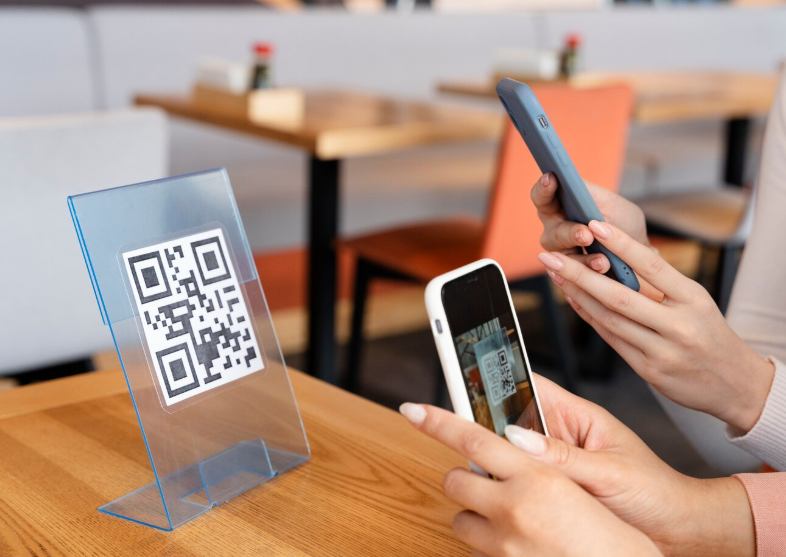
There is a strong chance that you may have visited a restaurant or hotel where you scanned a QR code to view digital menus. That’s actually QR code technology. It has allowed businesses to make their operations contactless by replacing physical menus with digital ones.
This reduces the need for customers to wait for waiters to come and provide them with the menu for ordering. Besides this, digital menus also prove beneficial for management, because physical menus require regular replacement and cleaning.
Beyond menu viewing, many companies have also started integrating QR code technology into ordering systems. With a simple scan, customers can:
- Browse items
- Customize their orders
- Place orders directly from their device
The same idea carries over to product catalogs, parts lists, service menus, and reorder pages. If a buyer is looking at a physical sample, a counter display, or a delivered product, the scan should continue the exact conversation they are already having.
Keep the destination focused. A code on a product display should not send someone to a crowded home page and make them search again. Link it to the exact product category, product page, configuration guide, or booking page that matches the display.
There is an accessibility side to this too. People need a usable alternative to a camera-based interaction, and the digital page itself needs to be accessible. The Department of Justice’s web accessibility guidance is a useful reminder that online forms, labels, headings, and alternatives matter for businesses serving the public.
If you are testing a new product category, start simple before printing 5,000 cards or labels. The high-ticket niches list can help you think through the customers, products, and buying process before you add more moving parts to the operation.
Digital menus are also easier to update when prices, availability, or product details change. That is helpful for restaurants, but it applies to ecommerce brands as well. A printed insert can send customers to the latest instructions or compatibility details without forcing you to reprint the whole thing whenever one detail changes.
For a higher-consideration product, use the code to answer the question a buyer is likely to have right there. Show a short video, a size guide, an installation checklist, or a comparison chart. The goal is not to bury people in information. It is to give them enough confidence to take the next step.
Employee Attendance

Employee attendance is the most basic and routine operational task. Instead of relying on registers or spending money on installing biometric systems, businesses can go with QR code technology.
With a quick scan using a mobile phone, employees can mark their attendance when they arrive or leave their workplace. This ensures maximum efficiency and a streamlined operational workflow.
Thanks to QR code scanning, the attendance data is recorded instantly and stored in no time. This also reduces the chances of errors, proxy attendance, and data manipulation.
For a small team, the basic setup can be enough: a code at the entrance, a short form, a timestamp, and a manager who reviews exceptions. For a larger team, you may need location rules, identity checks, break tracking, and a policy that explains what data you are collecting.
Do not treat the code as proof that the whole process is secure. A static code can be photographed and shared. If accuracy matters, use short-lived codes, a managed device, or a second confirmation step that fits the actual risk of the job.
Also make sure the business owns the form account, the QR generator, and the data it collects. The business formation checklist is a good starting point for getting account ownership and operational responsibilities organized before the team grows.
What I have seen with growing ecommerce teams is that the best system is the one people will actually use every day. Keep the instructions clear, make exceptions easy to report, and review the data often enough to catch problems before payroll or scheduling becomes a mess.
Write down what counts as a successful scan before you choose a tool. If you only need a record of who arrived, a simple form may be plenty. If payroll, scheduling, and compliance are involved, you may need an attendance platform that has clearer reporting, permissions, and audit history.
Keep the employee experience in mind as well. People should know when they are expected to scan, what happens if their phone is unavailable, and who can correct an error. Clear instructions remove the awkward back-and-forth that makes a simple system feel more complicated than it needs to be.
Feedback and Surveys
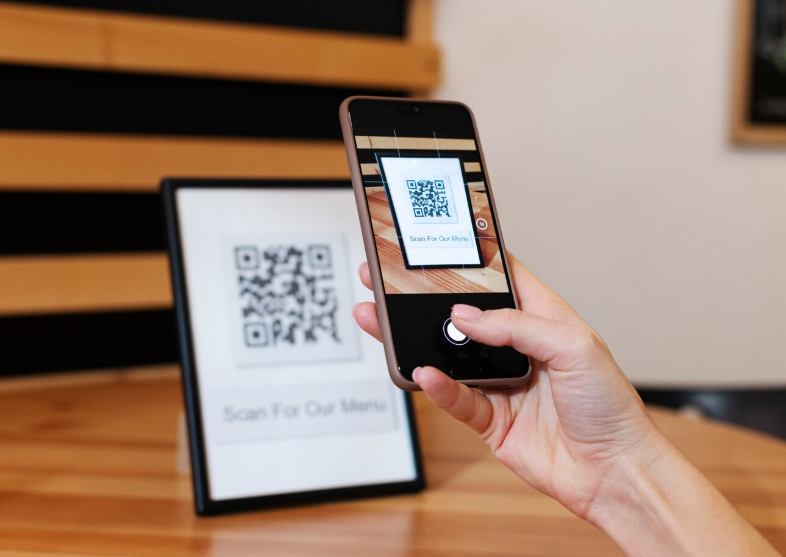
We all know that businesses often collect feedback and conduct surveys to ultimately improve the areas where they are lacking. Fortunately, QR code technology helps make this process contactless, saving both time and resources.
Instead of handing papers or asking customers to fill out feedback or survey forms, businesses can place QR codes on doors, product packaging, service counters, etc. Customers can quickly scan the codes with their device to seamlessly provide feedback or fill out survey forms.
This convenience can encourage more customers to engage with the businesses, resulting in high response rates and actionable insights.
Keep the first question simple. Ask what went well, what was frustrating, and whether the customer would recommend the experience. If you want more detail, let them choose to continue instead of putting a giant wall of questions in front of someone who just made a purchase.
For product businesses, a QR code on packaging can also lead to setup instructions, warranty registration, reorder options, or a quick support form. That gives the customer a useful reason to scan, which is much better than asking for a review before they have even used the product.
QR codes can be useful when you are managing supplier relationships too. The supplier sourcing guide explains why clear information and consistent processes matter when you are working with manufacturers and customers at the same time.
Build in a simple review routine. Look at the answers weekly, tag recurring issues, and assign one person to decide whether the issue needs a process change, a supplier conversation, or a support update. Collecting feedback is easy. Turning it into a better operation is the part that matters.
Do not chase a response rate without thinking about the quality of the response. Ten detailed notes about a checkout problem can be more valuable than 100 vague star ratings. Give customers a place to explain what happened, then use the same language they use when you update product pages, support scripts, or staff training.
It also helps to close the loop. When feedback points to a recurring issue, make the fix, then check later whether the problem is actually gone. That is how a small QR survey becomes a useful operations tool instead of another form collecting dust in a spreadsheet.
So, after going through all these ways, you will have a clear idea of how exactly QR code technology is supporting contactless business operations.
So, after going through all these ways, you will have a clear idea of how exactly QR code technology is supporting contactless business operations.
Wrapping Up
Due to continuous advancements in technology, the business market is changing. Many are trying to reduce their reliance on physical touchpoints and manual processes to ensure contactless operations. For this, QR codes come in handy. These help with contactless check-ins, registrations, attendance, and more. We have discussed all of these in detail for a better understanding.
The big takeaway is simple: use QR codes to remove a real step, not because they look modern. Start with one place where staff or customers repeat the same action, give the code one clear destination, and test it from a phone before you scale it.
For a high-ticket ecommerce store, that could mean sending a buyer from a showroom tag to a product configuration guide, sending a delivery customer to setup instructions, or getting post-purchase feedback without adding more work for your support team. Go deep on one useful process before you put codes on every surface.
Keep the security side in mind too. The FTC warns that harmful QR codes can send people to spoofed sites, so review the destinations you publish and teach customers to check a link before entering any personal information. Their QR-code scam guidance is worth sharing with any team that uses codes for payments, logins, or sensitive forms.
If you want help building the systems behind a high-ticket store, from suppliers and customer experience to the next growth step, check out E-Commerce Paradise coaching. A good operation does not need to be complicated, but somebody needs to own the process, test it, and keep improving it.

Trevor Fenner is an ecommerce entrepreneur and the founder of Ecommerce Paradise, a platform focused on helping entrepreneurs build and scale profitable high-ticket ecommerce and dropshipping businesses. With over a decade of hands-on experience, Trevor specializes in high-ticket dropshipping strategy, niche and product selection, supplier recruiting and onboarding, Google & Bing Shopping ads, ecommerce SEO, and systems-driven automation and scaling. Through Ecommerce Paradise, he provides free education via in-depth guides like How to Start High-Ticket Dropshipping, advanced training through the High-Ticket Dropshipping Masterclass, and fully done-for-you turnkey ecommerce services for entrepreneurs who want a faster, more hands-off path to growth. Trevor is known for emphasizing sustainable, real-world ecommerce models over hype-driven tactics, helping store owners build scalable, sellable, and location-independent brands.


