

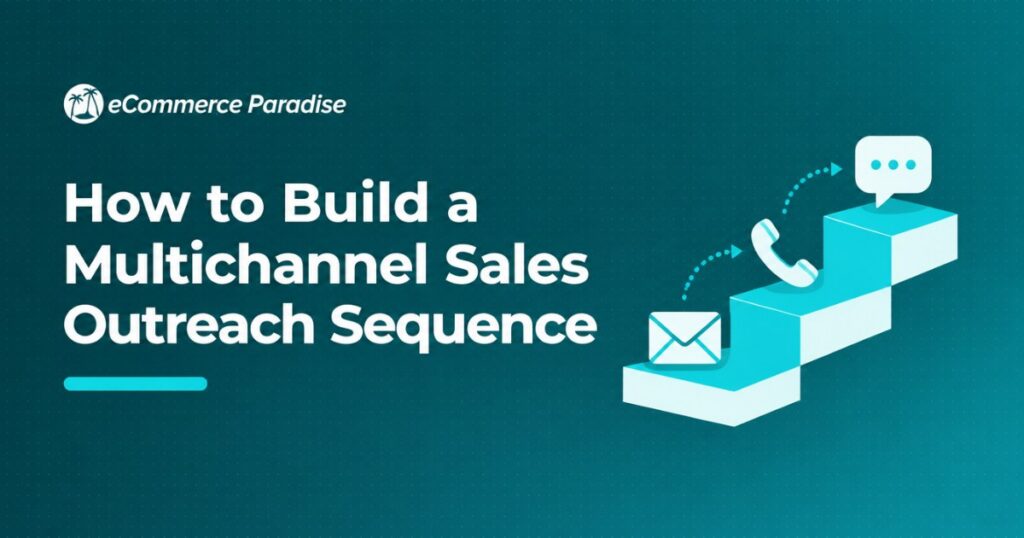
Most outbound sequences fail for a simple reason: they’re built as a single email drip when the prospect actually needed to see the message on two or three different channels before responding, and by the time anyone notices, the whole campaign gets written off as “outbound doesn’t work” rather than fixed. I run Ecommerce Paradise, and building out real multichannel sequences (not just adding a LinkedIn touch as an afterthought) is one of the things I walk clients through constantly.
This is a step-by-step breakdown of how to actually build one, using Reply.io as the reference tool since it covers the widest set of channels, though the same logic applies to any multichannel platform. If you’re running high-ticket dropshipping outreach to suppliers, affiliates, or B2B partners, this same structure applies directly.
| Sequence Stage | Channel | Goal |
|---|---|---|
| Day 1 | Introduce value, low-friction ask | |
| Day 3 | LinkedIn connection request | Build familiarity, no pitch |
| Day 5 | Email follow-up | Reference the connection, add proof |
| Day 7 | LinkedIn message (if connected) | Direct, casual ask |
| Day 10 | Call | Live conversation attempt |
| Day 14 | Email breakup | Final touch, low pressure |
Step 1: Define One Specific Outcome Per Sequence
Before building anything, decide exactly what a “yes” looks like: a booked call, a reply expressing interest, a click on a specific link. A sequence trying to accomplish three different goals at once (book a demo, get a referral, and drive newsletter signups) confuses the prospect and dilutes your messaging. Pick one outcome and build every touch toward it.
Step 2: Map Your Channel Order Before Writing Any Copy
Decide the channel sequence first, then write copy for each step, not the other way around. A common effective pattern starts with email (low friction, scalable), adds a LinkedIn connection request around day 3 (builds familiarity without asking for anything), returns to email with a reference to the LinkedIn touch, then escalates to a call attempt once you’ve built some recognition. SMS or WhatsApp, where relevant, typically come later in the sequence once the prospect has seen your name at least twice already.
Step 3: Write the First Email to Be Skimmed, Not Read
Your first email gets scanned in under five seconds. Lead with a specific, relevant observation about the prospect’s business, not a generic opener. Keep it under 100 words. State a clear, low-friction ask (a quick reply, not a 30-minute call) and never attach anything on the first touch, since attachments trigger spam filters and add friction for a cold recipient who hasn’t decided to trust you yet.
Step 4: Use LinkedIn as a Trust-Building Step, Not a Pitch
The connection request itself should never include a pitch. A short, personalized note referencing something specific about their role or company performs far better than a blank request or a sales pitch disguised as an invite. Once connected, wait a day or two before sending a message, and when you do, reference the email you sent rather than starting a completely separate pitch, so the prospect experiences one coordinated outreach rather than two disconnected ones.
Step 5: Build in Branching Logic Based on Behavior
A real multichannel sequence isn’t linear, it branches based on what the prospect actually does. If they open your first email three times but don’t reply, that’s a different signal than never opening it at all, and your next touch should reflect that. If they accept your LinkedIn connection but don’t reply to the follow-up message, a call attempt becomes more justified than if they’ve ignored every touch so far. Platforms like Reply.io let you configure these branches directly in the sequence builder rather than manually tracking behavior in a spreadsheet.
Step 6: Time Your Touches to Avoid Feeling Automated
Space touches unevenly rather than exactly every 48 hours, since a perfectly regular cadence reads as automated even when the copy is good. Avoid sending on Mondays before 10am and Fridays after 2pm, when open rates consistently underperform the rest of the week. A sequence spanning 10-14 days with 5-7 touches across 2-3 channels is a reasonable default, though B2B sales cycles with longer consideration periods can justify extending it to 21-30 days.
Step 7: Write a Real Breakup Email, Not a Guilt Trip
The final touch in a sequence should close the loop cleanly, not passive-aggressively imply the prospect is missing out. A short note saying you’ll stop reaching out for now but the door is open if timing changes performs better than an aggressive last-chance framing, and it keeps the relationship warm for a future re-engagement campaign rather than burning the contact for good.
Step 8: Set Up Deliverability Before You Send Anything
None of the above matters if your emails land in spam. Configure SPF, DKIM, and DMARC correctly on your sending domain before launching any sequence, and send from a secondary domain rather than your primary business domain if you’re running meaningful volume. The FTC’s CAN-SPAM compliance guide covers the legal requirements every cold email sender in the US needs to follow, including a working unsubscribe mechanism and accurate sender information.
Step 9: Warm Up New Sending Domains Gradually
A brand-new sending domain needs a gradual ramp-up in volume, typically starting at 10-20 emails per day and increasing over 2-4 weeks, before it can reliably handle full outreach volume. Skipping this step is the single most common reason a new sequence underperforms in its first month, since the platform itself gets flagged before the copy or targeting is ever tested. Most multichannel platforms, including Reply.io, include automated warmup tools specifically to handle this.
Step 10: Track the Right Metrics, Not Just Opens
Open rate tracking has become increasingly unreliable across the industry due to email client privacy changes (Apple Mail Privacy Protection being the biggest factor), so treat it as a rough directional signal rather than a precise metric. Reply rate and meeting-booked rate are the numbers that actually matter. If your open rate looks healthy but replies are flat, the issue is almost always the offer or the copy, not deliverability.
Step 11: A/B Test One Variable at a Time
When testing sequence performance, change a single variable between two versions: subject line, opening line, or call-to-action, not all three at once. Testing multiple variables simultaneously makes it impossible to know which change actually drove the difference in results. Run each test against a meaningful sample size, at least 100-150 prospects per variant, before drawing conclusions, since smaller samples produce noisy results that don’t hold up at scale.
Step 12: Segment Your List Before Writing One Sequence for Everyone
A single generic sequence sent to a mixed list of prospect types consistently underperforms segmented sequences written for specific personas or company profiles. Even a basic split, by company size, industry, or role, lets you reference specifics that make the message feel considered rather than mass-produced. This takes more upfront work but compounds in reply rate across the life of the sequence.
Common Mistakes That Kill Sequence Performance
The most common mistake is starting every touch with “I hope this finds you well” or similarly generic openers that signal a template rather than a real message. A close second is including a calendar link in the very first touch, before the prospect has any reason to trust you enough to book time. A third is giving up after two touches when most positive replies in B2B outbound come on the fourth or fifth touch, well past where most senders quit.
How Long to Run a Sequence Before Calling It
Let a sequence run its full course, typically 10-21 days depending on channel mix, before pulling a prospect out and moving them to a longer-term nurture. Pulling someone after just two or three touches doesn’t give the later, higher-intent touches (like the call attempt or breakup email) a chance to work, and those later touches often outperform the earlier ones once a prospect has seen your name multiple times.
Why Reply Rates Beat Open Rates as a Success Metric
According to G2’s sales engagement category data, teams that optimize sequences around reply rate rather than open rate consistently report better pipeline outcomes, since open tracking has become unreliable across the industry due to privacy changes in major email clients. Treat opens as a rough directional signal at best, and build your testing and optimization process around replies and meetings booked instead. If a sequence shows strong opens but flat replies, the problem is almost always the offer or the copy, not deliverability.
How to Personalize Without Spending Hours Per Prospect
Genuine personalization doesn’t require researching every prospect individually. Build a short list of 3-5 personalization variables you can pull from a data source (company size, recent funding, job title, industry) and use those to customize opening lines at scale rather than hand-writing every message. According to Saleshandy’s research on outreach personalization, sequences using even light data-driven personalization (referencing a specific detail pulled from a database rather than generic flattery) consistently outperform fully generic templates, without requiring the time investment of fully custom research per prospect.
Building the First Sequence: A Practical Checklist
Before you launch your first multichannel sequence, confirm you have: a verified sending domain with SPF, DKIM, and DMARC configured, a warmup period already completed if the domain is new, a single clear goal for the sequence, copy written for each channel that references the prior touch rather than repeating it, and a tracking setup that surfaces reply rate and meetings booked rather than just opens. Skipping any one of these five items is a common reason a technically well-written sequence underperforms in practice.
Adjusting Sequences for Different Industries
A sequence that performs well selling software to marketing teams won’t necessarily perform the same way selling services to manufacturing operations leaders. Industries with longer buying cycles and more stakeholders (manufacturing, healthcare, enterprise IT) generally need longer sequences with more touches spread over a longer window, while faster-moving industries (e-commerce, digital marketing, startups) respond better to shorter, more direct sequences. Test your assumptions against your actual reply data rather than defaulting to a generic template regardless of industry.
Choosing the Right Tool for This Workflow
The steps above work on paper, but executing them by hand across multiple channels quickly becomes unmanageable past a handful of prospects. A dedicated multichannel platform handles the branching logic, timing, and channel coordination automatically, which is the difference between a sequence you can actually run at scale and one that only works as a manual exercise for a dozen prospects. Reply.io supports this exact structure natively across email, LinkedIn, calls, SMS, and WhatsApp, though if your outreach is narrower in scope, a lighter tool built for fewer channels may fit better. See my breakdown of the top multichannel platforms for a fuller comparison before committing to one.
What to Do With Prospects Who Never Respond
Not every prospect who completes a sequence without replying is a dead end. Move non-responders into a longer-term nurture list rather than discarding them entirely, and re-engage them in 60-90 days with a different angle or a genuinely new piece of information (a product update, a relevant industry event, a case study). Timing is often the real blocker rather than fit, and a prospect who wasn’t ready during your first sequence may be a completely different conversation a quarter later.
Sequence Length by Deal Complexity
Simple, lower-consideration offers (a tool with a clear, immediate use case) generally perform well with shorter sequences, 7-10 days and 4-5 touches. More complex, higher-consideration offers involving multiple stakeholders or larger budget commitments typically need longer sequences, 21-30 days and 7-10 touches, to account for the additional time prospects need to loop in colleagues and build internal consensus before responding. Matching sequence length to deal complexity is a more reliable heuristic than a single default length applied to everything.
Setting Up Handoff to Sales When a Prospect Replies
A sequence’s job ends the moment a prospect replies with real interest, and what happens next matters as much as the sequence itself. Set up an automatic pause on all remaining touches the instant a reply comes in, so a prospect who just said “let’s talk” doesn’t also get your day-10 follow-up email. Route positive replies to a real person for a same-day response where possible, since response speed to an engaged prospect correlates strongly with conversion, and a reply sitting unanswered for two days often goes cold even after the sequence itself worked.
Reusing and Improving Sequences Over Time
Treat your first version of a sequence as a draft, not a finished product. Review performance after every 100-150 prospects have completed it, and change one variable at a time based on where the drop-off actually happens: a low open rate points to a subject line problem, a low reply rate with healthy opens points to an offer or copy problem, and a low connection-acceptance rate on LinkedIn points to a profile or personalization problem. Keep a running log of what you’ve tested and the result, so improvements compound instead of getting rediscovered every few months.
Frequently Asked Questions
How many channels should a multichannel sequence use?
Two to three channels is the practical sweet spot for most sequences. Email plus LinkedIn covers most B2B use cases, with calls or SMS added for higher-intent stages.
How many touches should a sequence have?
5-7 touches across 10-14 days is a reasonable default, extending to 21-30 days for longer B2B sales cycles.
What’s the best first channel to use?
Email, since it’s the lowest-friction, most scalable first touch and doesn’t require a prospect to accept a connection request before you can reach them.
Should I use the same message across every channel?
No, each channel should reference the prior touch rather than repeating it verbatim, so the sequence feels coordinated rather than like separate blind outreach attempts.
Do I need a paid platform to run a multichannel sequence?
You can technically run one manually with a spreadsheet and separate tools, but a dedicated platform is the difference between something that scales past a handful of prospects and something that only works as a small manual test.
How do I know when to stop a sequence?
Let it run its full planned length before pulling a prospect, since later touches (calls, breakup emails) often outperform the earlier ones and shouldn’t be skipped.
What’s the biggest reason multichannel sequences underperform?
Treating each channel as a separate, disconnected pitch instead of one coordinated message that references prior touches, which makes the outreach feel like spam rather than a considered approach.
Before you build any outreach sequence, make sure your niche and supplier relationships are solid, since no sequence fixes a weak offer.
Your business formation should also be handled before you scale outbound volume.
If you want help building the whole operation, that’s exactly what my done-for-you store build service is for.

Trevor Fenner is an ecommerce entrepreneur and world traveler from Seattle, Washington, and the founder of Ecommerce Paradise, a platform focused on helping entrepreneurs build and scale profitable high-ticket ecommerce and dropshipping businesses. With over a decade of hands-on experience, Trevor specializes in high-ticket dropshipping strategy, niche and product selection, supplier recruiting and onboarding, Google & Bing Shopping ads, ecommerce SEO, and systems-driven automation and scaling. Through Ecommerce Paradise, he provides free education via in-depth guides like How to Start High-Ticket Dropshipping, advanced training through the High-Ticket Dropshipping Masterclass, and fully done-for-you turnkey ecommerce services for entrepreneurs who want a faster, more hands-off path to growth. Trevor is known for emphasizing sustainable, real-world ecommerce models over hype-driven tactics, helping store owners build scalable, sellable, and location-independent brands.
He maintains homes in Seattle and Bali, spends most of the year overseas, and usually returns to Seattle for about a month each summer.


