

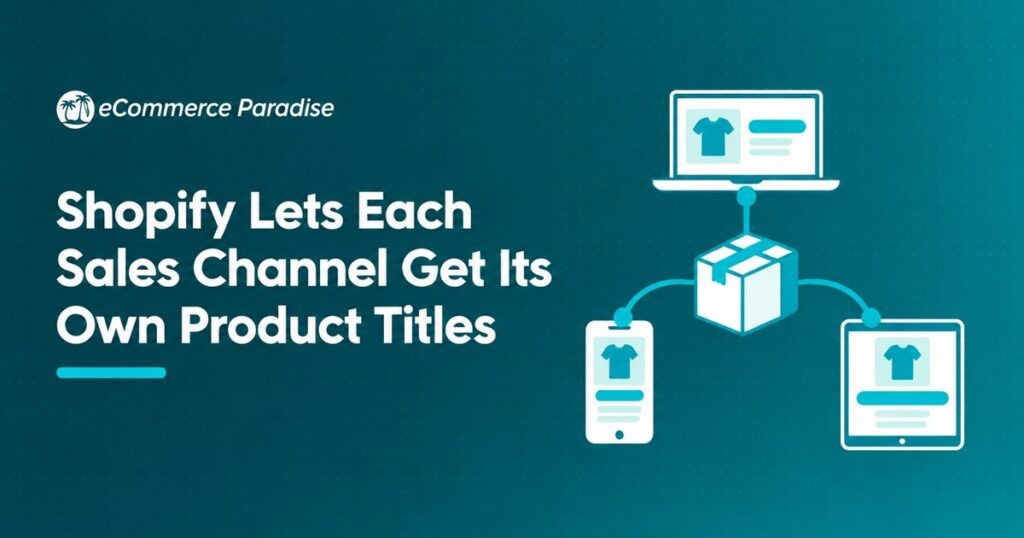
Shopify added a channel mapping page on Oct. 28 that lets merchants choose which product data each sales channel receives, titles included.
If you run high-ticket products through Google Shopping, the feed title is often the first thing a buyer reads, and Google says users usually notice only the first 70 or fewer characters. Per Shopify’s help center, edits made on the new page stay in the channel, so your storefront titles do not change. For the store owners I work with at Ecommerce Paradise, that means you can write a title for Google without rewriting the page copy your customers read on your site.
Below: what Shopify announced, what its documentation says, how the change fits the company’s push to feed AI shopping agents, and what I’d change first on a high-ticket dropshipping store. Shopify has not said which plans get the feature, so test on one product before you rebuild anything.
More sales channels means more places your business name can end up, so put the store inside an LLC formed with Northwest Registered Agent, the LLC formation service I’d pick for ecommerce owners. Northwest has been formation-focused for about 25 years under steady ownership, which is the reason I trust it over cheap formation sites that upsell you at checkout. Form your LLC with Northwest →
Shopify Channel Mapping Sets Product Titles Per Sales Channel
Shopify posted the feature to its changelog on Oct. 28 under the name “Map product data by sales channel.” According to the entry, it is a new channel mapping page for managing the product data sent to each sales channel, with a preview of what each channel receives.
Per the same entry, every channel field has a default source field that you can change. You can combine sources, such as adding your brand name to the product title, and you can override any field for a specific product on a specific channel. A change to a channel’s mapping applies to every product on that channel. Independent coverage from Creators Toolbox, which draws on the changelog, lists the same capabilities plus bulk edits and a coverage percentage for each field.
How the mapping works, per Shopify’s help center
Shopify’s channel mapping help page says you open the tool from Settings, then Sales channels, then Edit mappings. Sources can be product fields, variant fields or metafields, and money fields such as price are excluded. Text fields can combine sources with typed text, up to 10 sources per value, or be edited as Liquid with filters including append, prepend, replace, truncate and upcase. Liquid tags such as if, for and assign are not supported.
A field gets its value in a fixed order: override first, then the mapping you chose, then the channel default. If the source you picked is empty for a product, the default is used, so a blank title metafield falls back to the product title. Overrides exist only for combined or Liquid fields.
The preview works on draft and archived products too, but Shopify says it shows what the channel receives, not whether the channel approves the listing. Previews pause if you change or remove more than 25 field mappings without saving. Changing mappings takes View and Create and edit product permissions, and saved changes can take time to reach the channel.
What Shopify Catalog gets
The Shopify Catalog mapping page covers the product feed behind Shop and agentic storefronts. With Catalog selected, you can map the title and description, choose whether list price uses the current price or the compare-at price when it is higher, and group separate products into one listing by title delimiter, metafield or tag prefix.
Per Shopify, compare-at price goes out as the list_price field in the Universal Commerce Protocol variant specification. Groups are capped at 10,000 products for title, tag or most metafield groupings, and Shopify says the preview is not an exact indicator of how AI channels display your data.
The Google rule your titles still have to meet
Google’s Merchant Center title requirements set the baseline. Titles run 1 to 150 characters, and “users will usually notice only the first 70 or fewer characters of your title, depending on screen size,” per Google. Promotional text is prohibited, including prices, sale dates, shipping details and your company name, and the title must accurately describe the product on the landing page. Google also advises using the available characters for keywords such as product name and brand.
What Shopify has not said: which plans include the feature, the full list of eligible channels (it says Shop and Shopify Collective are not eligible), or any performance data. Both the changelog and the help page leave plan availability out, and the help page carries no date.
How Channel Mapping Fits Shopify’s Agentic Catalog Push
Channel mapping did not arrive alone. On Oct. 26, Shopify moved its Knowledge base into the store admin, where it holds non-product answers such as return policies and shipping timelines for AI channels. I covered that in my post on the Knowledge base move. Products reach those AI channels through Shopify Catalog, per Shopify, which is the feed the new page can now edit.
The Oct. 28 changelog page also lists AI features around the store, including Sidekick staging storefront changes in a draft and testing them with SimGym shoppers. I covered Sidekick’s earlier store-redesign work in Shopify Canvas and Sidekick. On Oct. 23 the changelog added scheduled catalog changes, which I covered in my Rollouts post. The pattern is Shopify taking more control of catalog data and handing you more dials for it.
The counterpoint sits in Shopify’s own documentation. The Google and YouTube channel help page already says merchants can optimize product titles and descriptions inside the channel, and it does not mention channel mapping. So there are now at least two places that can touch a Google title, and the pages I read do not say which one wins when they disagree. That is a real gap.
Dedicated feed apps also remain. Because mapping does not support Liquid if, for or assign tags, conditional rules such as “add this word only to outdoor models” look out of reach there, and apps like ShoppingFeeder and DataFeedWatch exist for that kind of rule. That is my read of the supported-filter list, not something Shopify states.
What Channel Mapping Means for a High-Ticket Google Shopping Feed
My read is that this is a feed-quality tool first and an AI tool second. A buyer shopping for a $3,000 piece of equipment searches by brand, model and a spec or two. Your supplier’s title is often a model code, your page title is written for site SEO, and the feed title has a third job. I walked through the full click-to-sale path in how to turn Google Shopping clicks into sales, and the title is where that path starts.
Here is hypothetical math. Say you carry 300 products and hand-editing a feed title takes 2 minutes each. That is 10 hours. A mapping rule that puts the brand first is one save plus spot fixes for the products that break the pattern. Shopify has published no results, so whether better titles lift your click-through rate is something you measure on your own account. I would not promise yourself a lift.
Two traps. First, shared sources. Per Shopify, if you change a value in a source such as a metafield, every channel that uses that source gets the new value. A title metafield you rewrite for Google changes everywhere it is mapped. Second, Google’s banned list. If your page titles carry “Free Shipping” or your store name, the Liquid replace filter is the likely way to strip them from the feed only. Test it in the preview before you save.
The compare-at price is the trap I’d watch hardest. Catalog can send your compare-at price as the list price when it is higher than the current price. If your compare-at numbers are real, fine. If you have run a permanent “was” price for a year, you are now handing that number to more surfaces. Regulators are watching price claims, as the FTC and 20 states showed when they sued Dollar General over register prices. I am not a lawyer, so run your pricing claims past one.
What I’d do by scenario. If Google is your main channel and your titles already lead with brand and model, this is a 30-minute cleanup. If your titles are supplier codes, or field coverage sits below roughly 90% on brand and model (my rule of thumb, not a Shopify number), this is a week-one project. If you sell through Shopify Catalog and AI agents, coverage matters more, because those agents read this data. The retail giants are not treating agents the same either, as Walmart opening to AI shopping agents while Amazon blocks them shows.
A skeptic would say this is a convenience feature, not a ranking lever, and Shopify itself makes no performance claim. Fair. But it removes a reason to rewrite live product pages for the sake of a feed. It also sits next to ad changes such as Smart Bidding Exploration reaching Shopping ads, and my read is that a bidder can only work with what your feed tells it.
Titles are one piece of a feed that also depends on images, as in Google letting blurry product images keep showing in ads.
Whatever Shopify plan you run, you still own the data quality. Most of this work is drudgery spread across Shopify, Merchant Center and supplier files. If you would rather have a team build the store with clean product data from day one, that is what the turnkey done-for-you service is for.
Want 1-on-1 help fixing your feed titles and Google Shopping setup? Get the coaching details →
Five Channel Mapping Moves to Make on Your Store This Week
Do these in order. Each one takes under an hour on a typical catalog.
- Open Settings, then Sales channels, then Edit mappings, and write down the coverage percentage for every field on your Google and YouTube channel. Anything under 100% on title, brand or product identifiers is your first target. I covered the stakes of weak ad setups in why high-ticket Google Ads need a complete conversion system.
- Pick your top revenue product and rewrite its feed title with a combined source, for example brand first, then product title, kept under 150 characters with the model and one key spec inside the first 70. Ask Claude to draft three pattern options from your title list and pick one. Check the preview, save, then confirm in Merchant Center that the live title matches, since Shopify’s pages do not say how mapping interacts with titles edited inside the channel and changes can take time.
- Research how buyers phrase the product before you lock a pattern. Semrush shows the terms people type. KWFinder is a second option for checking search volume on a model name. Keep prices, shipping and your store name out of the title, per Google.
- Fix the source data. Put model numbers and key specs in metafields, and clean the supplier side with Inventory Source where it fits your setup. Wholesale2b is another supplier-data option. Remember that a shared metafield change hits every channel using it.
- Audit your compare-at prices before you let Catalog use them as list price, and record baseline numbers first: Merchant Center impressions, click-through rate and conversion rate for your top 20 products. Give the change two to four weeks, then compare. If you want help reading the numbers, Explore Turnkey Builds.
Better product images help the same feed, and Canva covers quick cleanups. If you are still choosing what to sell, start with my free high-ticket niches list.
Frequently Asked Questions
What is Shopify channel mapping?
It is a page that lets you choose the source of each product field a sales channel receives, with a preview. Shopify announced it on its changelog on Oct. 28.
Does changing a channel title change my storefront?
No. Shopify’s help page says your online store product details do not change and edits affect only the channel you select. If you edit a shared metafield instead, every channel using it changes.
Which channels and plans support it?
Shopify says most channels that use contextual product data are eligible, Shop and Shopify Collective are not, and Shopify Catalog can be mapped. Neither the changelog nor the help page states which plans include it.
Can I use full Liquid logic in a title?
No. Shopify lists supported filters such as append, replace and truncate, and says tags like if, for and assign are not supported. You can combine up to 10 sources per value.
How fast do changes reach Google or Meta?
Shopify says saved changes update the channel feed but can take time to appear, and it gives no timeline. Check the live listing before you judge a test. If Meta is a channel you run, see how Meta turned on product browsing in existing ads.
Does this replace a feed app?
For simple rules like brand-first titles, it may. For conditional logic, my read is that apps still have a role because Liquid tags are not supported. Test one product before you cancel anything.
Should I rewrite my store’s own product titles instead?
Only if the page title is wrong for your shopper. Let the feed title do the Google work. Furniture is a good test case because supplier titles are often codes, and my furniture dropshipping guide covers that supplier data.
Want my team to scale the store you already have, ads included? See the scaling service →
Go clean your feed before holiday ad spend climbs. Subscribe to the YouTube channel for daily breakdowns. More breaking news coming through the day.
Related Articles
If this was useful, these go deeper:
- High-Ticket Niches List: 150+ Best Dropshipping Niches for 2026
- Shopify Now Writes and Updates Your Store Policies
- Survey: Only 5% Buy Right After an AI Recommendation
- Chargeback Prevention for High-Ticket Stores: Stopping Disputes Before They Cost You
- Claude for Ecommerce: How to Build a Leaner High-Ticket Business With AI

Trevor Fenner is an ecommerce entrepreneur and world traveler from Seattle, Washington, and the founder of Ecommerce Paradise, a platform focused on helping entrepreneurs build and scale profitable high-ticket ecommerce and dropshipping businesses. With over a decade of hands-on experience, Trevor specializes in high-ticket dropshipping strategy, niche and product selection, supplier recruiting and onboarding, Google & Bing Shopping ads, ecommerce SEO, and systems-driven automation and scaling. Through Ecommerce Paradise, he provides free education via in-depth guides like How to Start High-Ticket Dropshipping, advanced training through the High-Ticket Dropshipping Masterclass, and fully done-for-you turnkey ecommerce services for entrepreneurs who want a faster, more hands-off path to growth. Trevor is known for emphasizing sustainable, real-world ecommerce models over hype-driven tactics, helping store owners build scalable, sellable, and location-independent brands.
He maintains homes in Seattle and Bali, spends most of the year overseas, and usually returns to Seattle for about a month each summer.


