

Video does not need a production crew, a rented studio, or a five-figure equipment budget to do useful work for a small ecommerce business. It needs a defined job. I want every recording session to answer a customer question, make a product easier to understand, or move a qualified shopper one step closer to an order.
At Ecommerce Paradise, I see a familiar mistake: store owners buy gear first, then search for a reason to use it. A cost-effective workflow starts in the opposite order. Pick the questions worth answering, build a repeatable recording process, and spend only where a recurring bottleneck affects output or revenue.
Video marketing can help small businesses demonstrate products, answer customer questions, and build stronger relationships with their audiences. The challenge is producing videos consistently without spending too much on equipment, production, and editing.
For a small team, even a short video can involve several tasks: planning the idea, setting up the camera, recording multiple takes, editing the footage, and publishing it across different channels. Without a clear process, these tasks can quickly take up more time than expected.
The solution is to build a workflow that makes each stage easier to manage. With equipment you already own, a few repeatable content formats, and a straightforward editing process, you can produce useful videos without turning every recording session into a major project.
Affiliate disclosure: some links in this article are affiliate links and I may earn a commission at no cost to you. It does not change which tools I recommend or what the research found.
| Workflow stage | Low-cost move | Tool or asset | What to measure |
|---|---|---|---|
| Planning | Use customer questions to set the topic list. | A simple shared content calendar | Topics approved before filming |
| Recording | Batch several clips in one setup. | Phone, tripod, window light, microphone | Usable clips per session |
| Editing | Reuse brand, caption, and title templates. | InVideo or a basic editor | Minutes from footage to export |
| Packaging | Standardize covers, thumbnails, and product callouts. | Canva | Click-through rate and product-page visits |
| Distribution | Match each cut to one clear channel and intention. | TubeBuddy or a scheduler | Qualified views and search discovery |
| Hosting | Use the right player for longer product or educational video. | Vimeo | Watch depth and assisted conversions |
Decide What Each Video Needs to Accomplish
Before I approve a video idea, I want a one-sentence answer to this question: what decision becomes easier for the viewer after watching? For an ecommerce brand, the answer often sits close to a purchase objection. A buyer wants proof of size, material, setup, delivery, fit, maintenance, or real-world use.
This matters even more for higher-consideration products. A store built around high-ticket dropshipping does not need daily trend clips for the sake of activity. It needs demonstrations that reduce uncertainty, explain trade-offs, and let a serious shopper picture the product in their own situation.
Start with the pages where a customer hesitates. Read support tickets, returns notes, product reviews, sales calls, and live-chat transcripts. Then write topics in plain language: “Will this fit through a standard doorway?” is stronger than “Product benefits overview” because the first topic gives the buyer a reason to stay for the answer.
Need a better product angle before you film? My free high-ticket niches list → helps you assess markets with enough margin and customer interest to support useful product education.
Start With the Equipment You Already Have
Before buying a new camera or investing in a studio setup, see what you can accomplish with your existing equipment. A modern smartphone is often enough to record product demonstrations, customer FAQs, tutorials, and short videos for social media.
A small tripod can help keep shots steady, while an external microphone can improve audio quality. Good lighting also makes a difference. Recording near a window during daylight can produce a clean, natural look without the expense of professional lighting equipment.
Audio deserves particular attention. Viewers may tolerate an imperfect image, but distracting background noise or unclear speech can make a video difficult to follow. Record a few test clips in different environments and listen to them before deciding whether your current setup needs an upgrade.
Business videos can take many forms, from polished product demonstrations to informal behind-the-scenes clips and first-person recordings. The equipment involved varies accordingly, ranging from stationary cameras to wearable devices such as Meta glasses Gen 3 models. Choosing a format first helps determine what kind of footage is needed and how it should be recorded.
You don’t need to invest in every type of equipment at once. Start with the basics, identify the limitations of your current setup, and spend money only when a specific problem justifies the upgrade.
My practical order of priority is stable framing, clean sound, and useful light. A product video with those three ingredients earns more trust than a cinematic shot with poor audio and no answer to the buyer’s real question. Keep a note beside every shoot: which problem did the current setup create, how often did it appear, and how much time did it cost?
That record prevents impulse purchases. If glare affects every close-up of a reflective product, a controlled light earns its place. If a founder spends an hour correcting room echo in every edit, a microphone earns its place. If the problem appears once, work around it and keep the budget for inventory, creative testing, or the customer experience.
Choose a Few Content Formats You Can Repeat
Coming up with a completely new video idea every time you film can slow down production. Instead, choose three or four formats that you can reuse throughout the month.
For an ecommerce business, these might include:
- Product demonstrations: Show how an item works, highlight its features, or explain how to use it.
- Customer FAQs: Answer common questions about sizing, shipping, materials, compatibility, or product care.
- Short tutorials: Teach customers how to get more value from a product.
- Behind-the-scenes videos: Show how orders are packed, products are prepared, or the business operates day to day.
Each format can follow a simple structure. Start with the question or problem the video addresses, deliver one clear takeaway, and finish with a relevant next step. That could mean visiting a product page, reading a related guide, or leaving a question in the comments.
For instance, a small bakery could film a weekly preparation video, answer a frequently asked question about ingredients, and demonstrate a decorating technique. The same approach can work for businesses selling skincare, home accessories, clothing, or specialist equipment.
You don’t have to guess which subjects will interest your audience. Review customer emails, product reviews, social media comments, and questions received by your support team. These are useful sources of content ideas because they reflect what people already want to know.
Once you have a short list of recurring formats, planning becomes easier. You can build a content calendar around familiar topics instead of starting from a blank page each week.
Give each format a name and a definition of done. For example, a “before you buy” clip might need one product, one common question, one visual proof point, captions, and a product-page link. A “warehouse reality” clip might need one operational lesson, two close-ups, and a 30-second cut for social. Those definitions keep collaborators aligned without making the recording feel overproduced.
If you sell high-ticket products, build at least one format around supplier expertise. A quick product-care demonstration, material explainer, or installation walkthrough gives prospective buyers information they rarely receive from a generic product feed. It also complements the work in my guide to finding reliable high-ticket suppliers, where stronger product knowledge starts before a store goes live.
Want the broader store-building framework behind those product decisions? Start with my free ecommerce mini course →.
Film Several Videos in One Session
Recording videos individually throughout the week often creates unnecessary work. Each session requires preparation, equipment setup, lighting adjustments, and cleanup. Repeating those tasks can consume more time than the filming itself.
Batch filming helps reduce that overhead. Set aside a regular block of time, perhaps one morning every few weeks, to record several videos in a single session.
Prepare the topics in advance, gather any products or props you need, and arrange your recording space before you begin. Short bullet-point outlines can keep you on track without making every video sound scripted. Once you’ve finished one topic, move to the next while your equipment is already set up.
You can also vary the framing, background, or props between recordings to make the footage feel less repetitive. If you’re filming product demonstrations, capture a few additional close-ups and detail shots. Those clips can be useful when editing future videos.
Before each session, check your batteries, available storage, microphone, and lighting. A short checklist can prevent avoidable interruptions and help you get more usable footage from the time you’ve set aside.
Batch filming also makes collaboration easier. If a colleague needs to appear in a video or demonstrate a product, you can schedule several recordings around their availability rather than interrupting their work every few days.
I like a 90-minute batch session for a lean team: 15 minutes for setup, 15 minutes for the highest-value product demonstration, 30 minutes for three FAQ clips, 15 minutes for detail shots, and 15 minutes for a review. This pace produces a useful asset bank without consuming the whole day. It also leaves room for a second take where the subject or demo needs it.
Keep a simple shot list beside the camera. It should name the product, the question, the opening visual, the proof point, the call to action, and the related SKU or page. When footage returns to an editor weeks later, this small record saves a surprising amount of back-and-forth.
Edit Videos With a Simple, Repeatable Process
Editing can become a major time drain when every video starts from scratch. A consistent editing process helps you finish videos faster while maintaining a recognizable style.
Tools such as CapCut, DaVinci Resolve, and built-in mobile editors can handle many basic business video needs. The best option depends on your device, editing experience, and the features you actually use. There is little value in paying for advanced software if most of your videos need only a few cuts, captions, and a title.
Create a reusable template with your preferred fonts, brand colors, logo placement, and caption style. This reduces repetitive setup and gives your videos a more consistent appearance.
For most short videos, a simple editing checklist is enough:
- Remove unnecessary footage at the beginning and end.
- Cut long pauses and repeated explanations.
- Make sure the main point is easy to understand.
- Add captions and check them for accuracy.
- Adjust audio levels and remove distracting noise where possible.
- Review the final video on a phone before publishing.
- Export the file in a format suitable for the intended platform.
Captions are worth including because they help people follow videos when audio isn’t convenient and can improve accessibility. YouTube provides instructions for adding subtitles and captions, including uploading or editing captions for published videos.
Keep the editing effort proportional to the video’s purpose. A quick FAQ may need little more than clear audio, a few cuts, and readable captions. A detailed product tutorial might benefit from close-ups, labels, or additional explanations on screen.
If you notice recurring problems in your footage, such as poor lighting, distracting backgrounds, or unclear sound, fix them during the next recording session. Correcting the source is usually more efficient than trying to repair every clip in post-production.
Finally, use clear file names and organize footage by topic, product, or recording date. A simple folder system makes it easier to reuse clips and avoids wasting time searching through old projects.
A low-cost editor should remove friction rather than introduce it. InVideo fits teams that want a fast path from a rough outline to a polished short-form cut, while a basic editor remains enough for clips with minimal editing needs. For a deeper look at where AI-assisted editing fits an ecommerce content operation, read my InVideo AI review for ecommerce brands.

For thumbnail frames, title cards, product labels, and social crops, I prefer a single reusable design system over a fresh design experiment for every clip. Canva gives a small team a straightforward place to store those templates. The rule is simple: use a template to make the work faster, then keep the product, buyer question, and offer doing the real work.

The W3C guidance on captions is a helpful quality check: captions should preserve meaningful speech and relevant sound information rather than serving as decorative text. Review the automatic transcript before export. Product names, model numbers, prices, and instructions are the details most likely to create a costly mistake when they are wrong.
Building a store where this content has somewhere useful to send buyers? My done-for-you ecommerce store build service → focuses on the practical foundation behind a conversion-ready store.
Publish Once, Then Repurpose the Footage
Recording a video takes effort, so make the most of the finished material. One longer recording can often supply several shorter pieces of content, provided each version serves a clear purpose.
For example, a two-minute product demonstration might become a short social media clip, a product-page video, and a brief answer to a customer question. You could also extract a still image for an email or use a short excerpt in a longer tutorial.
The important thing is to adapt each version to the platform and audience. A clip that works well on a product page may need a faster opening or different framing for a short-form social feed.
For businesses using Instagram or Facebook, Meta’s Reels advertising guidance offers platform-specific information on creating vertical video ads and adapting creative for mobile viewing. Even if you aren’t running paid campaigns, understanding the format of the platform where you publish can help inform your editing choices.
A scheduling tool can also help you plan posts in advance. Rather than publishing every video manually, prepare the captions, select the appropriate channels, and schedule content around your marketing calendar.
After publishing, track a small set of meaningful metrics. Views and watch time can show whether people are watching, while clicks, inquiries, and product-page visits can help you understand whether the content is supporting your business goals.
Review results regularly, but avoid making decisions based on a single post. A video may perform poorly because of its topic, opening, timing, or distribution. Look for patterns across several posts before deciding which formats deserve more attention.
Over time, your results can also help you identify where an investment might pay off. That could mean improving audio, upgrading lighting, hiring an editor for more demanding projects, or simply setting aside more time to record content.
Do not treat every channel as a destination for the same file. The product page needs detail and reassurance. An email needs a reason to click. A short vertical post needs a clear first second. A YouTube tutorial needs search intent and a promise worth keeping. One recording can feed each of those jobs, but each version should earn its place.
When YouTube matters to your acquisition strategy, TubeBuddy helps organize the research and optimization work around a topic, title, and packaging decision. I cover those practical decisions in my guide to the best YouTube SEO tools for growing a channel.
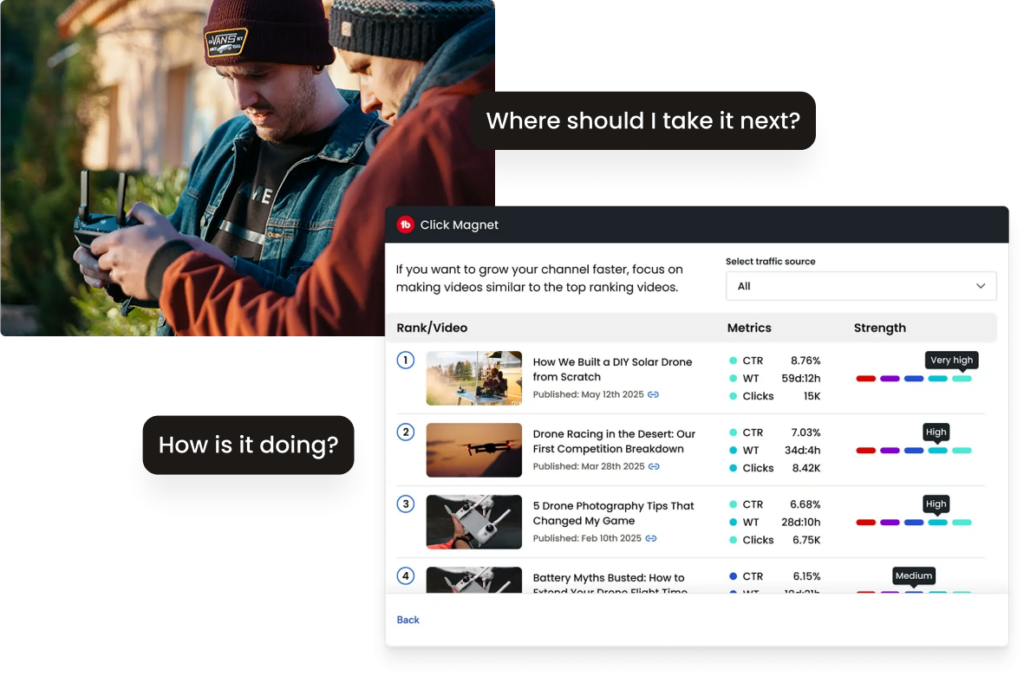
For longer product education, interviews, or a library of buyer resources, Vimeo offers a more deliberate hosting option than relying on a social feed alone. My breakdown of video hosting platforms for creators and marketers explains the trade-offs around player control, analytics, and audience experience.

Need help connecting content, paid traffic, and conversion work? My ecommerce scaling service → is built for store owners who need a more connected growth plan.
Set a Monthly Budget Before the Workflow Gets Expensive
A workflow stays affordable when its budget has clear limits. I separate recurring software, equipment upgrades, outside editing, and paid distribution. Each line item needs an owner, a cap, and a result worth reviewing at the end of the month.
Start with a modest operating budget and hold it steady for a full content cycle. A founder does not need the perfect camera package before proving that four product demonstrations a month lead to stronger product-page engagement or more qualified conversations. The goal is a working system, not an impressive shopping cart full of gear.
If the business is early, keep the financial foundation separate from the marketing experiment. The business formation checklist for high-ticket ecommerce covers the legal, banking, and operating details that deserve attention before recurring software costs start to accumulate.
Spend more only after the workflow tells you where the constraint sits. A reliable editor may save a founder more than a new lens. Better lighting may reduce retakes. A dedicated hosting platform may improve the buyer experience for complex products. The numbers, not excitement around a new tool, should make the call.
Review the Metrics That Connect Video to Revenue
Views are a signal, not a business result. Track watch depth to learn whether the opening held attention, clicks to see whether the video created curiosity, and product-page behavior to see whether it answered the right question. For a service-led brand, track qualified inquiries and booked calls alongside those signals.
Use a simple monthly review. List the five videos, the buyer question each one addressed, where it appeared, the traffic source, and the next action it produced. This gives a small team a record of what deserves a sequel, a new opening, a tighter edit, or retirement.
Video also helps with niche validation. If a product explainer consistently attracts serious questions about setup, compatibility, or delivery, the content is revealing useful demand. Combine those signals with the market work in my high-ticket niches list before committing further inventory, supplier outreach, or paid traffic.
Want a clearer plan for turning product knowledge into a real ecommerce operation? Join the Ecommerce Paradise Academy on Skool → with a 7-day free trial, then choose the level of support that fits your stage.
Build a Workflow You Can Maintain
An affordable video marketing process doesn’t depend on having the most expensive equipment or producing perfectly polished videos. It depends on creating a routine that your team can realistically maintain.
Start with the equipment you have, settle on a few repeatable content formats, and schedule recording sessions in batches. Use a straightforward editing checklist, reuse suitable footage across channels, and review performance often enough to learn what your audience responds to.
You don’t need to overhaul your entire marketing process at once. Choose one improvement, such as creating an editing template or recording several videos in one morning, and put it into practice before adding another.
A manageable workflow gives you a better chance of publishing consistently, learning from each video, and making improvements without allowing production costs to grow faster than your business.
My honest take: consistency wins when it comes from a workflow the team respects. Record useful proof, keep the edit lean, send viewers somewhere relevant, and review the outcome. Once that routine works, more production value becomes an informed upgrade instead of a distraction.
Want direct feedback on the store, offer, and marketing system behind your content? Explore Ecommerce Paradise coaching →.
Frequently Asked Questions
How often should a small business publish video?
Start with a cadence the team can keep for three months. One useful product demonstration and two shorter FAQ clips each month is stronger than a burst of daily posts followed by silence.
What should a first video budget cover?
Cover the problem that slows production most often. For many stores, that means a stable tripod, clear audio, storage, and a simple editor before a dedicated camera or studio.
Should every product have a video?
Prioritize products with the highest price, the most questions, the most complex setup, or the strongest margin. Those assets have the best chance of saving support time and helping qualified buyers decide.
Where should ecommerce video live?
Put the useful version where the buyer needs it. A clear demonstration belongs on the product page, while a shorter discovery cut belongs on the channel where new audiences first encounter the brand. Vimeo is worth considering when longer education needs a dedicated, controlled player.
How do I find better video topics?
Use customer questions, support tickets, returns notes, sales calls, and search queries. Those sources reveal uncertainty that a clear video should address far better than a generic promotional concept.
Related Articles
- Best AI video tools for ecommerce marketing
- Best AI video generators for creators and ecommerce brands
- TubeBuddy review for ecommerce entrepreneurs
- Best video hosting platforms
- Best teleprompter apps for business video

Trevor Fenner is an ecommerce entrepreneur and the founder of Ecommerce Paradise, a platform focused on helping entrepreneurs build and scale profitable high-ticket ecommerce and dropshipping businesses. With over a decade of hands-on experience, Trevor specializes in high-ticket dropshipping strategy, niche and product selection, supplier recruiting and onboarding, Google & Bing Shopping ads, ecommerce SEO, and systems-driven automation and scaling. Through Ecommerce Paradise, he provides free education via in-depth guides like How to Start High-Ticket Dropshipping, advanced training through the High-Ticket Dropshipping Masterclass, and fully done-for-you turnkey ecommerce services for entrepreneurs who want a faster, more hands-off path to growth. Trevor is known for emphasizing sustainable, real-world ecommerce models over hype-driven tactics, helping store owners build scalable, sellable, and location-independent brands.


