

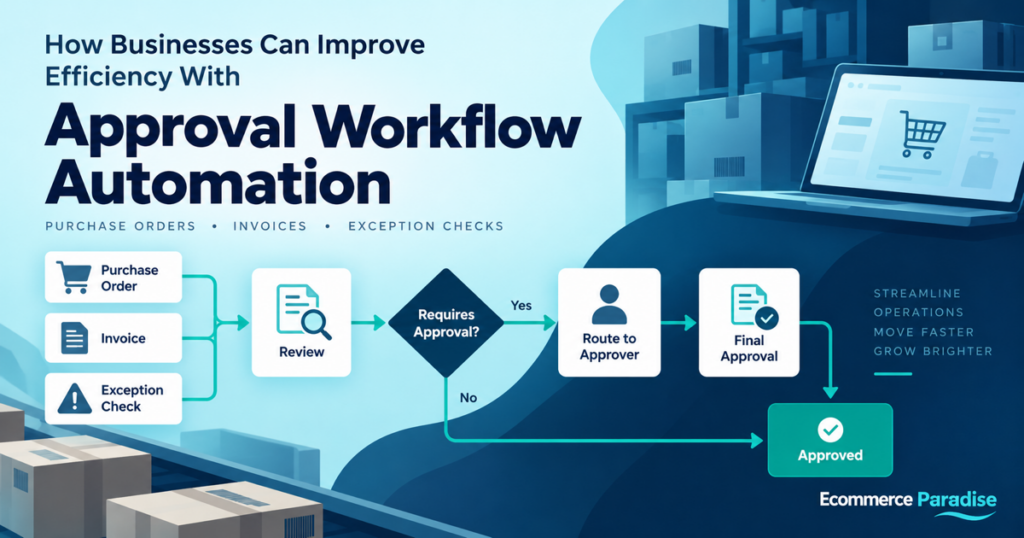
Businesses handle numerous requests and documents that require approval before work can proceed. These include purchase orders, invoices, contracts, employee requests, expense claims, and budget authorizations. When these activities depend on email conversations and manual follow-ups, delays and communication gaps can make everyday operations more complicated. A structured approval workflow helps organizations manage these tasks more consistently while keeping employees informed about pending decisions.
An automated approval process allows businesses to route requests to the appropriate decision-makers, apply predefined rules, and track decisions throughout the workflow. Instead of relying on employees to remember every approval step, organizations can establish a system that determines who reviews a request, when additional authorization is required, and what happens after a decision. This approach can reduce repetitive administrative work, improve visibility, and help teams manage growing volumes of documents more effectively.
What Is an Automated Approval Process?
An automated approval process is a digital workflow that sends requests or documents to designated reviewers according to predefined rules. It establishes the required approval stages, notifies the relevant people, and records decisions so that employees can monitor progress.
For example, a company purchasing new equipment may require authorization from a department manager and the finance team before placing an order. An automated workflow can coordinate these stages without requiring employees to forward emails manually or repeatedly ask for updates.
Key Components of Approval Automation
An effective approval workflow typically includes the following components:
-
Approval rules: Define which requests require authorization and who has permission to approve them.
-
Automatic routing: Direct each request to the appropriate person or department.
-
Conditional logic: Adjust the approval path based on factors such as department, document type, or request value.
-
Notifications and reminders: Inform reviewers when action is required.
-
Decision records: Maintain a record of approvals, rejections, and workflow activities.
Together, these components help organizations follow consistent procedures while giving employees a clearer understanding of each request’s status.
Why Businesses Move Away From Manual Approvals
Manual approval systems may work for small teams with limited administrative requirements. However, as a business grows, managing every request through email and spreadsheets can become difficult.
Common Problems With Manual Workflows
A purchase request may remain unanswered because a manager has overlooked an email. A contract might be sent for signature before the legal team completes its review. In other situations, employees may struggle to locate the final approval because the decision was recorded in a long email conversation.
These problems can affect several departments simultaneously, particularly when documents require input from multiple stakeholders.
Approval automation can help businesses achieve the following:
-
Reduce manual handoffs between departments.
-
Improve visibility into pending and completed requests.
-
Apply internal approval policies more consistently.
-
Reduce time spent sending reminders and checking email threads.
-
Make approval records easier for authorized employees to review.
Automation does not replace human judgment. It organizes the process so that the right people receive requests and can make informed decisions.
How altaFlow Supports Approval Workflow Automation
altaFlow provides a document workflow automation platform that supports approval routing and document-related business processes. Its approval use case is relevant to organizations that want to coordinate reviews, establish consistent procedures, and reduce dependence on manually managed email chains.
Establishing Approval Rules
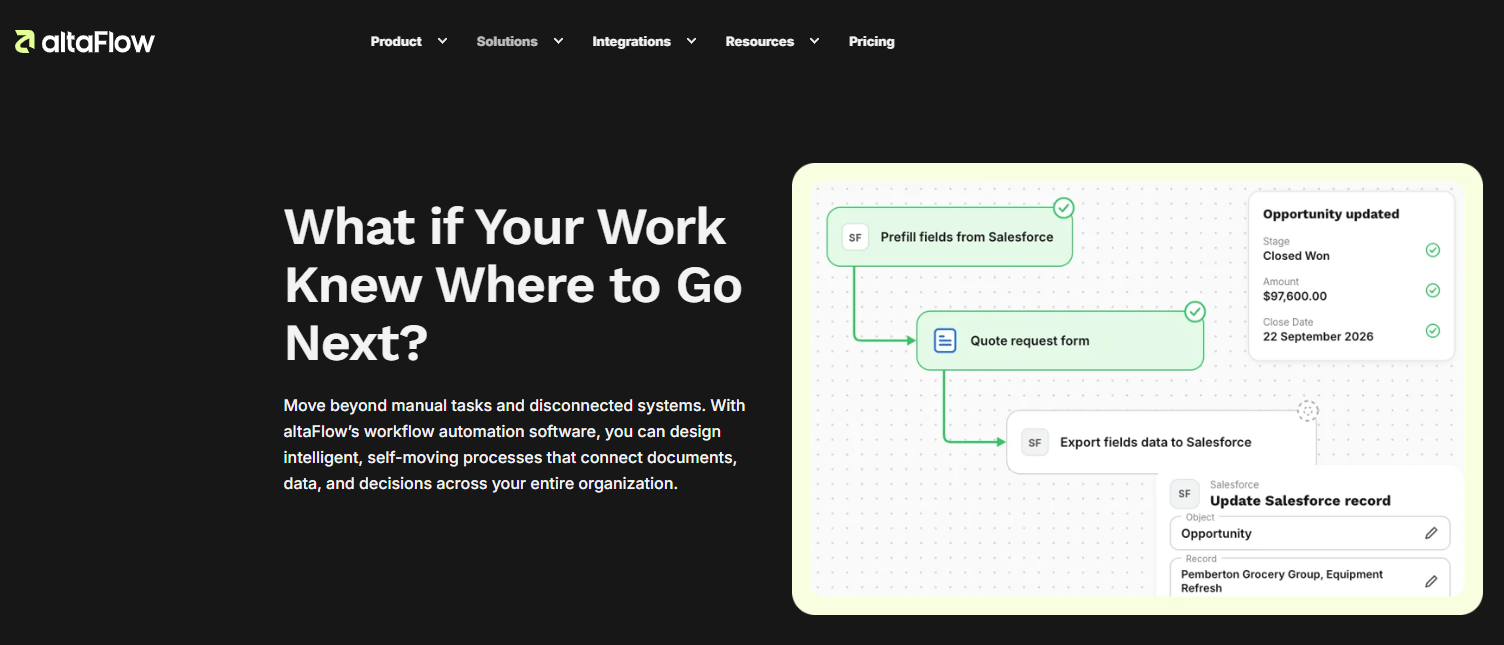
Organizations can configure approval workflows around their internal policies. A routine purchase request, for example, may require authorization from a department manager, while a request exceeding a specified budget threshold may require an additional finance review.
A typical workflow follows these steps:
-
Submit the request: An employee initiates the process by submitting a request or document.
-
Check the information: The workflow evaluates relevant fields against established conditions.
-
Route the request: The appropriate reviewer or approval group receives the request.
-
Record the decision: The workflow captures the approval or rejection.
-
Continue the process: Approved requests move to the next stage, such as contract signing, payment processing, or document filing.
The exact steps depend on the organization’s configuration, approval policies, and the type of document being processed.
Practical Applications Across Business Departments
Different departments have different approval requirements. An effective workflow reflects the responsibilities, risks, and documentation needs of each team.
Finance and Procurement
Finance and procurement departments frequently manage invoices, purchase orders, expense claims, and supplier requests. These activities may require several approvals before a payment or purchase can proceed.
For example, a company can require the budget owner to review a purchase request before finance checks the available budget. If the request meets predefined conditions, it can follow the appropriate approval route. This helps establish a clearer process and reduces the need for employees to coordinate every handoff manually.
Human Resources
HR departments manage employment offers, compensation changes, onboarding documents, and policy acknowledgments. An approval workflow can direct an employment offer to the hiring manager and then to HR for the required review.
A standardized process helps ensure that the appropriate stakeholders review documents before they are issued. It can also help maintain organized decision records, provided access permissions are configured to protect confidential employee information.
Legal and Contract Management
Contracts often require review by several stakeholders before they can be shared with an external party. Legal, finance, procurement, and management teams may each have different responsibilities.
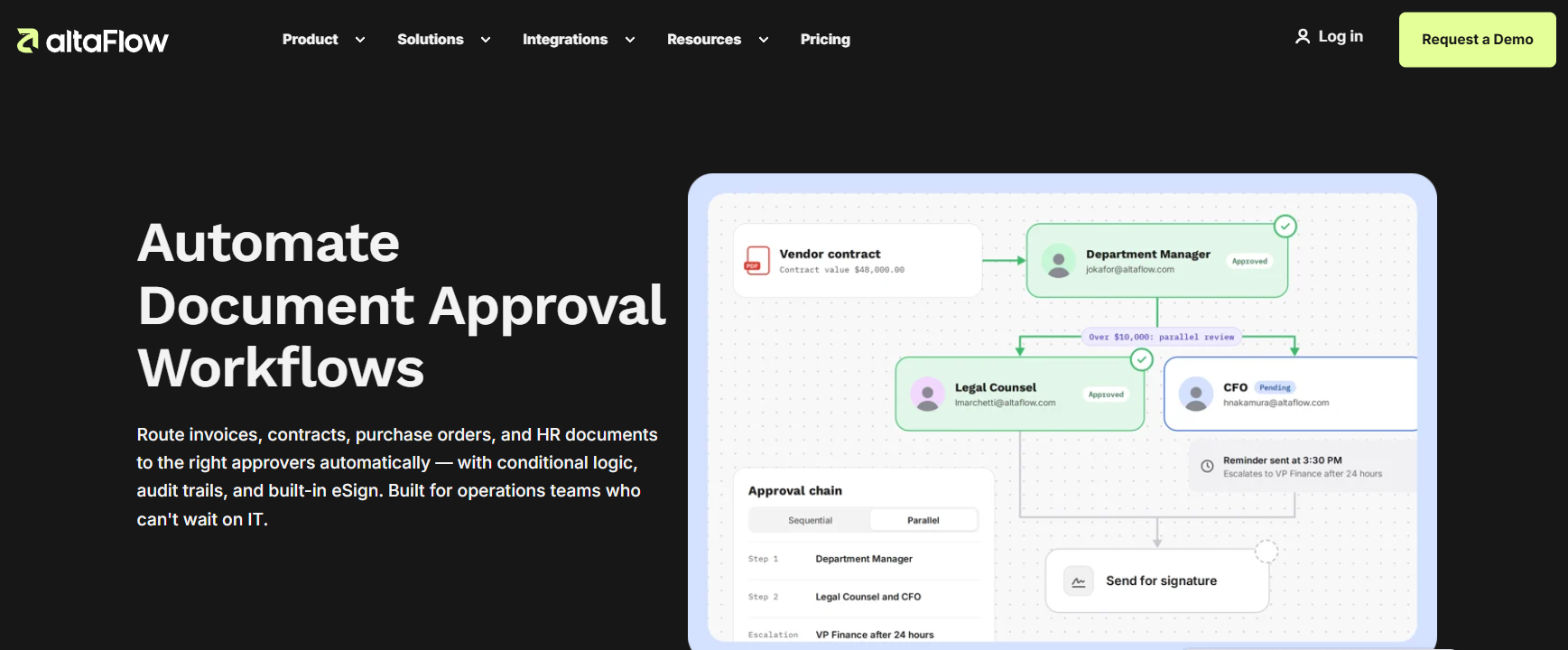
Sequential approval workflows allow one reviewer to complete their task before the next person receives the document. Parallel workflows allow multiple stakeholders to review a document at the same time when company policy permits.
Conditional routing can help determine which reviewers are necessary based on contract type, risk level, or transaction value.
Comparing Manual and Automated Approvals
|
Business activity |
Manual approval method |
Automated approval method |
|
Request routing |
Employees forward emails |
Predefined rules direct requests |
|
Follow-ups |
Staff send reminders manually |
Configured notifications support follow-up |
|
Approval requirements |
Employees follow written instructions |
Workflow conditions apply defined rules |
|
Status tracking |
Information is spread across messages |
Workflow status is easier to monitor |
|
Decision records |
Records may be scattered |
Approval activities can be recorded centrally |
The actual benefits depend on the quality of the workflow design, the accuracy of submitted information, and how consistently employees follow the established procedures.
Best Practices for Implementing Approval Automation
Businesses should define their approval policies before introducing automation. Digitizing an unclear process can simply reproduce the same problems in a different system.
Start With a Clearly Defined Workflow
Begin with a recurring process that currently involves unnecessary email exchanges, such as invoice approvals or purchase requests. Document each existing step and identify the people responsible for reviewing the request.
Before implementation, confirm that:
-
Every approval stage has an assigned owner.
-
Approval thresholds reflect company policy.
-
Rejection and exception procedures are clearly defined.
-
Notifications reach the correct reviewers.
-
Confidential documents have appropriate access restrictions.
-
Approval records can be accessed by authorized employees.
Starting with one well-defined workflow allows a business to identify issues before applying automation to additional departments.
Monitor Performance and Make Improvements
After implementation, businesses should examine how long requests remain pending, which stages experience delays, and how often requests are returned because of missing information.
These observations can reveal practical opportunities for improvement. If approvals frequently stall at one stage, managers can review reviewer availability, clarify responsibilities, or simplify unnecessary steps.
Frequently Asked Questions
1. What is the main purpose of an automated approval process?
Its main purpose is to route requests to the appropriate decision-makers according to predefined rules. It helps businesses reduce manual coordination, apply approval policies consistently, and track decisions. Employees still make the necessary judgments, while the workflow organizes routing and notifications.
2. Which business processes can be automated?
Common examples include invoice approvals, purchase orders, expense claims, contract reviews, employee onboarding, and supplier onboarding. The appropriate workflow depends on the organization’s policies, the documents involved, and the people authorized to make decisions.
3. Can approval workflows use different rules for different requests?
Yes. Conditional routing can direct requests through different approval paths based on criteria such as department, document type, or transaction value. This enables organizations to apply additional review when necessary without requiring every routine request to follow the same lengthy process.
4. How does altaFlow help businesses manage approvals?
altaFlow provides document workflow automation capabilities relevant to organizing approval processes and coordinating document-related tasks. Businesses should review the platform’s current functionality and configuration options to determine how they align with specific approval requirements.
5. Does approval automation remove the need for managers?
No. Automation manages the workflow rather than replacing human judgment. Managers and other authorized reviewers remain responsible for evaluating requests, checking relevant information, and approving or rejecting documents according to organizational policies.
6. How can businesses measure approval workflow performance?
Businesses can monitor approval cycle times, pending requests, reminder frequency, rejection rates, and requests returned because of incomplete information. Comparing these indicators before and after implementation helps organizations assess whether their workflows are becoming more consistent and efficient.
Use Approval Automation Where Delays Affect Margin
Not every decision deserves a workflow. The best starting points are the repeatable requests that create avoidable delays, such as supplier purchase orders, ad-spend exceptions, refunds above a threshold, inventory write-offs, and new software expenses. Each one has an owner, a cost, and a point where a late response affects the business.
Write down the current process before you automate it. Include the request, required evidence, reviewers, time limit, exception path, and final record. If the team cannot describe the decision clearly, software will not make it clear.
Keep Automation Accountable
- Make the request form collect the information each reviewer actually needs.
- Route based on a defined rule such as amount, department, or supplier type.
- Record the reason for an exception or rejection.
- Set a backup approver for travel, sickness, or role changes.
- Review stalled requests and update the rule, rather than blaming the requester.
- Keep final documents in the system of record where the team can retrieve them.
The FTC’s Start with Security guide is useful when automation touches sensitive business information. The NIST control catalog provides a more detailed reference for access, audit records, and separation of duties.
For agreements that move into an electronic signature stage, the Electronic Signatures in Global and National Commerce Act is a primary source for the US legal context. Get qualified legal advice for the documents and rules that apply to your business.
Use the Workflow to Support a Better Store Operation
Supplier approvals make more sense when the sourcing process is clear. Use our supplier sourcing guide to define the information that should come before a purchase or agreement decision.
The high-ticket niches list can help you focus on categories where product complexity makes disciplined operations especially valuable.
Our high-ticket dropshipping guide explains the broader model.
Before delegating approvals or signing supplier terms, review the business formation checklist.
Visit Ecommerce Paradise for more practical operating guides. If you are building a store and its systems at the same time, see my done-for-you setup service.
Build One Approval Map Before You Buy More Software
Draw the workflow on one page. Start with the event that creates a request and end with the system where the decision is recorded. Add the people involved, the data they need, the decision threshold, and the time allowed for a response. This simple map reveals duplicate approvals and missing owners.
For a purchase order, a workable rule might be: the requester provides the supplier quote and reason for purchase; a department owner approves the business need; finance reviews budget availability above a defined threshold; procurement confirms supplier status; the record is filed with the purchase order. The exact steps depend on the business, but the principle is consistent.
Keep exception paths visible. An urgent replacement part, a stockout, or a customer issue may justify a faster decision. The workflow should record why the normal route was bypassed and who accepted the risk.
Measure the Decision, Not Only the Tool
Track average approval time by request type, the number of requests returned for missing information, the share of requests that use exceptions, and the bottleneck at each stage. Review the operational result as well. Did faster approval prevent a stockout? Did a new control reduce duplicate software spend? Those are better outcomes than the number of automated messages sent.
Assign an owner to review the report monthly. If a rule creates more work than it saves, simplify it. Automation is successful when it makes the right decision easier, not when it adds another dashboard.
Choose Approval Rules That Match the Risk
A good approval process is neither a free-for-all nor a chain that makes every small decision wait for an executive. Match the route to the risk. A routine reorder within an agreed supplier arrangement may need only the budget owner. A new supplier, unusual payment term, or large inventory commitment may require finance, operations, and legal review.
Write the threshold in plain language. State what triggers the extra approval, what evidence the requester must provide, who can approve an exception, and what happens when the normal approver is unavailable. This turns approval automation into a reliable decision system instead of a collection of notifications.
Give requesters a reason when an item is returned or rejected. A note such as “supplier quote missing” or “amount exceeds department limit” helps the next request arrive complete. It also reveals recurring process problems that should be fixed at the form or policy level.
Protect the Speed of Customer-Facing Decisions
Some ecommerce decisions are time-sensitive. A stockout, damaged delivery, pricing mistake, or fraud review can require a fast response. Build an urgent path for genuinely time-sensitive cases, but keep the record. The team should know who used the exception, why it was necessary, and whether the decision should change the normal policy.
Do not measure the process only by how quickly it closes. Measure whether approvals led to better stock availability, fewer duplicate purchases, cleaner supplier records, or fewer customer escalations. The right workflow keeps important decisions moving while preserving enough context for the business to learn from them.
Review the rules when the business changes. New sales channels, new warehouses, larger purchase orders, or different supplier terms may make a formerly sensible threshold obsolete. A short quarterly review is usually enough to keep the workflow aligned with the operation.
Give Every Workflow a Named Owner
Someone must own the rule after it goes live. That owner should review unresolved items, monitor exception use, and coordinate updates when a supplier, budget, or team responsibility changes. Without ownership, even a well-built workflow slowly becomes a collection of outdated routing rules.
Keep a short record of decisions that changed the process. Over time, it helps managers see whether a new approval step solved a real problem or simply moved the delay to another inbox.
Make the Request Easy to Approve
The fastest approval is the one that arrives complete. Put the business reason, supporting documents, amount, timing, supplier details, and expected outcome in the request itself. Reviewers should not need to open an email thread or ask for the basic facts before they can make a decision.
That small design choice protects both speed and accountability. It gives the requester a clear standard, gives the reviewer the context to exercise judgment, and leaves a record the business can understand later.

Trevor Fenner is an ecommerce entrepreneur and the founder of Ecommerce Paradise, a platform focused on helping entrepreneurs build and scale profitable high-ticket ecommerce and dropshipping businesses. With over a decade of hands-on experience, Trevor specializes in high-ticket dropshipping strategy, niche and product selection, supplier recruiting and onboarding, Google & Bing Shopping ads, ecommerce SEO, and systems-driven automation and scaling. Through Ecommerce Paradise, he provides free education via in-depth guides like How to Start High-Ticket Dropshipping, advanced training through the High-Ticket Dropshipping Masterclass, and fully done-for-you turnkey ecommerce services for entrepreneurs who want a faster, more hands-off path to growth. Trevor is known for emphasizing sustainable, real-world ecommerce models over hype-driven tactics, helping store owners build scalable, sellable, and location-independent brands.


